YouTube video playback in the background was once a simple process. Unfortunately, YouTube has recently restricted the ability to run in the background offered by numerous third-party programs to enforce its premium subscription, which costs money each month. Xiaomi has eliminated the sidebar feature that lets you play YouTube videos in the background, according to a recent post by Poco users.
Why is the background music option not available anymore on YouTube by u/-Nothing- in PocoPhones
In case you forgot, YouTube is fighting adblockers. If the platform detects an attempt to block adverts, it will now prohibit users from playing videos. Additionally, YouTube has acknowledged that users of adblockers may encounter buffering or slow playback.
A YouTube Premium subscription is another perk that the Google-owned corporation is offering. Google may have forced Xiaomi into disabling the background streaming feature on all of their devices because of YouTube’s demands. Since all of Xiaomi’s smartphones are built on MIUI , this move will impact Poco devices as well as Mi and Redmi models.
OPPO Has Also Removed this Feature
Similarly, OPPO has also stated that all of its smartphones will have the background stream capability disabled with future over-the-air upgrades.
The news broke on OPPO’s Community , where the company said that in order to comply with regulations, they will be removing the Smart Sidebar’s background stream feature. All devices will be updated immediately.
OPPO has no plans to roll out a new update that disables the feature. Rather, the company will fix the same feature over time through over-the-air upgrades. Users have also received an apology from OPPO for the trouble this has created.
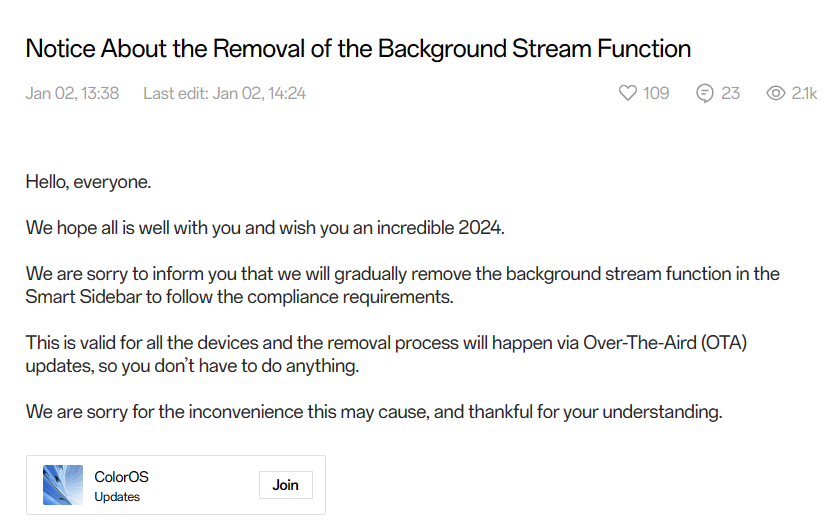
OPPO Removed Background YT Player | Oppo Community
Even though neither Google nor YouTube have spoken out about it, OPPO’s claim that it deleted the feature to comply with regulations implies that it was pressured by outside sources to do so. Lately, YouTube has also been very stringent in enforcing its TOS .
How to Fix this Problem?
Not all users are willing to pay a monthly subscription amount to Google for removing ads and enabling background video playback. Thankfully, there are a few solutions still present that do the work. We have listed them below and you can use these services to still access these features without paying a premium fee.
- YouTube Revanced
- GrayJay App
- Brave Browser
Some users have also shared a solution ( For Xiaomi Phones Only ). This might work for other brands but try it in your own risk.
- Uninstall Security App Updates
- Go to Settings
- Go to System Apps
- Disable Security Updates by pressing “ ignore “
This solution might do the work for you, atleast until YouTube enforces it some other way.
