Artificial intelligence (AI) art generators have received considerable media attention this year for various reasons. One of the most prominent players in this field is OpenAI’s Dall-E , stylized as Dall·E , and now on its second generation; DALL·E 2 . It’s already open to the public and programmers, and shortly it’ll be included in Microsoft software , including the Bing search engine.
In addition to using the technique, stock art service Shutterstock plans to compensate the artists whose work it steals to “give back” and (maybe) sidestep certain ethical difficulties. After all, the DALL-E AI was partially trained with images from Shutterstock’s extensive library.
So, how exactly do you collaborate with DALL-E? Is it as easy as entering a description (a prompt) and receiving an image in return? To be blunt, yes. Still, there is much more to learn if you want to achieve even a near-perfect outcome. Let’s take a deep dive into DALL-E 2 and what makes it so impressive.
What Is DALL·E 2?

How to use DALL-E 2 |Inside Telecom
DALL·E 2 is an AI-powered platform for making new graphics responding to textual cues. It is powered by an AI system called GPT-3 , which can translate spoken words into visual representations. The program also enables users to upload photos and change them using text prompts to create new art pieces. Further improvements can be made by creating and editing variants.
Until 28 September 2022, DALL-E 2 was in beta and only available to those who joined the waitlist when OpenAI released it to the public. Today, over 1.5 million people, from artists and art professionals to authors and developers, are using DALLE to make over 2 million images daily.
Iterative deployment has been necessary for responsibly scaling a system as powerful and advanced as DALLE while also discovering the numerous creative ways in which it might be exploited and manipulated.
The training process of DALL-E 2 has been made available to us in an unprecedented way due to the Open AI team’s publication of the article supporting DALL-E2. The DALL-E2 system has two models, namely CLIP and Diffusion .
The DALL-E Content Policy
Before we discuss how to use Dall-E 2 and produce photos, you may want to study the DALL-E content policy page .
There are restrictions on the kinds of photos you’re allowed to generate, and specific guidelines about works with recognizable persons exist. If you want to be in good standing on the platform, it’s in your best interest to familiarize yourself with the regulations and avoid breaking them.
How to use Dall-E 2

Dall-E 2 Dashboard |Medium
Step 1
Step 2
After logging in, you’ll have access to the full range of editing tools. The site’s search bar is located in the upper-right-hand corner. Below it, you’ll see more artwork from the DALL-E 2 team. If you’re stuck for ideas, click over any images to find out what words the artists used to create them.
Step 3
DALL-E 2’s main menu provides access to several primary functions. You can manually type in a description, upload a picture for the AI to change based on your directions, or select Surprise me to generate a description that works well with the AI. Remember that your credit limit is fixed, and use it wisely.
Step 4
Type your description. There is a limit of 400 characters, so take your time and be descriptive. Feel free to request a painting, stained glass, digital art, or any other visual art to experiment with in DALL-E 2. When ready, click the Generate button.
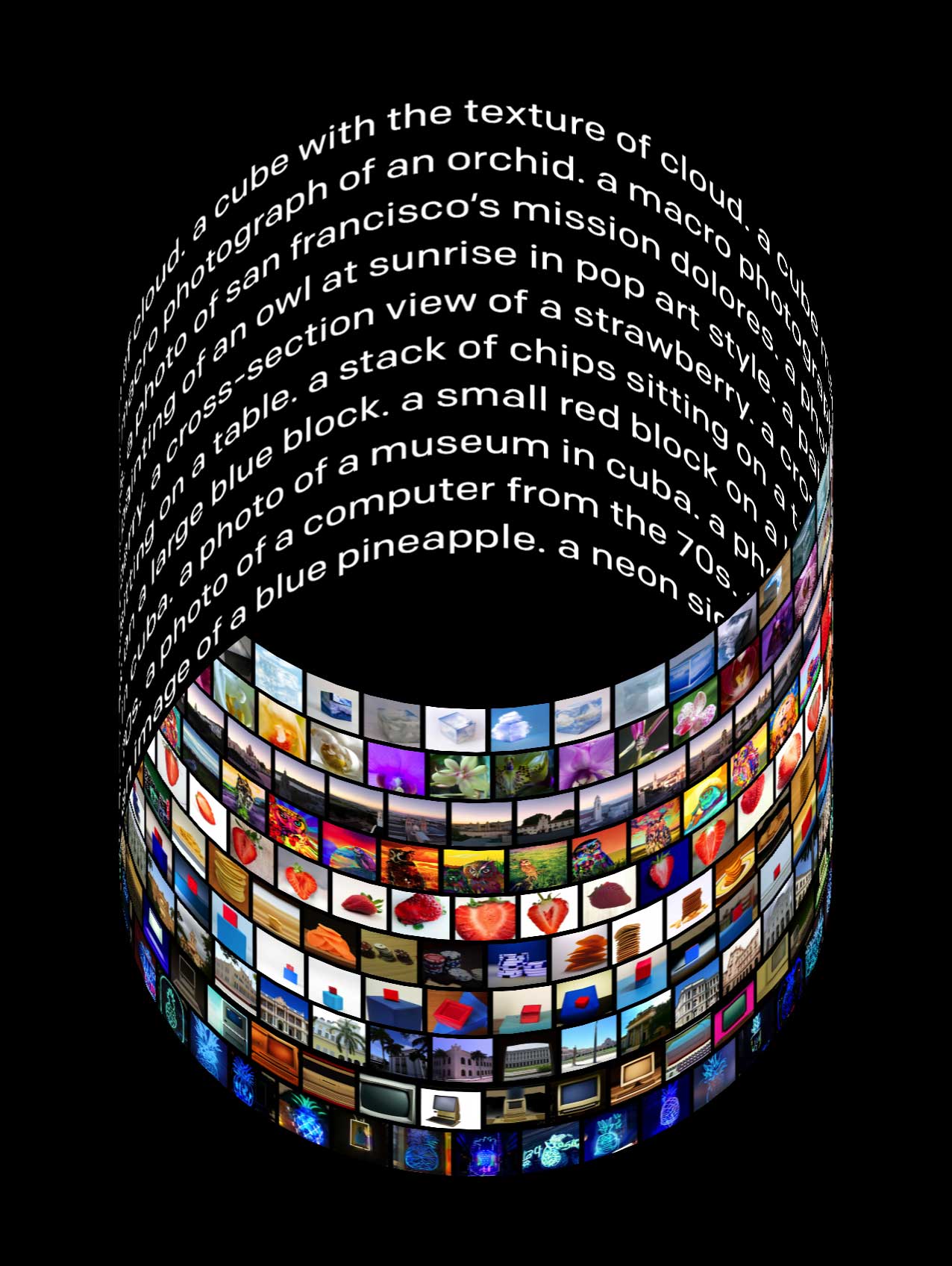
AI Art created with text commands by Dall-E 2 |OpenAI
Step 5
In response to your requests, DALL-E 2 will produce many alternate images for your consideration. If you find one that you like, you can bookmark it for later or download it right now using the buttons in the top right corner.
Step 6
When you click on Variations, a new set of options will be generated depending on the image you originally selected if that’s more to your liking. Alternatively, you may try changing your wording to see if that produces a different outcome.
If you click on an image, it will expand to its full size. You may transfer the picture to your Dall-E 2 collection using the save button in the top right corner.
How much does it cost to use Dall-E 2?
OpenAI has transitioned to a credit-based approach, but before July, it was free to use (for those who have access). Suppose you’re a new user of DALL-E 2. You can get 50 free credits for image development, editing, or variety (new image generations return four 1024 X 1024-pixel images for one credit).
Following that, each month, customers will receive 15 free DALL-E 2 credits. You can obtain more by paying $15 for 115 credits (enough to generate 460 1024 X 1024-pixel images). OpenAI has extended an invitation to artists who are struggling financially to submit applications for subsidized admission.
Could DALL-E be the Replacement for Artists?
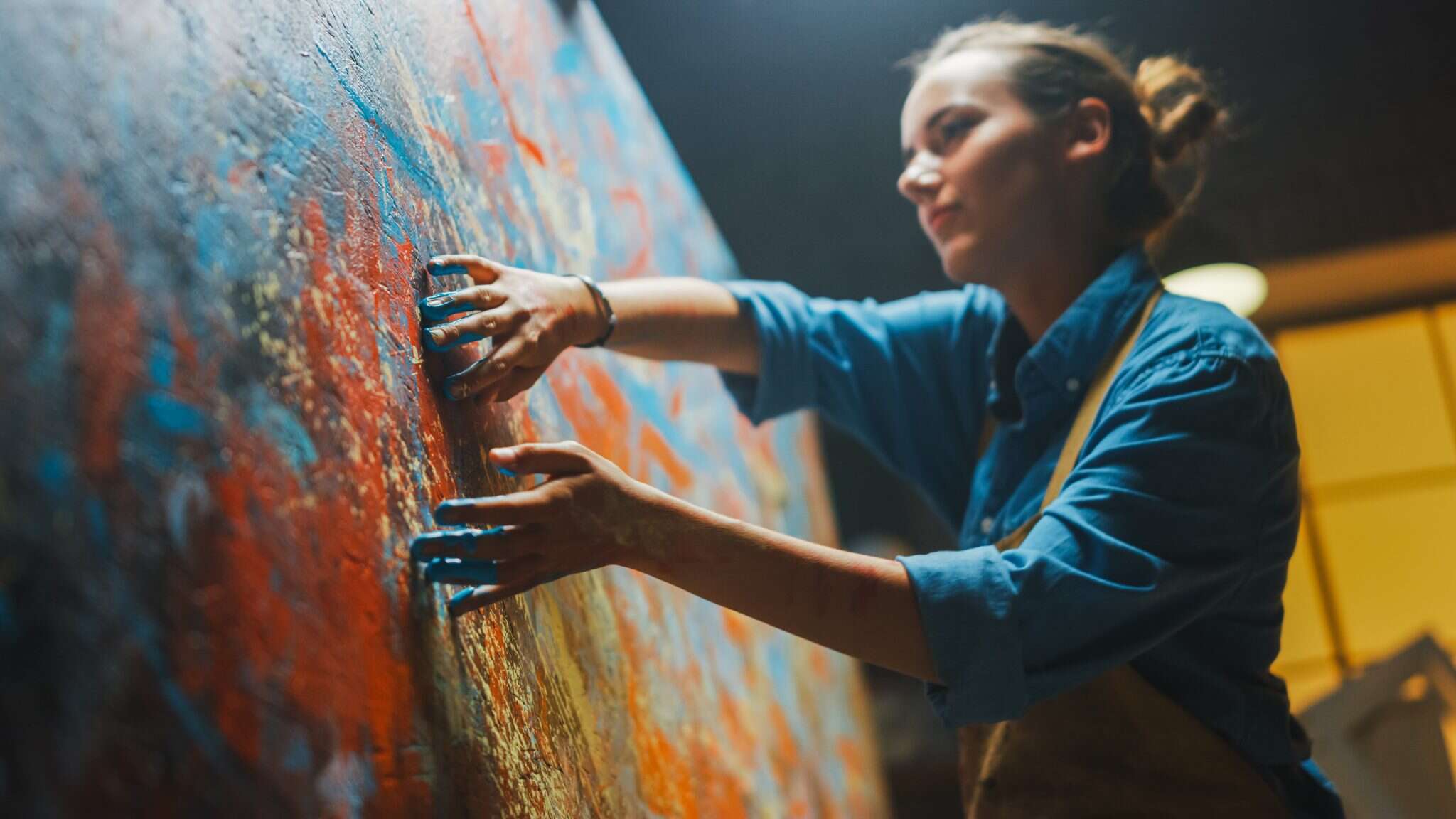
Female Artist |IE University
Looking back, we may see that some advancements helped an industry or skills evolve without completely replacing them. In the same way that prehistoric cave drawings let humans represent themselves, so did the use of paintbrushes and pencils.
Photoshop and other vector graphics applications followed the widespread availability of personal computers. But now, new technologies are emerging to appear centered on AI and Machine Learning (ML), such as DALL-E, Stable Diffusion , or NVIDIA Canvas .
The days of rubbing charcoal and iron oxide on cave walls to create art are long gone. Irrespective of the method, there is always a human being behind the machine that produces art.
So, what’s the deal with all the talk about DALL-E taking the place of creative types like designers and artists? Knowing the underlying technology is crucial for answering this question. Dall-E relies on machine learning. It learns from a picture database the various components of images, such as human faces, architecture, sceneries, creatures, etc.
These tools allow it to generate fresh pictures by combining user-specified parts in inventive ways. An artist can get the same effect by combining two photos that contain the elements he wishes to highlight. So, the debate about AI replacing artists might now declare AI as a winner because, after all, these AI tools are themselves developed by some artists.
Potential Issues with Artificial Art
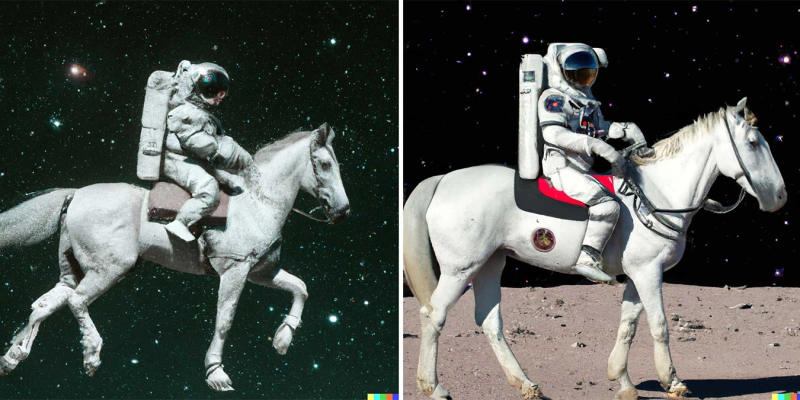
Dall-E ApenAI Astronaut hero |Think Big
The program still has space for development, especially in bias and safety, which is why humans (still) can’t hand over creative tasks to AI.
Since quite some time ago, various problems have been plaguing our globe, and all of these problems are mirrored in our data. When you type in something like “a photo of an astronaut riding a horse in space,” you get a generally funny result, but when you type in “war, violence, or protests,” you get a mostly serious result.
Racism, sexism, and religious bigotry are all serious problems in today’s society. For instance, DALL-E 2 primarily portrayed white men in responses to “the CEO” prompt. This doesn’t seem right or even close to being accurate.
There are still ethical concerns despite OpenAI’s efforts to train its program to restrict or at least limit the exposure of sensitive content and fight the biases inherent in the data it has examined.
Regardless of where you stand on the topics we’ve covered, you can’t deny that AI has the potential to be a positive influence. Natural language processing and artificial intelligence have opened up new avenues for artistic expression, improved time management, and many other areas of human endeavor.
Final Thoughts
DALL-E 2 is a leading artificial intelligence (AI) art platform that helps professionals and beginners produce stunning visual content in a second. If you want to make original and engaging artwork, you should try DALL-E 2. Arguably the finest thing about DALL-E 2 is that users have full rights to professionally utilize, print, and merchandise their original AI creations.
How to Fix “Printer is in an error state” Issue?
The error “ WinRAR Error: Next Volume Is Required ” usually appears when you’re extracting a multi-part RAR archive and WinRAR can’t find (or can’t correctly identify) the next file in the sequence . This often happens when a volume is missing , stored in a different folder , or renamed in a way that breaks the archive’s expected order .

In this guide, we’ll go over the most reliable fixes confirmed by affected users, along with what each method is doing behind the scenes so you can choose the right one for your situation.
Important: To extract multi-volume archives, you should always start extraction from the first file in the set. This is usually file.part1.rar , or (in older sets) the main .rar file that comes before .r01 , .r02 , and so on.
1. Download and Place the Missing RAR File
WinRAR needs all parts of a multi-volume archive to complete extraction. This error usually appears when one of the volumes in a set like .part2.rar , .r01 , .r02 , .001 , and similar naming formats is missing . Downloading the missing volume and placing it in the same folder as the other parts allows WinRAR to continue extracting normally .
- Look at the error message or review the list of archive parts in the folder.
- Identify which volume is missing (for example, part2.rar , .r02 , .001 , etc.).
- Go back to the website or source where you downloaded the archive.
- Locate and download the exact missing file using the same naming format as the others.
- Make sure the new file name matches the pattern of the rest. Example: If you have file.part1.rar and file.part3.rar , the missing one must be file.part2.rar .
- Move the downloaded missing volume into the same folder as the other archive parts.
- Confirm that all parts are in a single folder before extracting.
- Right-click the first file in the series (usually part1 or the main .rar file) and select Extract Here or Extract to Folder .
- WinRAR should now detect all volumes and continue extraction normally .
2. Manually Browse & Select the Next Volume
Use this method only if the next volume already exists , but WinRAR is failing to detect it automatically. This can happen due to incorrect naming , the file being in a different location , or a temporary file access issue. Manually browsing helps WinRAR locate the correct volume and resume extraction without interruption .
- Right-click the first file in the series (usually .rar or part1.rar ) and select Extract Here or Extract to Folder .
- When WinRAR cannot find the next volume, it will show the “ Next Volume Is Required ” message.
- A small window will appear, allowing you to manually select the next volume .
- Use the file explorer window to locate the folder where the other archive parts are saved.
- Select the next part based on the naming order (example: select file.part2.rar after file.part1.rar ).
- Make sure the selected file matches the naming format of the archive (no extra characters like (1) and no mismatched numbering).
- WinRAR will resume extraction using the selected volume .
- If additional volumes are missing or stored separately, WinRAR may prompt you again. Repeat the same process until extraction completes.
3. Rename the RAR files in Order
WinRAR relies on a proper naming sequence (such as file.part1.rar , file.part2.rar , file.part3.rar ) to extract multi-volume archives. If a file is named incorrectly, contains extra characters, or is out of order, WinRAR may fail to locate the next volume and show this error. Renaming the files correctly helps WinRAR follow the sequence and extract the archive without interruptions .
Note: Renaming only changes the file name , not the file contents. The goal is to restore the correct sequence so WinRAR can detect the next volume.
- Go to the folder where all the RAR files are saved.
- Make sure all parts of the archive are present and stored in the same folder .
- Check how the parts are currently named . Common patterns include:
file.part1.rar, file.part2.rar, file.part3.rar
file.rar, file.r01, file.r02, file.r03
- Look for files that don’t match the expected numbering pattern (for example, file.part01.rar , file.part1(1).rar , or unrelated names).
- Rename each file so it follows the same order without extra characters or mismatched numbering. Example:
Incorrect: file.part1.rar, file.part3.rar, file.part2(1).rar
Correct: file.part1.rar, file.part2.rar, file.part3.rar
- Make sure the text before the number is exactly the same for all files.
- Only the last part number should change.
- Right-click the first file in the series (usually part1.rar or the main .rar file) and select Extract Here .
- WinRAR should now recognize the sequence and continue extraction normally .
If you still get the same prompt: the archive set is likely incomplete (a part was never downloaded or was removed), or one of the volumes is corrupt and must be re-downloaded from the original source.
