- Push notifications inform users about updates and activities when they are not actively using Facebook, like comments, likes, or friend requests.
- Facebook allows customization of these notifications through settings on both the mobile app and desktop website, enabling users to enable, disable, or control specific notification types.
- There are different types of push notifications, including likes and reactions, comments and tags, friend requests and birthdays, and posts and events, each serving distinct purposes to keep users engaged and informed.
In the current digital landscape, notifications are used to keep us updated. Every application, ranging from X to PUBG , frequently uses them. In this article, we will look at Push Notifications sent by Facebook . So without further ado, let’s dive straight into it.
- How Do Notificitions Even Work?
- What Are Push Notifications On Facebook?
- What Are the Different Types of Push Notifications? 1. Likes and Reactions 2. Comments and Tags 3. Friend Requests and Birthdays 4. Posts and Events
- Customizing Push Notifications ↪ On the Mobile App ↪ On the Desktop Website
- Conclusion
How Do Notificitions Even Work?
Simply stated, notifications are the alerts you receive on any device that inform you about certain developments. Notifications can be from applications or your device’s system . The most common example is when you receive a message on WhatsApp. Some parts of the message and the sender’s name appear in the notification center.

A WhatsApp Notification
Notifications usually appear on the lock screen and in the notification center so that you can get to them once you unlock your device.
What Are Push Notifications On Facebook?
Push notifications can be summarized as the alerts you receive when you are not actively browsing the platform. Actively browsing means that your account is logged in on the application or the browser, but at that moment, the application or the browser tab is not open .
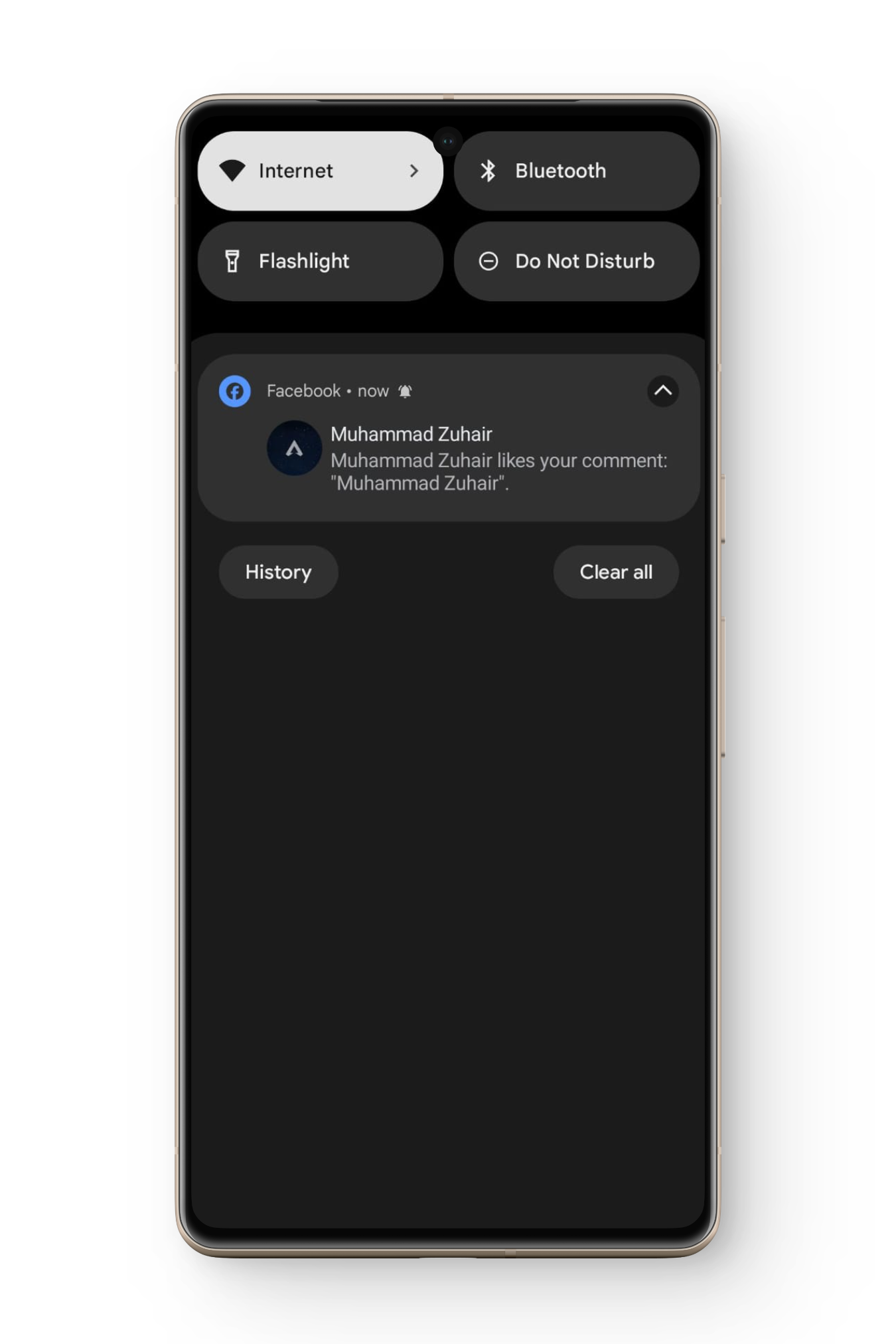
Snapchat also has similar types of notifications called time-sensitive notifications.
What Are the Different Types of Push Notifications?
There are different types of push notifications that a user can receive. Some of them are important, whereas the rest are there to just let you know about certain developments. Here are the main types of push notifications:
1. Likes and Reactions
Whenever someone gives a reaction to any photo/video you upload or a post you share, you are notified through a push notification.

3. Friend Requests and Birthdays
Whenever you get a friend request from an account, you are immediately notified so that you can accept or decline it . Also, when it’s the birthday of one of your friends, you get a notification so that you can wish them on time. However, if they entered the wrong birthdate during their account creation, you will be wishing them on the wrong date.
4. Posts and Events
When people post multiple new posts in a group you have followed, you get a push notification: “There have been 10+ new posts since you last visited XYZ .” Also, when there is an event nearby, like an earthquake or a thunderstorm , you sometimes get an alert message asking you if you are fine. This status is then shared with your Facebook friends.

Facebook Safety Check Notification | The Express Tribune
Customizing Push Notifications
By now, you might be wondering: Can I control the notifications I receive? Yes, Facebook provides you with different options through which you can enable , disable , and control the different types of push notifications. The process varies for the mobile application and its website, so we have mentioned the methods for them separately.
↪ On the Mobile App
- Launch the Facebook application on your phone and tap on the hamburger menu in the top-right of the screen. Hamburger menu
- Scroll down to Settings & privacy and tap on Settings . Settings
- Now go to Preferences and tap on Notifications . Notifications
- All the different types of notifications will be listed, such as Comments , Tags , Birthdays , etc.
- Tap on the type you want to control, and the whole menu will be displayed.
- Toggle off Push if you want to completely turn off the notifications for a specific type. Push
- In case you want to completely turn off notifications of all types, on the Notification Settings page, scroll down to Where You Receive Notifications .
- Here, tap on Push and toggle on Mute Push Notifications . Mute push notifications
↪ On the Desktop Website
- Visit Facebook’s website and log in with your account.
- Click on the profile icon located at the top-right corner of your screen. Click on your profile
- Select Settings & privacy and then click on Settings . Click on Settings
- Scroll down to Preferences, and then click on Notifications . Click on Notifications
- Select the type you want to modify the push notifications for.
- To completely turn off the push notifications, scroll down and click on the drop-down box next to Browser .
- Then toggle off Chrome (or whatever browser you use) push notifications. Toggle off browser push notifications
Conclusion
Facebook push notifications are crucial to keeping you updated on the activities taking place when you are not using the platform. By having the option to customize these, you can enhance the user experience. Feel free to drop down any queries or suggestions. Until next time. Ciao
There are no normal Facebook notifications; rather, all notifications sent by Facebook are called push notifications.
Yes, you can completely disable push notifications, or you can also turn off specific types of push notifications.
Push notifications are important as they keep users updated regarding activities related to their account.
