- Super Reactions on Discord are advanced, animated versions of regular reactions and are only available to Discord Nitro subscribers.
- To use Super Reactions, users select a message, choose an emoji, and an animated reaction is displayed, with Nitro subscribers having unlimited access.
- Super Reactions are best used in direct messages, with close friends, and for non-offensive content in public servers to prevent misunderstandings.
Discord has become the de-facto mode of communication between gamers and many other communities. It’s no wonder Discord has a loyal userbase and faces little competition, given the vast number of features it offers.
Now available on PlayStation , Xbox and PC , Discord has a habit of adding even cooler stuff, With the most recent addition being Super Reactions . Read on below to learn all about Super Reactions.
- What are Reactions on Discord?
- What are Super Reactions?
- How To Use Super Reactions Step 1: Choosing the message to react to Step 2: Adding a reaction Step 3: Opening up the Super Reactions tab Step 4: Selecting the emoji for the Super Reaction Step 5: Playing the Super Reaction animation
- Where Should You Use Super Reactions?
- Conclusion
What are Reactions on Discord?
Reactions are a quick way to give your response on a message that has been sent. You can choose to react with any emoji or sticker , which allows you to express your honest answer in a concise, and in most cases, hilarious manner.
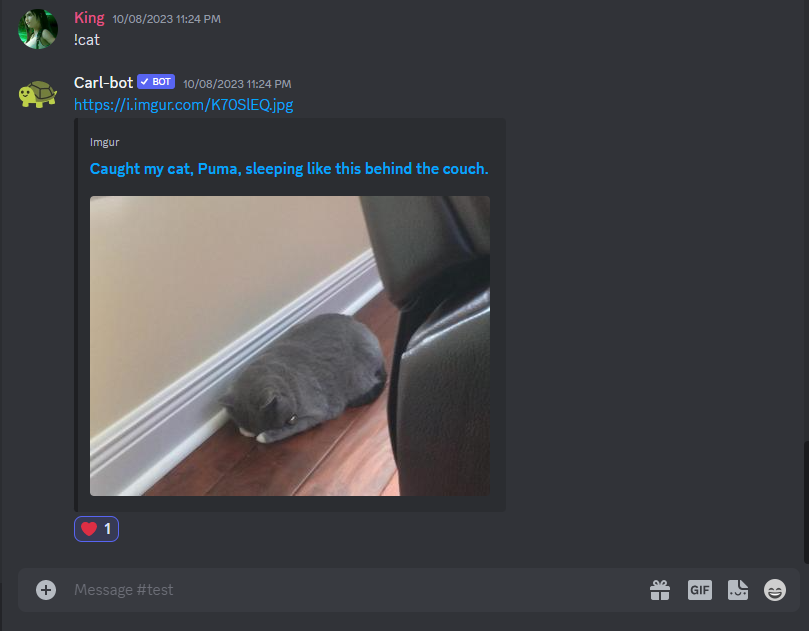
Reacting with a heart emoji
What are Super Reactions?
Super Reactions are essentially a much cooler version of the normal reactions . While the normal reactions allow you to react to a message in a simple manner, Super Reactions are way flashier and add more nuance to your reaction by making use of animations .
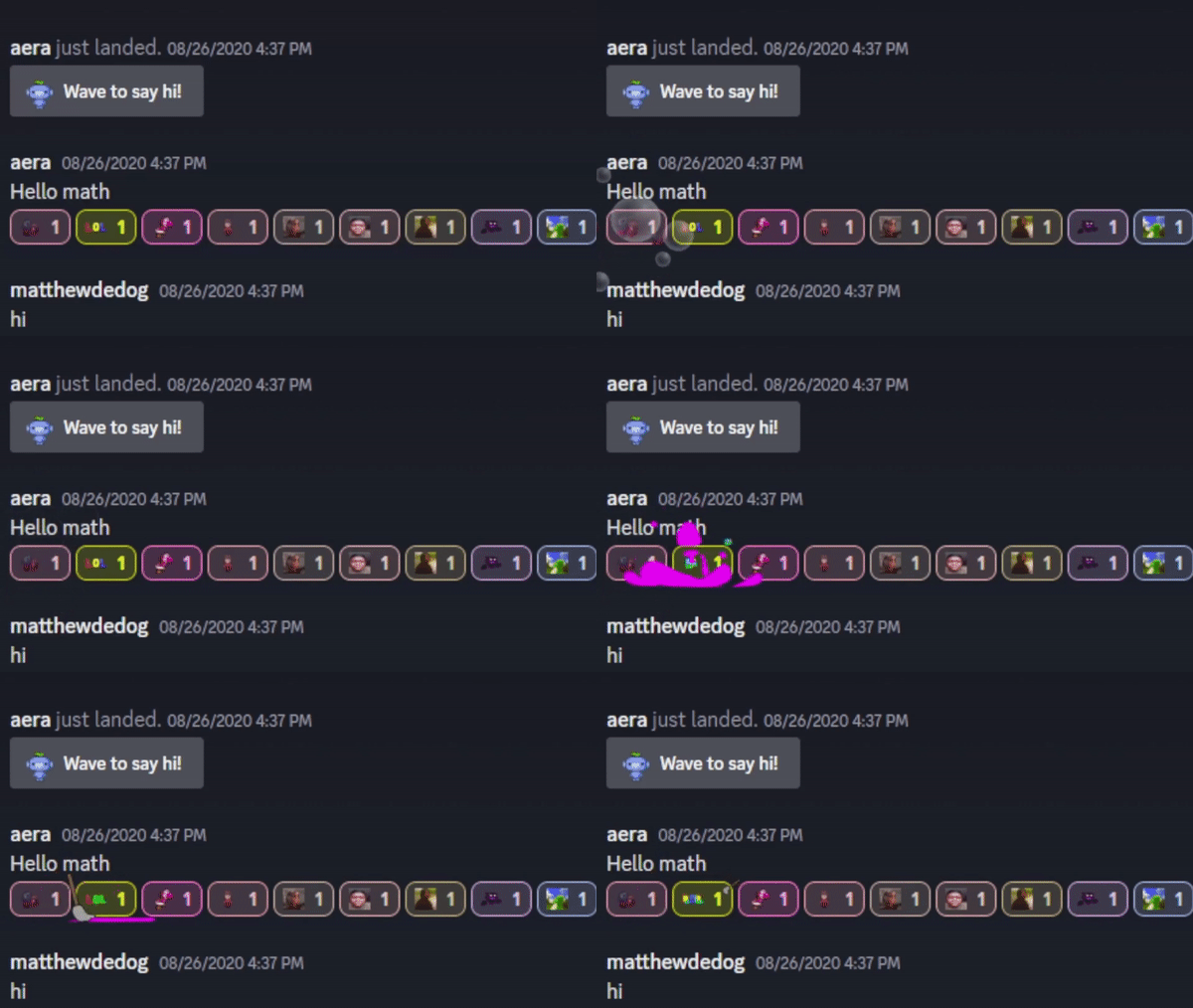
Super Reactions are normal reactions with flashy animations |Nostamagic
How To Use Super Reactions
Super Reactions are pretty easy to use and are hilarious on most occasions. Here’s how to use one:
Step 1: Choosing the message to react to
First off, make sure that you have an active Nitro subscription . Then, open up a message that you wish to use a Super Reaction on.
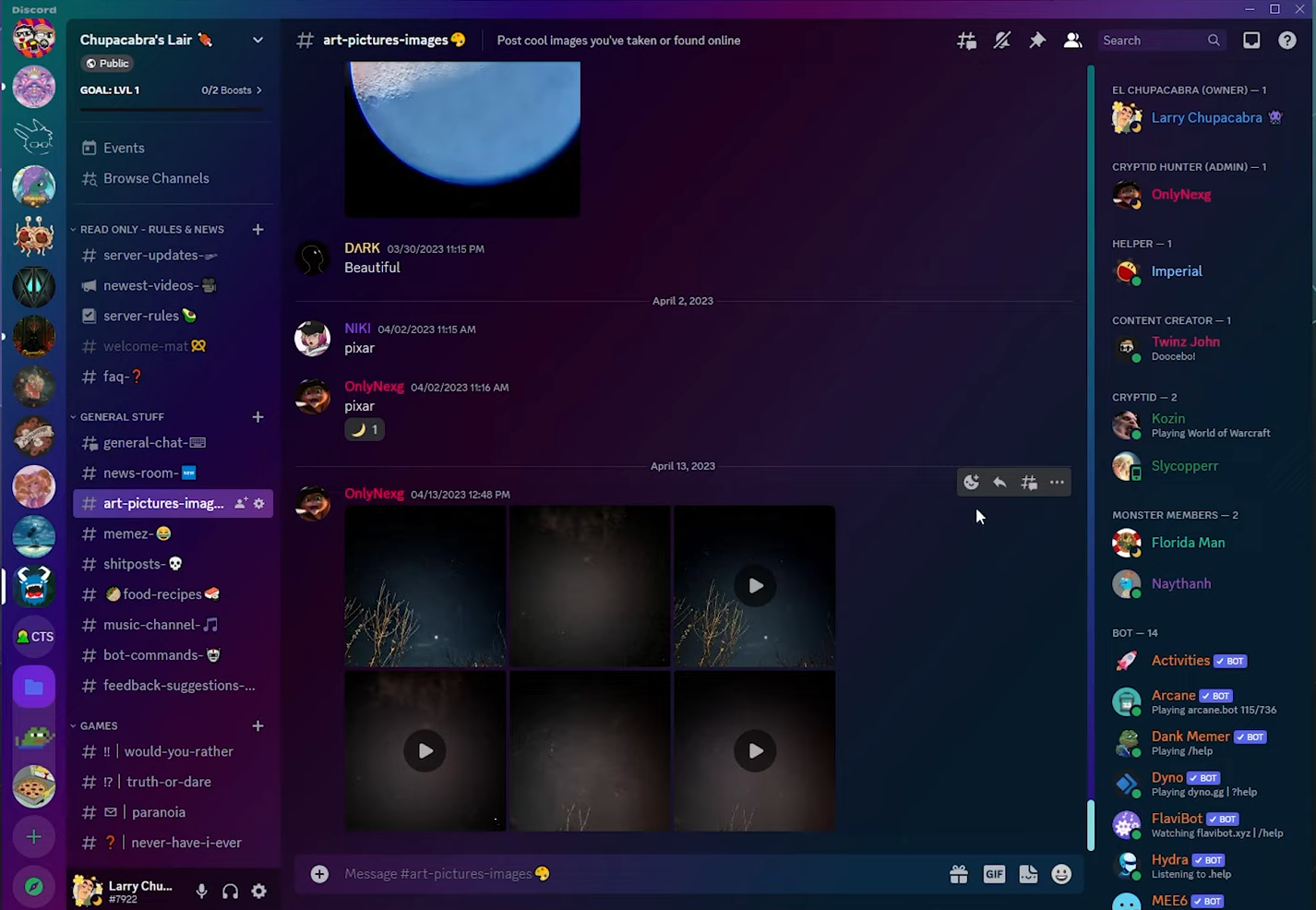
Open up the chat and message where you want to Super React
Step 2: Adding a reaction
Next, hover the cursor on the message. Click on the Add Reaction button that appears alongside several other options.
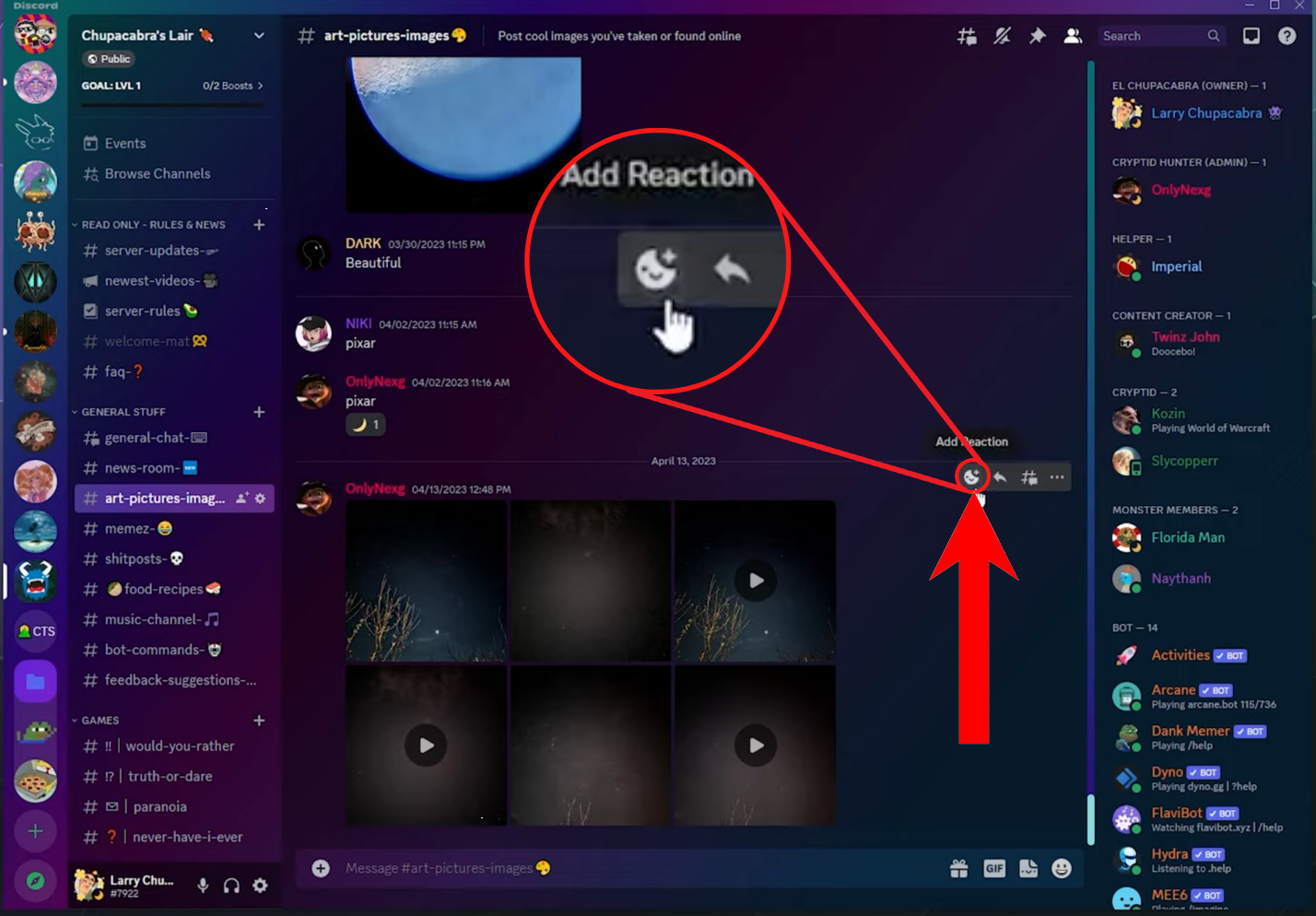
Click on “Add Reaction”
Step 3: Opening up the Super Reactions tab
Then, click on the Super Reactions tab to open up Super Reactions.
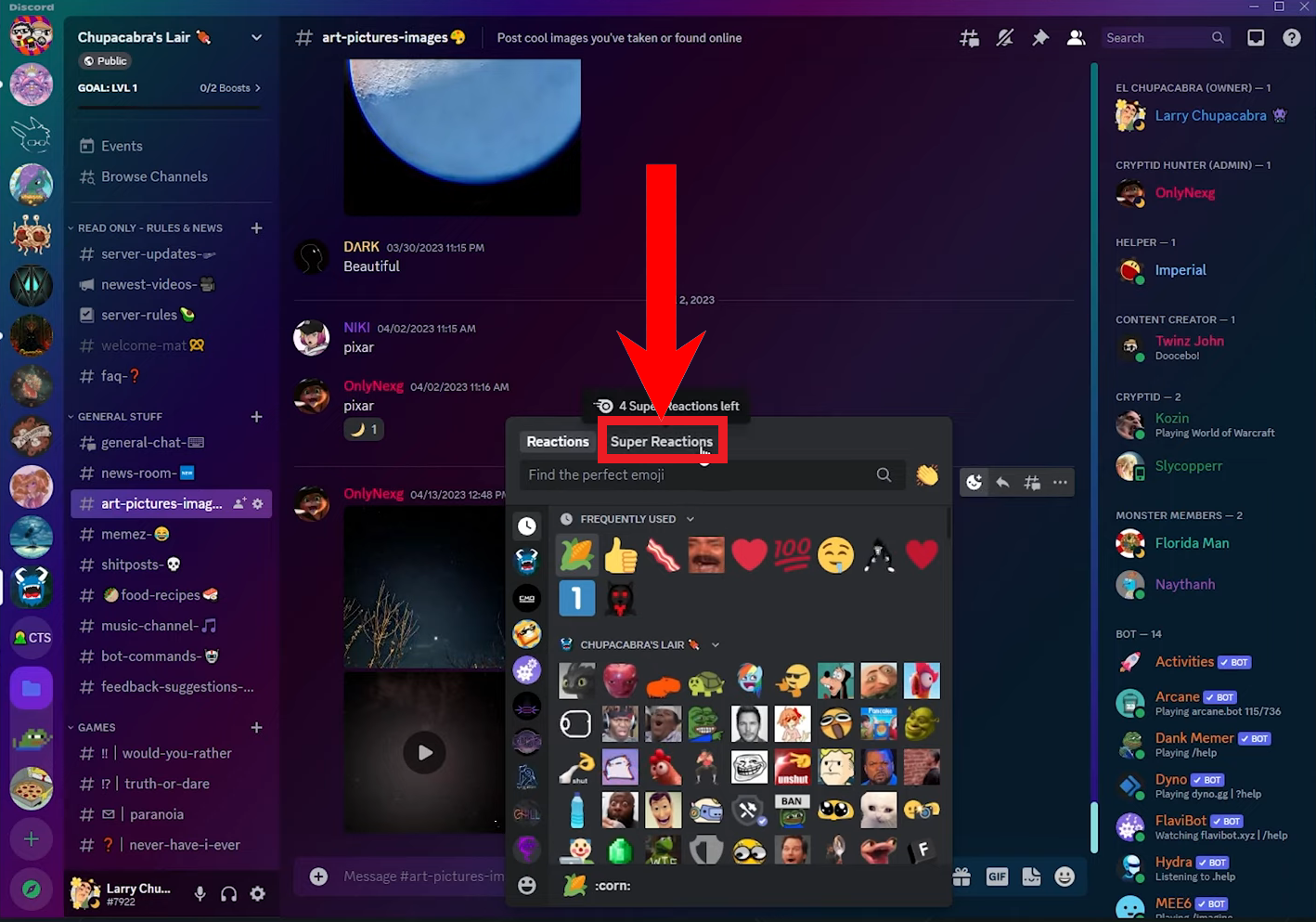
Click on the “Super Reactions” tab
Step 4: Selecting the emoji for the Super Reaction
Finally, select any emoji that you’d like to Super React with by clicking on it.
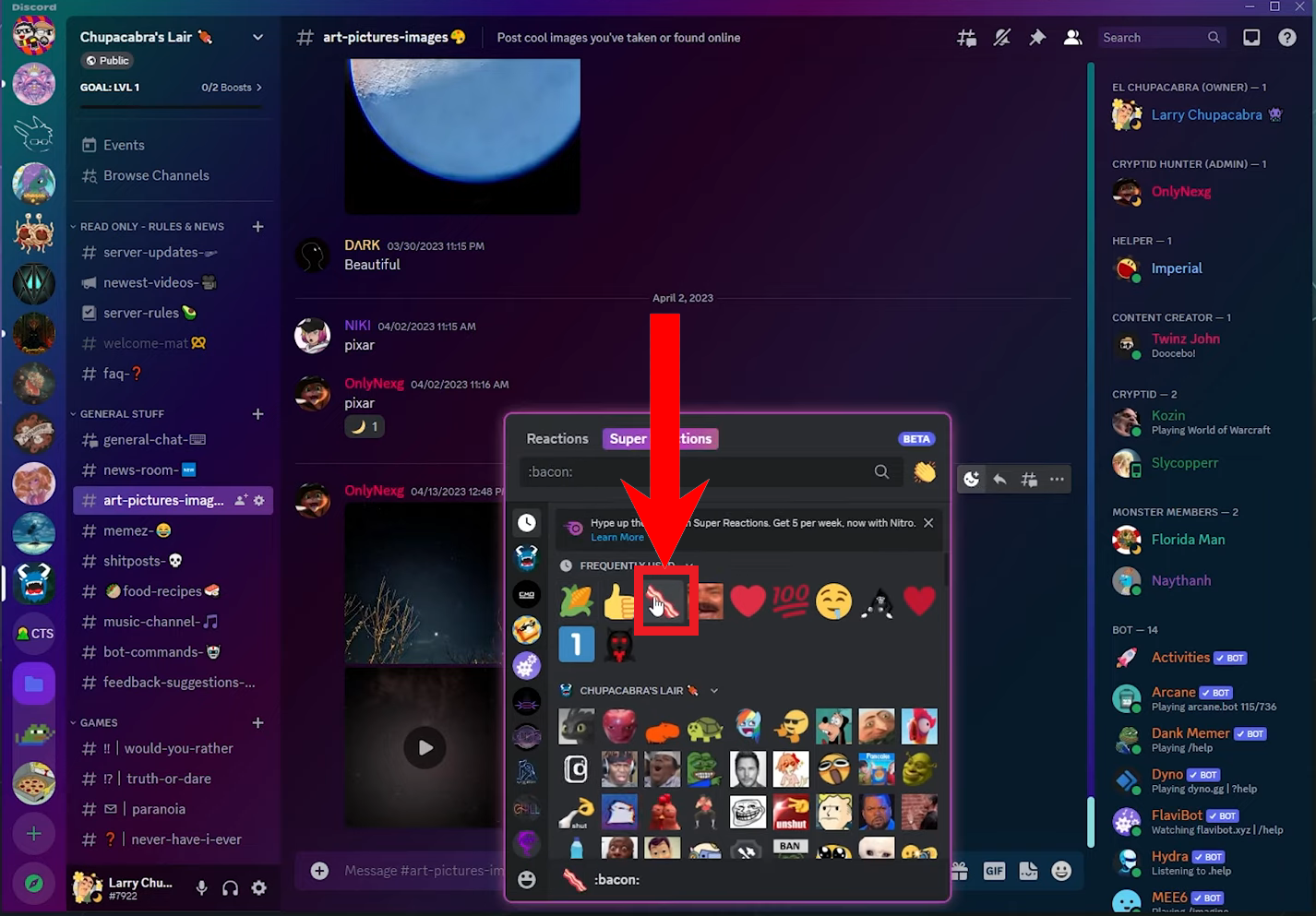
Click on the emoji you want to Super React with
Step 5: Playing the Super Reaction animation
The emoji you chose will appear under that message and play a sweet animation. When you bring the cursor on it, it will play the animation again.
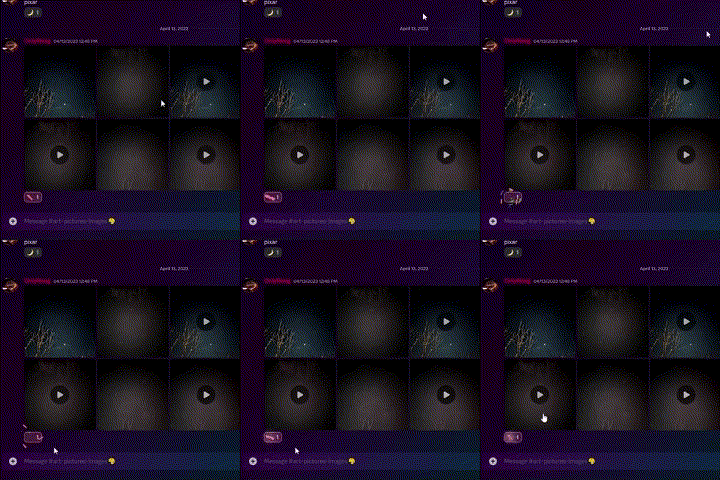
You’ll see the animation play as soon as you select the emoji
Where Should You Use Super Reactions?

Discord is also popular among non-gamers
- In Direct Messages (DMs) : In DMs, you’re talking to a single person. Hence, no one will reprimand you for using any kind of Super Reaction.
- In a friend group chat : If you’re chatting in a group chat with close friends, they probably won’t mind if you use a Super Reaction. Even if any one of them gets annoyed, you can probably make up with them later.
- Light-hearted jokes in a public server : In a public server, to be on the safe side, limit your use of Super Reactions. Try to use them on light-hearted jokes that don’t target anyone specifically and are inoffensive.
- Memes by bots : A bot that posts memes on your server will most likely share memes that are inoffensive. As such, there’s no harm in reacting to such posts.
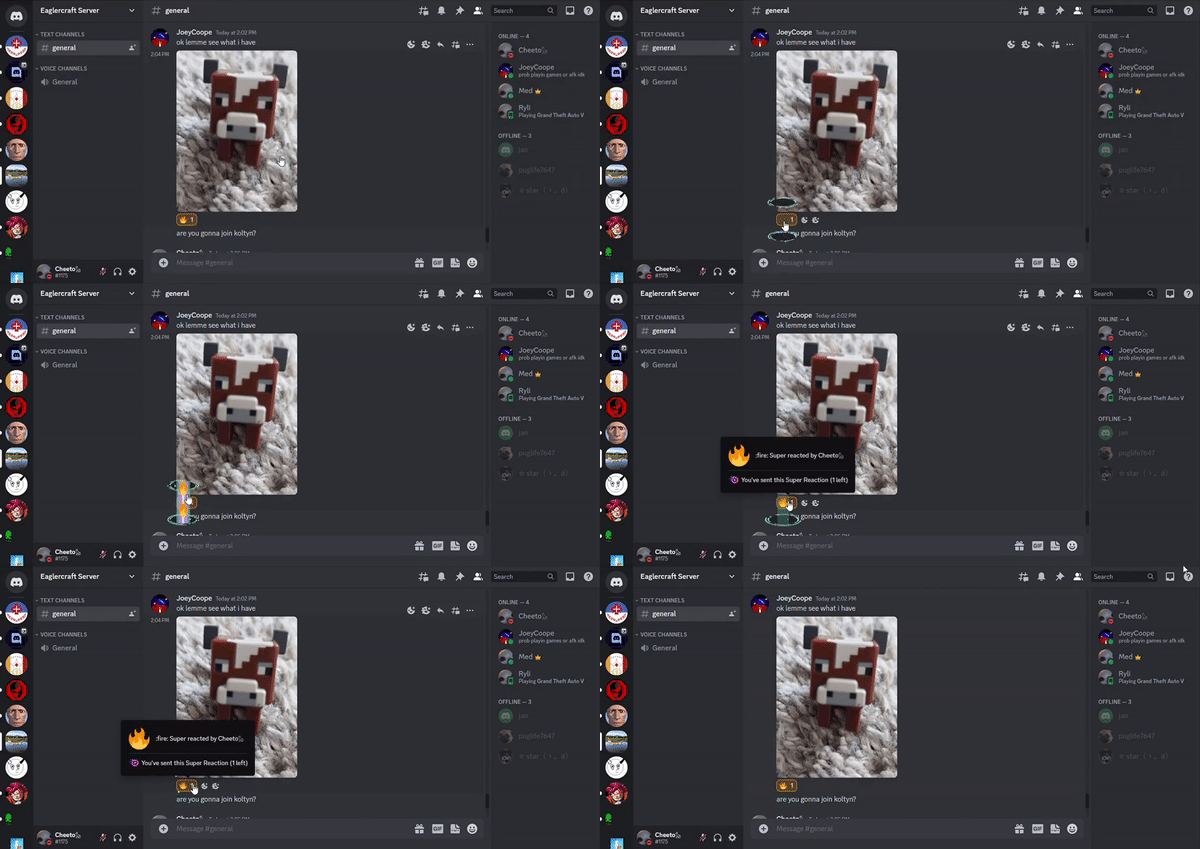
Using Super Reactions in a private server of close friends |Nesdahl
Conclusion
It’s easy to see the appeal of Super Reactions and they can be quite addicting when you’re used to reacting to posts. However, one should not forget that they might be considered rude by some and should limit their use only to close friends and light-hearted posts in a public server. No matter what the scenario is, first you’ll have to consider whether it’s worth purchasing Nitro or not.
Super Reactions are animated reactions for messages on Discord.
No. Super Reactions require you to have an active Nitro subscription.
You can use unlimited Super Reactions if you have an active Nitro subscription.
Super Reactions, while paid, are much cooler and funnier than a normal reaction. Ultimately the choice is yours to make.
