- Internet Security Suites offer comprehensive digital protection, including antivirus, firewall, identity protection, secure browsing, and email security, acting as a robust defense against various online threats.
- Top suites for 2024 include Bitdefender Internet Security, Norton 360 Deluxe, Avast One, Kaspersky Premium, and McAfee Total Protection, each offering unique features and varying degrees of protection, user interface, and additional functionalities.
- Selecting the right Internet Security Suite depends on individual needs, preferences, and budget, with considerations for specific features, performance impact, user experience, and overall security efficacy to ensure a safe and secure online environment.
In today’s digital age, keeping your online life secure is a priority. Internet Security Suites act like digital guardians, protecting your devices from various online threats.
![The 5 Best Internet Security Suites [Detailed List] - 1](https://cdn.appuals.com/wp-content/uploads/2024/01/DALL·E-2024-01-02-11.13.34-A-digital-thumbnail-for-an-article-about-Internet-Security-Suites-in-2024.-The-image-should-depict-a-modern-digital-guardian-concept-symbolizing-pro.png)
In this article, let’s delve into the importance of Internet Security Suites and explore the top choices. We’ll also unravel the features that make them stand out in the dynamically changing landscape of online security.
While these extra security measures can feel unnecessary for advanced users in everyday situations, they become valuable in scenarios where absolute certainty and security are vital, such as professional settings.
In those cases, opting for advanced security options ensures peace of mind and protection for sensitive information, outweighing any initial concerns about their redundancy.
In a sea of options and claims that touch the sky, we’ve sifted through to bring you some of the top internet security suites.
1. Bitdefender Internet Security
Bitdefender Internet Security positions itself as an all-in-one solution to keep your digital life secure, offering a range of features designed to protect users from various online threats.
A standout feature is its effective defense against ransomware . Through real-time scanning, Bitdefender aims to prevent malicious software from infiltrating, providing users with a proactive defense for their files. Users report a success rate of over 88 percent in defending against attacks.
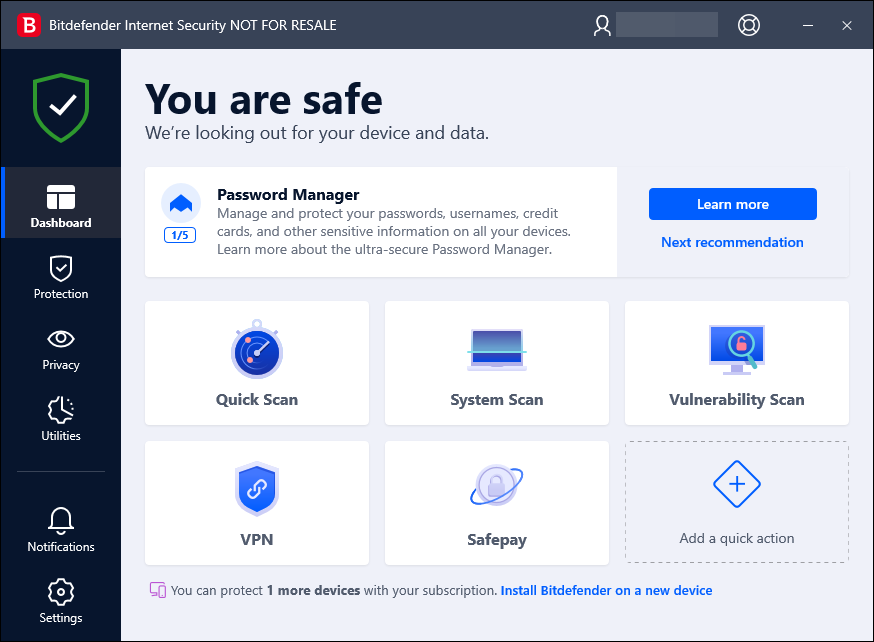
Bitdefender Internet Security Dashboard
The inclusion of a Virtual Private Network (VPN) adds an extra layer of security, though with some limitations. The VPN automatically connects to the fastest server and limits daily traffic to 200MB, requiring a separate subscription for unrestricted usage.
Bitdefender also includes a parental control system and comes with bonus features, including Bitdefender Safepay, a secure browser designed to protect online banking and shopping activities . However, some users have reported limitations in the effectiveness of Bitdefender’s content filter within the parental control system, suggesting areas for improvement.
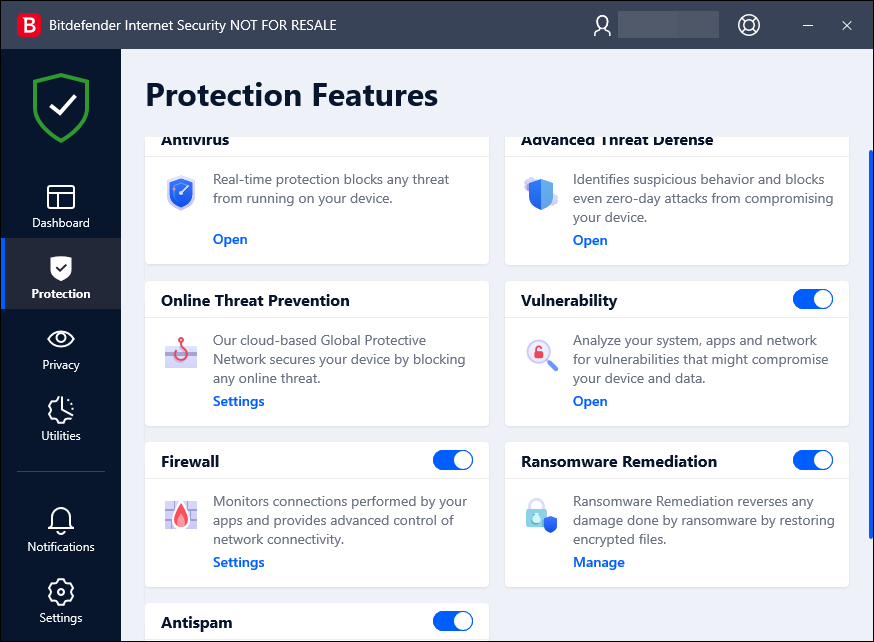
Bitdefender Internet Security Protection Features
Bitdefender’s proactive approach involves automatic scans for malware in downloads and apps, coupled with a Web Protection feature that blocks access to phishing and malicious sites.
The suite further enhances security with an intelligent firewall that protects against port scans and incoming network attacks . However, users have noted that the spam filter’s functionality is limited to standalone email clients like Outlook and Thunderbird, excluding popular web-based services.
For added security, Bitdefender includes a File Shredder tool, designed to wipe confidential files to prevent any potential retrieval securely. In summary, while Bitdefender Internet Security offers a comprehensive suite with strengths in ransomware protection, bonus features, and parental control, users should be mindful of reported limitations, especially in content filtering and VPN usage constraints.
2. Norton 360 Deluxe
Norton 360 Deluxe positions itself as a comprehensive digital security solution, offering a range of features to protect users from diverse online threats. Notably, the VPN included in the suite operates without bandwidth or server limits , providing an added layer of security for users navigating the online landscape.
Additionally, the hosted online storage for backups is a valuable feature, although some users have reported limitations in saving files to local drives.
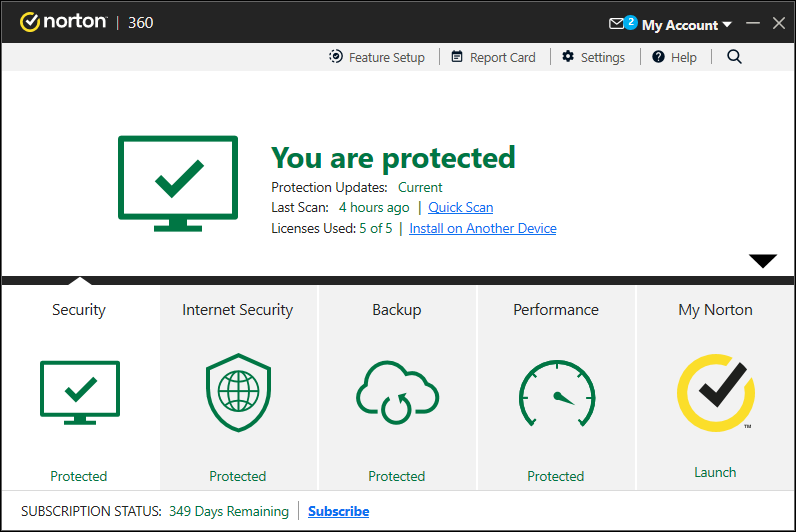
Norton 360 Deluxe Dashboard
The suite actively safeguards users by scanning websites for security and compromise, particularly when the Norton Safe Web extension is utilized. The SafeCam feature further enhances security by limiting access to the user’s webcam .
The powerful and self-sufficient firewall adds an extra layer of defense, protecting against port scans and incoming network attacks. However, some drawbacks have been noted. Parental control features are notably absent for macOS users, limiting its applicability for families using Apple devices.
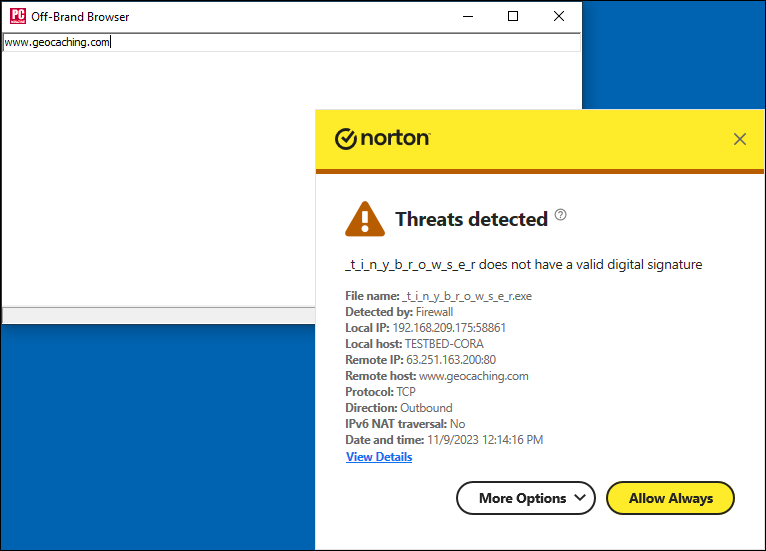
Norton 360 Deluxe Protection
User feedback suggests that the user interface of Norton 360 Deluxe could benefit from simplicity , and some users have reported instances of upselling additional services within the suite , which may be perceived as a drawback for those seeking a straightforward security solution.
The suite has excellence in real-time protection , employing various methods to scan and monitor files, apps, USB drives, and network drives. Users have appreciated the active scanning of websites for security, particularly with the Norton Safe Web extension. Scheduled and manual scans offer flexibility , although some users find the advanced settings limited for certain scan types.
Norton 360 Deluxe introduces additional features, such as browser extensions, cloud backup, password manager, VPN, parental controls, and PC utilities . Performance-wise, Norton generally performs well in online protection tests, with some impact on PC performance during specific tasks.
3. Avast One
Avast One, Avast’s top-tier security product, brings a refreshing design overhaul and commendable pricing. Catering to both individual users and families, the suite offers robust antivirus protection and a range of additional features.
The revamped desktop app introduces a cleaner aesthetic . Avast One performs exceptionally well, boasting a 100% protection score against malware in multiple tests . The suite demonstrates robust security capabilities, with minimal impact on system resources during routine tasks and faster unzip times in specific scenarios.
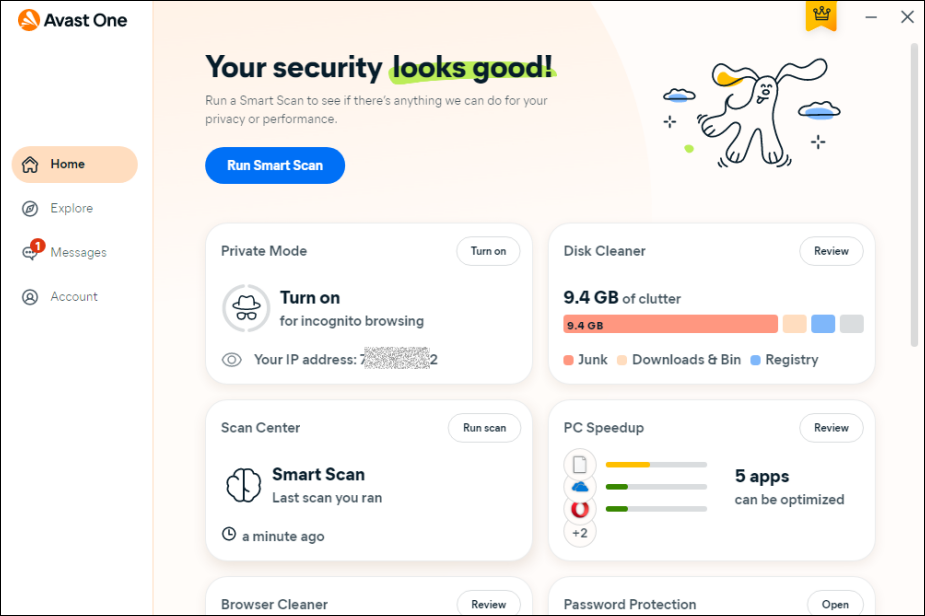
Avast One Dashboard
The initial smart scan, combining security scans with PC cleanup tasks, is a thoughtful inclusion. However, the scan’s three-stage approach, requiring user intervention at each phase, could be streamlined for a smoother experience. Avast One’s Home page provides convenient shortcuts for deep scans, targeted scans, VPN scans, and PC optimization tools.
There’s the Scan Center with controls for various scan types, file shield, ransomware protection, web shield, firewall , and more. The firewall, though not the most advanced, offers customizable security in a user-friendly interface. The inclusion of a built-in VPN with unlimited bandwidth, even for free users, is a noteworthy enhancement.
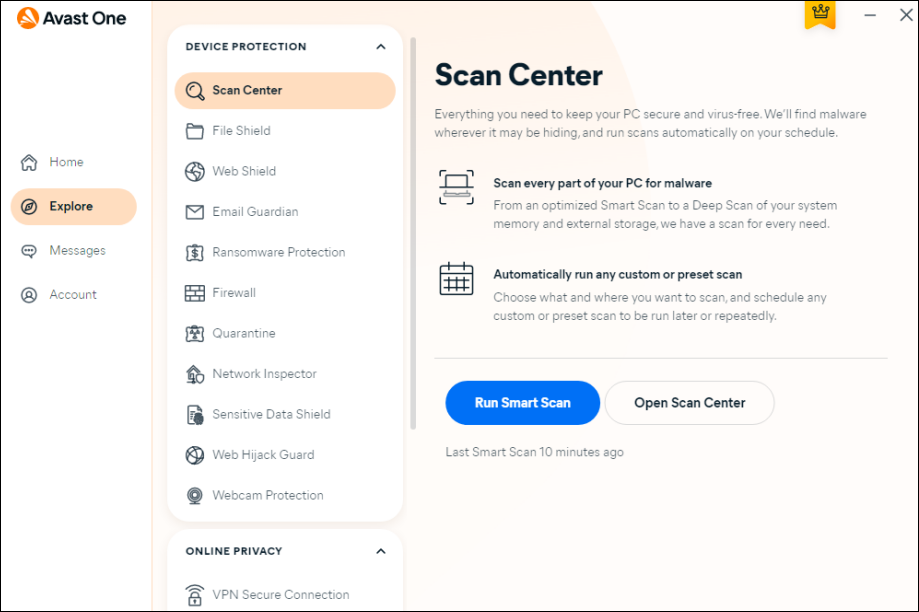
Avast One Scan Center
Avast One also comes equipped with a handy password tool that checks for potential compromises in your online identity . It also introduces ID monitoring, an advanced service that actively scans the dark web for crucial personal information like bank accounts, credit card details, full names, birthdates, and social security numbers.
In conclusion, Avast One emerges as a commendable security suite with a balanced blend of effective protection, user-friendly design, and competitive pricing.
4. Kaspersky Premium
Kaspersky Premium stands out as a comprehensive security suite, offering an array of features that build upon the strengths of Kaspersky Plus. With a focus on robust protection against various threats, the suite includes cross-platform Safe Kids parental control, premium-level tech support, and encrypted storage for identity documents.
While Kaspersky Premium provides a well-rounded set of specifications, such as a full VPN, firewall, and antispam features , it’s important to note that some premium-level features may not be immediately visible on macOS. The modern user interface , though sleek, may pose challenges in locating specific functionalities.
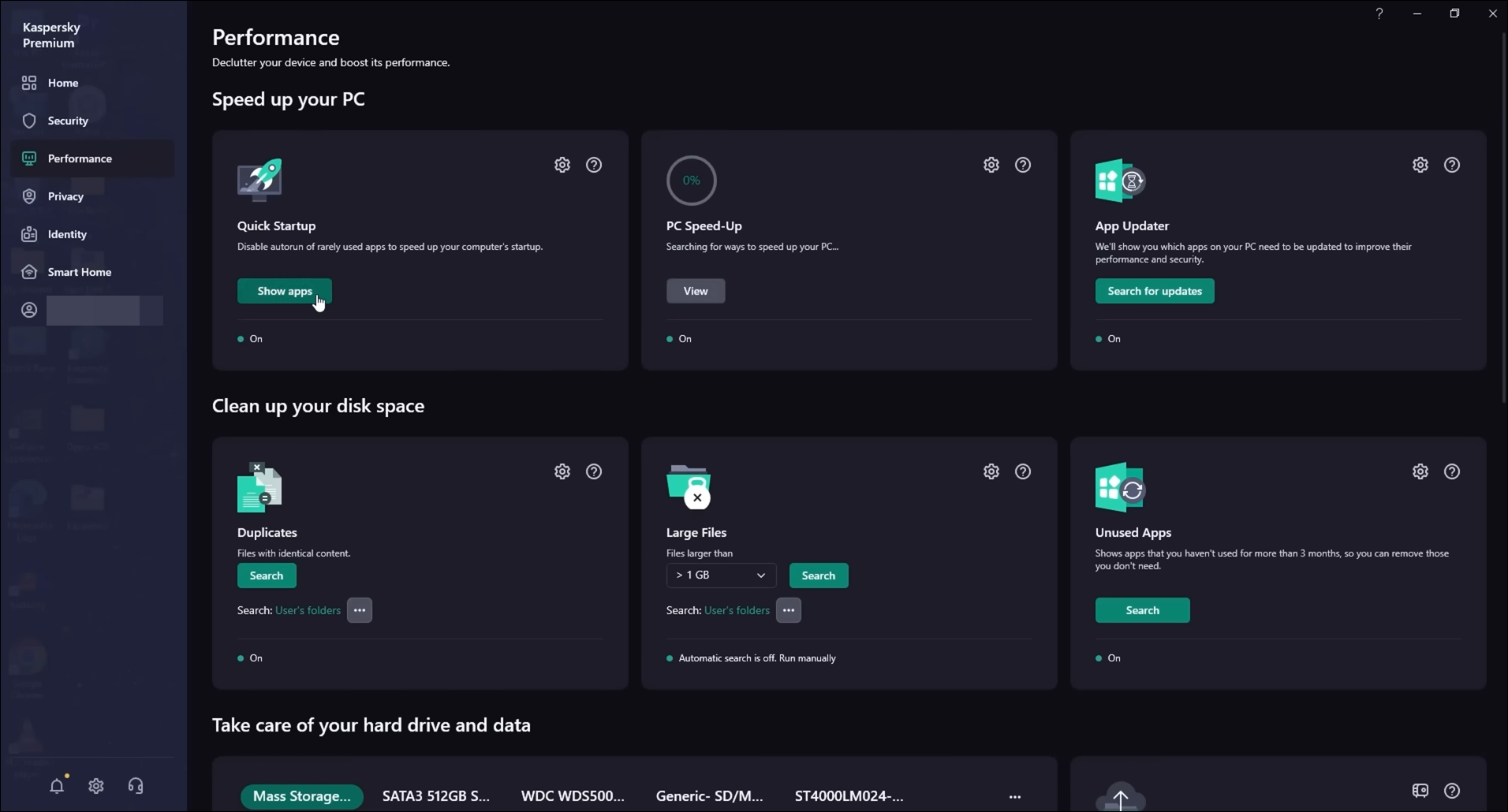
Kaspersky Premium
Notable aspects of Kaspersky Premium include a highly customizable firewall , a network activity monitor , and a LAN scanner tracking connected devices . However, it lacks cloud backup, a feature present in competitors like Norton 360. The suite excels in identifying unpatched vulnerabilities and issues warnings for potential network threats , contributing to its overall security capabilities.
The Premium edition introduces Identity Protection integrated into the Kaspersky Password Manager, offering secure storage for sensitive documents. The suite’s functionality extends to Safe Kids, a separate subscription providing effective parental control features across various platforms.
The password manager, although straightforward, lacks essential features . Kaspersky’s installation and configuration processes are user-friendly, featuring a clean interface.
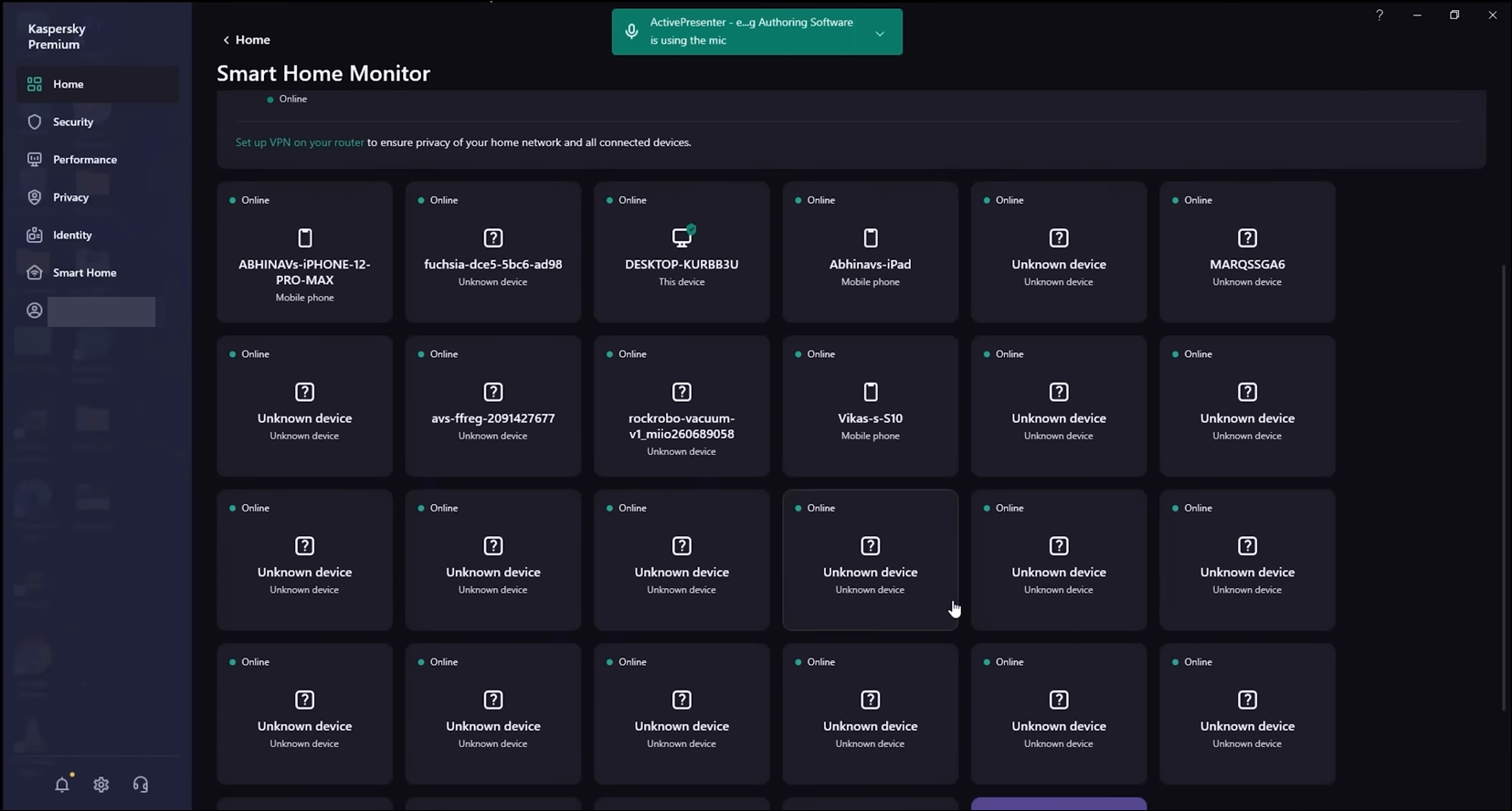
Kaspersky Premium
Key features such as monitoring credit cards and driver’s licenses on the dark web, identity theft protection, and inclusive parental controls, which competitors like Norton 360 offer, are absent in Kaspersky. Additionally, customer support has been a point of disappointment for users , with challenges in contacting representatives, leading to a cumbersome and time-consuming experience, at times.
5. McAfee Total Protection
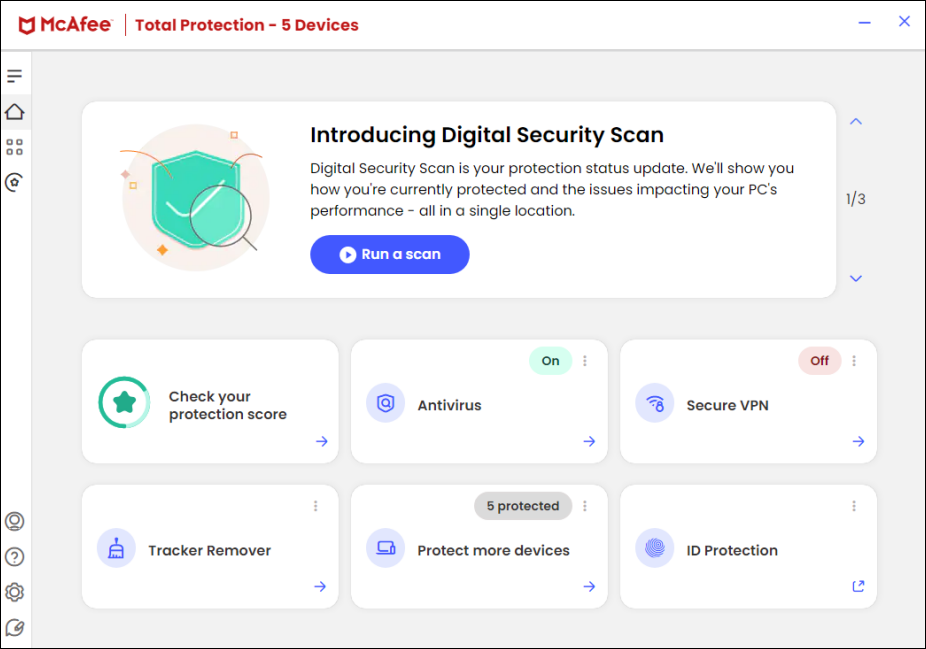
McAfee Total Protection provides a robust antivirus solution with features such as a file shredder and home network analyzer. The software’s dashboard includes tiles for primary sections like Antivirus, Secure VPN, ID Protection, Tracker Remover, Protect More Devices, and Browser Security.
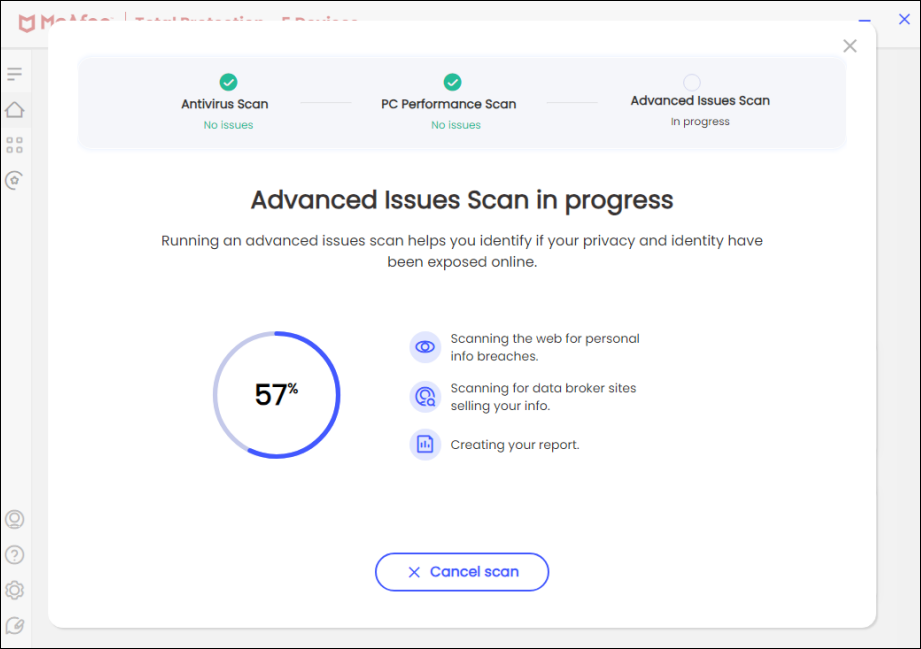
Navigation within the application can be somewhat confusing , with key protection features accessible through different pathways. The Identity Protection service evaluates online safety , offering dark web scanning and a Protection Score feature. The dark web scanning , conducted in collaboration with a third party, checks for personal information breaches, covering various sensitive data.
McAfee Total Security
Performance-wise, McAfee exhibits strong protection against malware and viruses , as validated by tests conducted by AV-Test and AV-Comparatives. However, minor performance dips were observed during in-house tests, particularly impacting mid-tier to budget machines, especially during the initial run after a full system scan.
McAfee Total Security
McAfee Total Protection offers robust online security with a 99% threat protection rate . Features like WebAdvisor and crypto-jacking blockers enhance defense against scams and unauthorized resource use. The built-in password manager ensures secure credential management, and the ID Protection component scans both the Dark Web and the regular internet for potential personal information exposure, providing users with actionable insights for enhanced digital security.
How to Fix “Printer is in an error state” Issue?
- Recognizing the importance of a printer’s duty cycle is crucial for choosing a device that matches your print volume needs. Staying within this limit ensures the printer operates efficiently and prolongs its lifespan, minimizing the risk of maintenance issues.
- Proper humidity, temperature, and cleanliness management can significantly enhance printer performance and maintain its duty cycle, preventing unnecessary wear.
- Enhancing a printer with upgrades like additional memory or better mechanical parts can improve its workload handling and extend its practical duty cycle, boosting overall durability and efficiency.
When choosing a new printer, you might come across the term “ duty cycle ” in the specifications. This guide will explain what a duty cycle is, why it matters, and how it can help you choose the right printer. We’ll keep things simple so you can easily understand how to use this information when shopping for a printer.
- Printer Duty Cycle: What It Means and Why It Matters?
- Why the Duty Cycle Is Key to Choosing the Right Printer?
- Duty Cycle vs. Recommended Monthly Print Volume: What’s the Difference?
- What Happens If You Ignore Printer Duty Cycle Recommendations? ↪ Real-World Scenarios: Why Exceeding the Duty Cycle Can Cost You
Printer Duty Cycle: What It Means and Why It Matters?
![The 5 Best Internet Security Suites [Detailed List] - 12](https://cdn.appuals.com/wp-content/uploads/2024/08/What-is-the-meaning-of-Printer-Duty-Cycle.jpg)
What is the meaning of Printer Duty Cycle?
The printer duty cycle represents the upper limit of a printer’s capacity—how many pages it can reliably process in a month before the risk of wear or malfunction increases. This figure is crucial for understanding printer performance limits and ensuring that your chosen printer can handle the expected work volume.
Manufacturers determine a printer’s duty cycle through stress testing, where the printer is pushed to its limit to identify how many pages it can produce each month before malfunctioning. These tests help set a reliable performance gateway for users.
A printer’s duty cycle is like a car’s speedometer—you wouldn’t drive a car at top speed all the time, and you shouldn’t push a printer to its maximum duty cycle. Doing so can lead to quicker wear and tear, more frequent maintenance, and a shorter lifespan.
If you’re unsure whether to choose an inkjet or laser printer, this detailed guide compares both options to help you make an informed decision.
Why the Duty Cycle Is Key to Choosing the Right Printer?
![The 5 Best Internet Security Suites [Detailed List] - 13](https://cdn.appuals.com/wp-content/uploads/2024/08/The-Importance-of-Duty-Cycle-in-printer-selection.jpg)
The Importance of Duty Cycle in printer selection
Knowing the duty cycle is essential when choosing a printer, as it determines how well the device can handle your monthly print volume without excessive wear or maintenance.
Here is why the duty cycle matters in printer selection:
- Fit for purpose: Selecting a printer with a suitable duty cycle ensures it can handle your monthly printing volume efficiently, reducing stress on its components.
- Longer lifespan and better performance: Staying within the duty cycle ensures optimal print quality and speed while prolonging the printer’s life, avoiding frequent breakdowns.
- Cost efficiency and reduced downtime: Operating within the duty cycle minimizes the need for repairs and reduces operational disruptions, managing long-term costs.
Duty Cycle vs. Recommended Monthly Print Volume: What’s the Difference?
![The 5 Best Internet Security Suites [Detailed List] - 14](https://cdn.appuals.com/wp-content/uploads/2024/08/Duty-Cycle-vs-recommended-monthly-print-volume.jpg)
Duty Cycle vs. recommended monthly print volume
The recommended monthly print volume is the optimal number of pages a printer should handle each month for the best performance and longevity. Unlike the maximum capacity indicated by the duty cycle, this number guides regular usage, ensuring the printer operates efficiently without excessive wear.
If your print volume regularly exceeds the recommended amount but stays within the duty cycle, the printer may operate safely in the short term, but it could still experience accelerated wear and reduced lifespan over time.
In such cases, consider upgrading to a higher-capacity printer or spreading print jobs across multiple devices to ensure long-term performance.
Here are the differences between the duty cycle and recommended monthly print volume:
- Duty cycle: Represents the maximum number of pages a printer can handle in a month without breaking down. It assesses the printer’s upper limit.
- Recommended monthly print volume: Suggests a practical, workable number of pages to print each month to keep the printer in good condition over its lifespan.
What Happens If You Ignore Printer Duty Cycle Recommendations?
![The 5 Best Internet Security Suites [Detailed List] - 15](https://cdn.appuals.com/wp-content/uploads/2024/08/Consequences-of-ignoring-Duty-Cycle-recommendations.jpg)
Consequences of ignoring Duty Cycle recommendations |AndranikHakobyan via Canva
Ignoring the duty cycle limits poses more severe risks than exceeding the recommended monthly print volume, leading to serious long-term consequences.
While exceeding the recommended volume occasionally may result in additional wear and tear, consistently exceeding the duty cycle can lead to frequent breakdowns, reduced performance, and a shortened lifespan.
Ignoring duty cycle limits leads to frequent breakdowns, reduced performance, and increased maintenance, ultimately shortening the printer’s lifespan and causing more frequent operational downtime and higher repair costs. Long-term, pushing a printer beyond its limits leads to greater financial burdens due to premature replacements and inefficiencies.
↪ Real-World Scenarios: Why Exceeding the Duty Cycle Can Cost You
For example, in a busy law firm, overlooking duty cycle limits during a high-stakes period could cause a printer breakdown just before a critical deadline, delaying crucial legal filings and ultimately compromising client service.
For small businesses, consistently exceeding a printer’s duty cycle can lead to costly emergency repairs or premature equipment replacements, straining financial resources.
