The bulk of young adults today don’t even know what a fax is, let alone how fax machines are operated or how the premiere data-transfer technology of the 20th century works. As outdated a mode of communication as the fax is, some businesses still insist on using it as they believe it to be incredibly secure (which it’s not, since intercepting data being transferred via telephone lines is fairly easy). So what do you do if you need to fax a document to someone for whatever reason?
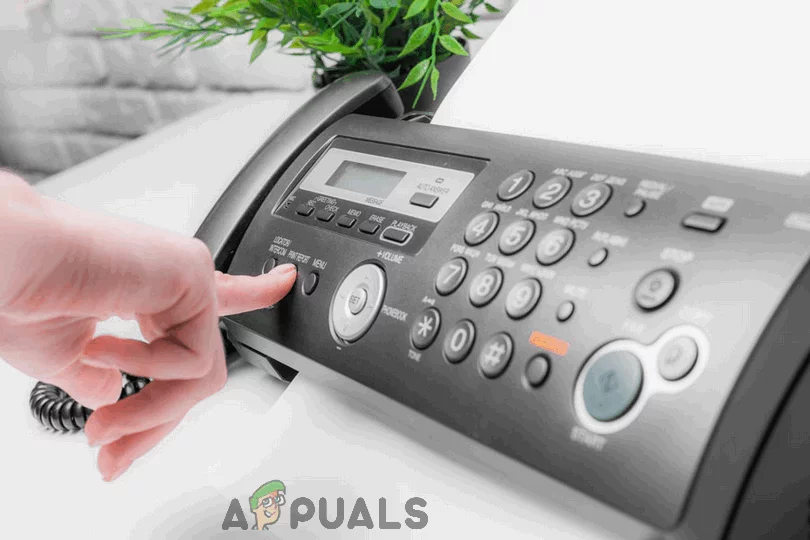
The data transfer technology known as fax
The only owners of fax machines today are small business that have been operating for decades and still haven’t moved on to more modern modes of communication, and people in their 50s and up who are still clinging to the past, so it’s highly unlikely that you own a fax machine. You could go out and buy a dedicated fax machine or one of those printers that are also capable of sending fax , but are you really going to be sending enough fax to justify the investment? Probably not. You could use the Windows Fax and Scan program that comes built into all Windows computers to scan a document and fax it over to someone, but that would still require you to have a dial-up fax modem as well as a telephone landline, making this option less than ideal .
Fear not, however – you can send faxes using nothing but your computer, without any need whatsoever for a fax machine, fax modem or landline connection. In fact, there are entire companies and online services built around the premise of facilitating this exact endeavour, and you can use pretty much any of them to fulfil your fax needs, however little or plentiful they may be. Here’s how you can fax a document without an actual fax machine or a telephone landline:
Step 1: Prepare the Document to be Faxed
First and foremost, you need to make sure you have the document you want to fax on your computer and ready to be sent to a service of your choosing that will fax the document over to the intended recipient. To do so:
- With the help of a scanner, scan the document you want to fax and save it as a file on your computer. If you do not have a scanner lying around, a high-quality image of the document captured by a Smartphone or a camera will do just fine. Note: If the document you want to fax already exists as a file on your computer, simply skip this step. The file you want to fax
- Convert the document into PDF . While most online fax services accept documents in a variety of different file formats, you simply cannot go wrong with a PDF file as it is universally constant across all of these services. To save yourself any potential trouble in the future, simply convert the file you want faxed into PDF beforehand. Convert the file into PDF
Your document is now ready to be sent to an online fax service of your choosing!
Step 2: Select an Online Fax Service
Step 3: Send Your Fax
Once you’ve decided on an online fax service to use, simply:
- Make your way to your chosen fax service’s website and sign up for an account with them. Sign up with RingCentral Fax Sign up with MyFax
- Configure your account and make sure all of your preferences are defined correctly. Configure your account
- Upload the document you want to fax. Once you’ve signed up for an account with the fax service of your choice and have gained access to everything they have to offer, prompt the service to initiate the process of sending a new fax (if required), locate the option to upload a file to be faxed and upload the document you want to fax.
- Enter all of the required information for the recipient of the fax, and give all of the other preferences a once-over to make sure they’re configured correctly.
- Send your fax!
With almost all online fax services, faxing a document is instantaneous, so when you send the fax will pretty much be when the recipient receives the fax.
How to Receive a Fax Without a Fax Machine
If your fax needs go beyond simply sending a few faxes and include receiving some as well, you still don’t need a dedicated fax machine or dial-up fax modem! You can also receive faxes through the same online fax services that can be used to send faxes.
Receiving faxes, however, does require a dedicated phone number to be established as your fax line, so you are going to have to pay an online fax service a little moolah to be able to receive faxes through them. Thankfully, though, even receiving faxes through online fax services is something you can try out for free before you pony up for a monthly subscription – for example, RingCentral Fax offers a 30-day free trial for fax receiving, and MyFax ‘s one-month free trial covers receiving up to 200 pages.
How to Fix “Printer is in an error state” Issue?
- Recognizing the importance of a printer’s duty cycle is crucial for choosing a device that matches your print volume needs. Staying within this limit ensures the printer operates efficiently and prolongs its lifespan, minimizing the risk of maintenance issues.
- Proper humidity, temperature, and cleanliness management can significantly enhance printer performance and maintain its duty cycle, preventing unnecessary wear.
- Enhancing a printer with upgrades like additional memory or better mechanical parts can improve its workload handling and extend its practical duty cycle, boosting overall durability and efficiency.
When choosing a new printer, you might come across the term “ duty cycle ” in the specifications. This guide will explain what a duty cycle is, why it matters, and how it can help you choose the right printer. We’ll keep things simple so you can easily understand how to use this information when shopping for a printer.
- Printer Duty Cycle: What It Means and Why It Matters?
- Why the Duty Cycle Is Key to Choosing the Right Printer?
- Duty Cycle vs. Recommended Monthly Print Volume: What’s the Difference?
- What Happens If You Ignore Printer Duty Cycle Recommendations? ↪ Real-World Scenarios: Why Exceeding the Duty Cycle Can Cost You
Printer Duty Cycle: What It Means and Why It Matters?

What is the meaning of Printer Duty Cycle?
The printer duty cycle represents the upper limit of a printer’s capacity—how many pages it can reliably process in a month before the risk of wear or malfunction increases. This figure is crucial for understanding printer performance limits and ensuring that your chosen printer can handle the expected work volume.
Manufacturers determine a printer’s duty cycle through stress testing, where the printer is pushed to its limit to identify how many pages it can produce each month before malfunctioning. These tests help set a reliable performance gateway for users.
A printer’s duty cycle is like a car’s speedometer—you wouldn’t drive a car at top speed all the time, and you shouldn’t push a printer to its maximum duty cycle. Doing so can lead to quicker wear and tear, more frequent maintenance, and a shorter lifespan.
If you’re unsure whether to choose an inkjet or laser printer, this detailed guide compares both options to help you make an informed decision.
Why the Duty Cycle Is Key to Choosing the Right Printer?

The Importance of Duty Cycle in printer selection
Knowing the duty cycle is essential when choosing a printer, as it determines how well the device can handle your monthly print volume without excessive wear or maintenance.
Here is why the duty cycle matters in printer selection:
- Fit for purpose: Selecting a printer with a suitable duty cycle ensures it can handle your monthly printing volume efficiently, reducing stress on its components.
- Longer lifespan and better performance: Staying within the duty cycle ensures optimal print quality and speed while prolonging the printer’s life, avoiding frequent breakdowns.
- Cost efficiency and reduced downtime: Operating within the duty cycle minimizes the need for repairs and reduces operational disruptions, managing long-term costs.
Duty Cycle vs. Recommended Monthly Print Volume: What’s the Difference?

Duty Cycle vs. recommended monthly print volume
The recommended monthly print volume is the optimal number of pages a printer should handle each month for the best performance and longevity. Unlike the maximum capacity indicated by the duty cycle, this number guides regular usage, ensuring the printer operates efficiently without excessive wear.
If your print volume regularly exceeds the recommended amount but stays within the duty cycle, the printer may operate safely in the short term, but it could still experience accelerated wear and reduced lifespan over time.
In such cases, consider upgrading to a higher-capacity printer or spreading print jobs across multiple devices to ensure long-term performance.
Here are the differences between the duty cycle and recommended monthly print volume:
- Duty cycle: Represents the maximum number of pages a printer can handle in a month without breaking down. It assesses the printer’s upper limit.
- Recommended monthly print volume: Suggests a practical, workable number of pages to print each month to keep the printer in good condition over its lifespan.
What Happens If You Ignore Printer Duty Cycle Recommendations?

Consequences of ignoring Duty Cycle recommendations |AndranikHakobyan via Canva
Ignoring the duty cycle limits poses more severe risks than exceeding the recommended monthly print volume, leading to serious long-term consequences.
While exceeding the recommended volume occasionally may result in additional wear and tear, consistently exceeding the duty cycle can lead to frequent breakdowns, reduced performance, and a shortened lifespan.
Ignoring duty cycle limits leads to frequent breakdowns, reduced performance, and increased maintenance, ultimately shortening the printer’s lifespan and causing more frequent operational downtime and higher repair costs. Long-term, pushing a printer beyond its limits leads to greater financial burdens due to premature replacements and inefficiencies.
↪ Real-World Scenarios: Why Exceeding the Duty Cycle Can Cost You
For example, in a busy law firm, overlooking duty cycle limits during a high-stakes period could cause a printer breakdown just before a critical deadline, delaying crucial legal filings and ultimately compromising client service.
For small businesses, consistently exceeding a printer’s duty cycle can lead to costly emergency repairs or premature equipment replacements, straining financial resources.
