Part I: Create a new security group
At first, we will create a new security group that will allow developers to access SSH on the EC2 instance. SSH (Secure Shell) is a protocol to make a secure remote command-line connection. By default, SSH uses TCP communication.
- Login into AWS Management Console
- Click on Security groups
- Click on Create security group at the top right side of the window
- Under Basic details , configure the following:
- Security group name – Name for the security group. The name can’t be edited after the security group is created. In our case, it is My Webserver .
- Description – A description to help you identify the security group. In our case, it is Allow SSH to Developers .
- VPC – The VPC in which to create the security group. In our case, we use the existing VPC.
Under Inbound rules click on Add rule and then enable SSH by following the procedure below. You can choose another protocol based on your needs.
- Type – a type of protocol. In our case it SSH.
- Protocol – it will use TCP protocol by default.
- Port range – once you select SSH as the type of the rule, it will automatically assign 22 as the default port.
- Source – specify a single IP address or an IP address range. In our case, we will only allow access to a certain public IP address .
- Description – A description of a security group rule.
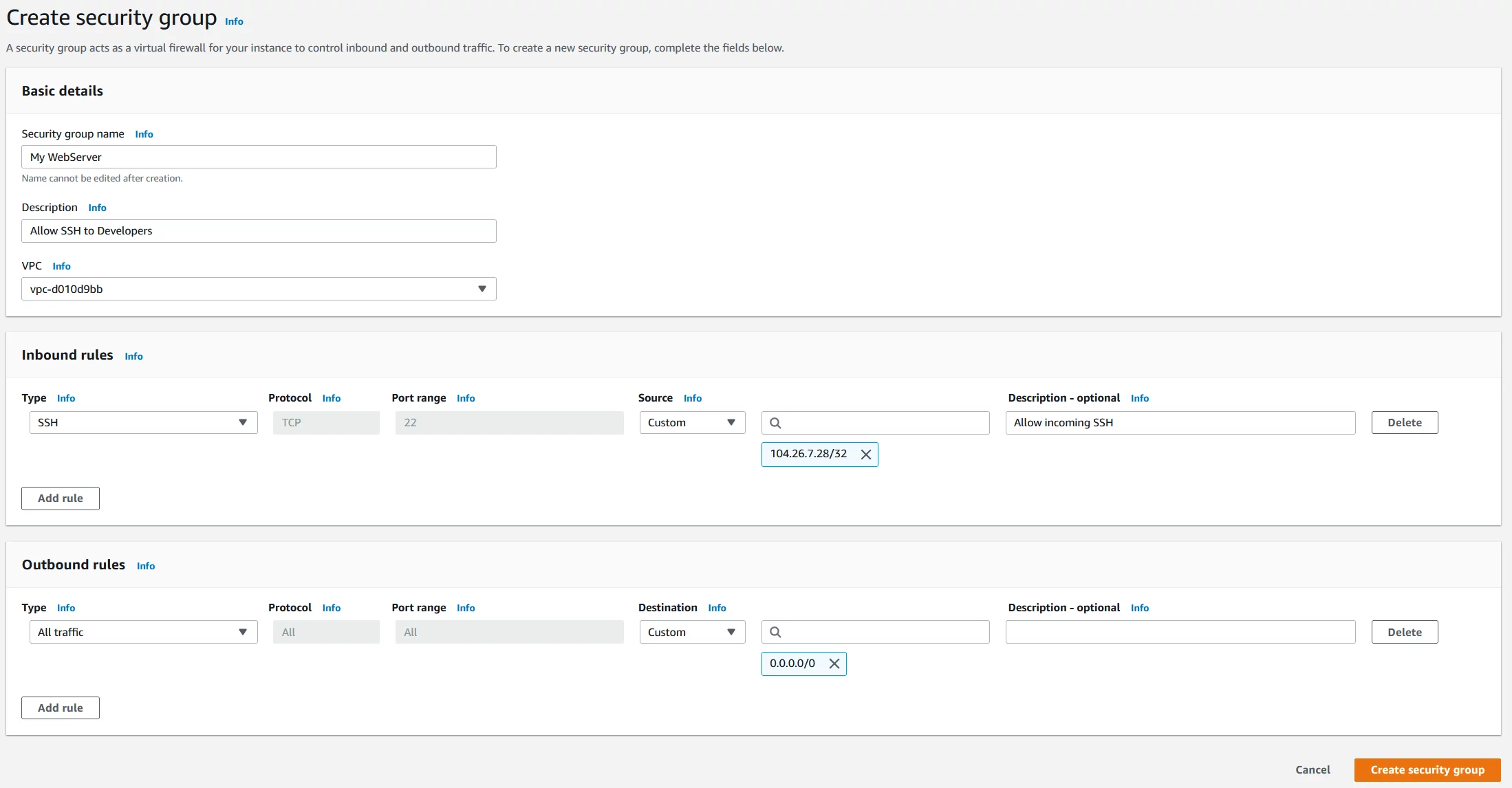
- Click on Create security group to create a new security group. You have successfully created a new security group.
Part II: Move EC2 to the newly created security group: My WebServer
In the second part, we will move EC2 instance to the security group we created in part I.
- Under Instance click on Instances
- Right click on the instance you want to move to another security group and then click Networking > Change Security Groups
- Select the security group from the list and click Assign Security Groups. In our case, we will move EC2 instance to the newly created security group My WebServer.
- Select the instance and then click on the Description On the right side of the window, you can see that EC2 is using the newly created security group My WebServer.
