A gifting feature was just added in the recent years on Fortnite. Players can gift skins, emotes, and battle pass to their friends on the list. When it comes to V-Bucks, the gifting feature is still not available for the V-Bucks. Fortnite still does not allow the transferring of V-Bucks or gifting V-Bucks from one account to another. However, there are methods through which players can gift the V-Bucks to their friends on Fortnite. In this article, you will learn all about gifting the V-Bucks.
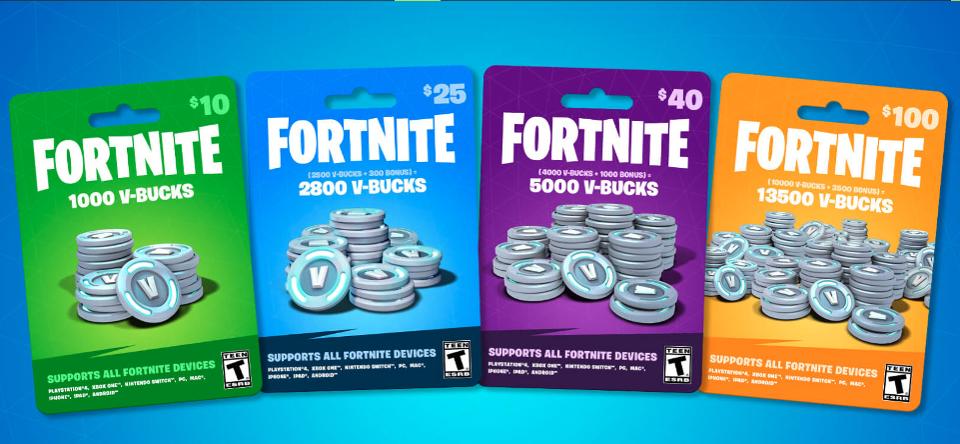
Gifting V-Bucks on Fortnite
Gifting Fortnite V-Bucks
Some other platform players can also use different gift cards for buying the V-Bucks. Adding Balance to your PS4 account by buying the PlayStation Store gift card and then buying the V-Bucks in-game with that balance. There is a gift card for every platform to add balance, which can then be used for buying the V-Bucks inside the game.
Fortnite’s official website provides the option for redeeming these V-Bucks cards. Users need to login to their account and select the platform on which they play Fortnite. Follow the below steps to redeem your V-Bucks Card:
- Open your browser and go to the Fortnite V-Bucks Card Redeem page. Click on the Get Started button. Starting to Redeem V-Bucks Gift Card
- It will ask if you have played Fortnite before or not. Click on Yes and then choose the Platform on which you play Fortnite. Choosing the Platform
- Now log in to your Epic account by providing the login information.
- Finally, you will get the page where you can put the V-Bucks Card code . Inserting the V-Bucks Card code
- Click on the Next button and the V-Bucks from the card will be added to your Epic Account.
