- In May 2023, Instagram introduced the ability to comment GIFs on posts. Users can tap the GIF icon in the comment section, search for a GIF in the GIPHY library, and tap on their chosen GIF to post it in the comments.
- This feature is limited to GIFs available on GIPHY, does not allow uploading custom GIFs, and is only available on Android and iOS devices, not on PCs or laptops.
- If the GIF option isn’t available, users should update their Instagram app via the Play Store or App Store. For Android users, clearing the cache after updating may also help.
In this guide, we are going to explore the different aspects of this feature, so without further ado let’s dive straight into it.
- How To Comment GIFs In Comments Step 1: Open Instagram and Head to Any Comment Section Step 2: Tap On the GIF Icon and Search Step 3: Locate the GIF Step 4: Tap On the GIF
- Limitations of Posting GIFs In Comments
- GIF Option Still Not Available?
- Conclusion
The process is simple and once performed will be easy to replicate. Just follow the below-mentioned steps carefully.
Step 1: Open Instagram and Head to Any Comment Section
Simply tap on the Instagram icon which will launch the application. Now go to the comment section of any post either on your homepage or your feed .
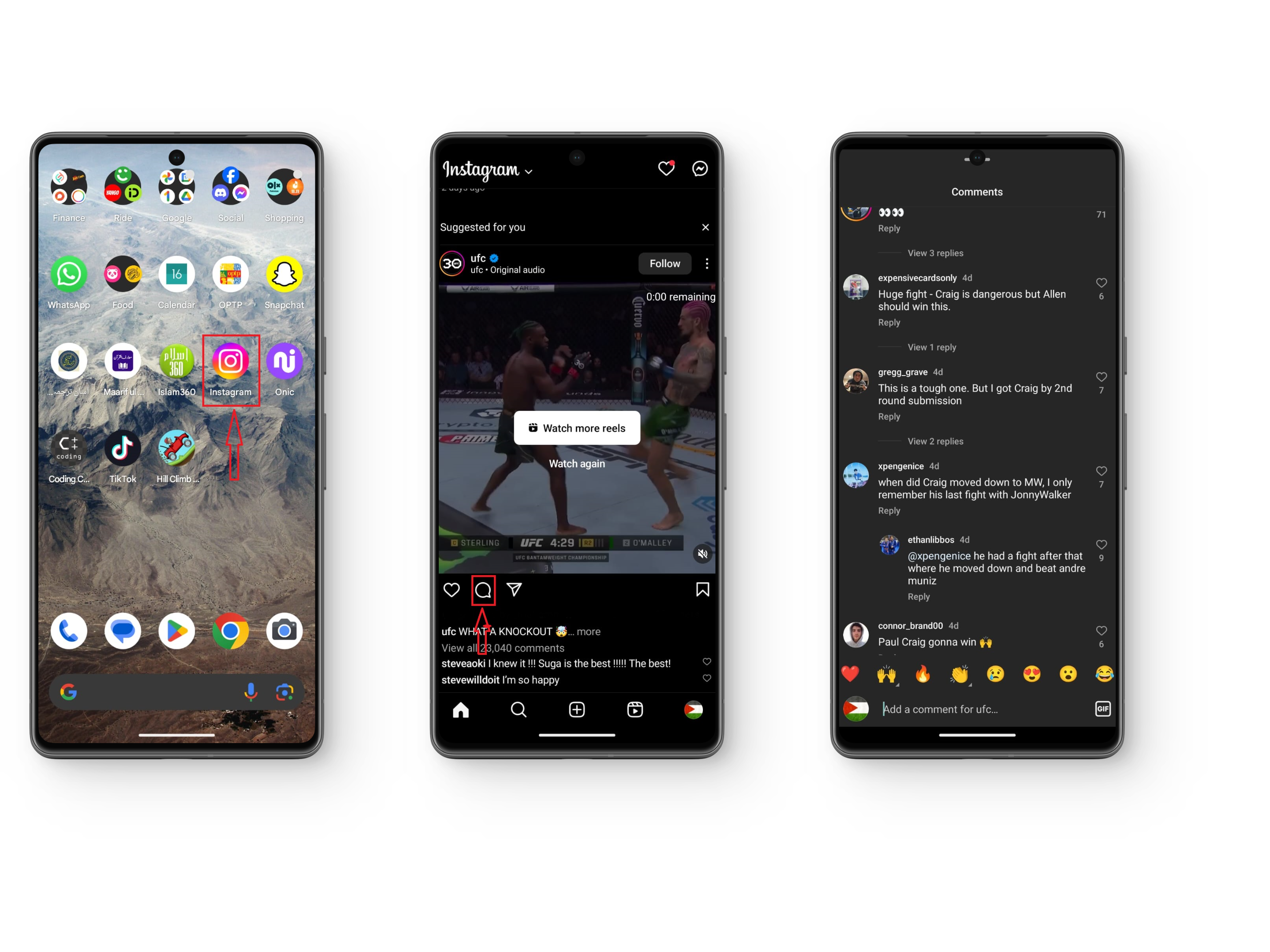
Image 1: Instagram Icon Image 2: Comment box icon Image 3: Comment Section
Step 2: Tap On the GIF Icon and Search
Once you open the comment section, you will see a GIF icon next to your own comment tab. Tap on this icon, you will notice that this opens the GIF library of GIPHY . Search for the GIF you are looking for in the search bar .
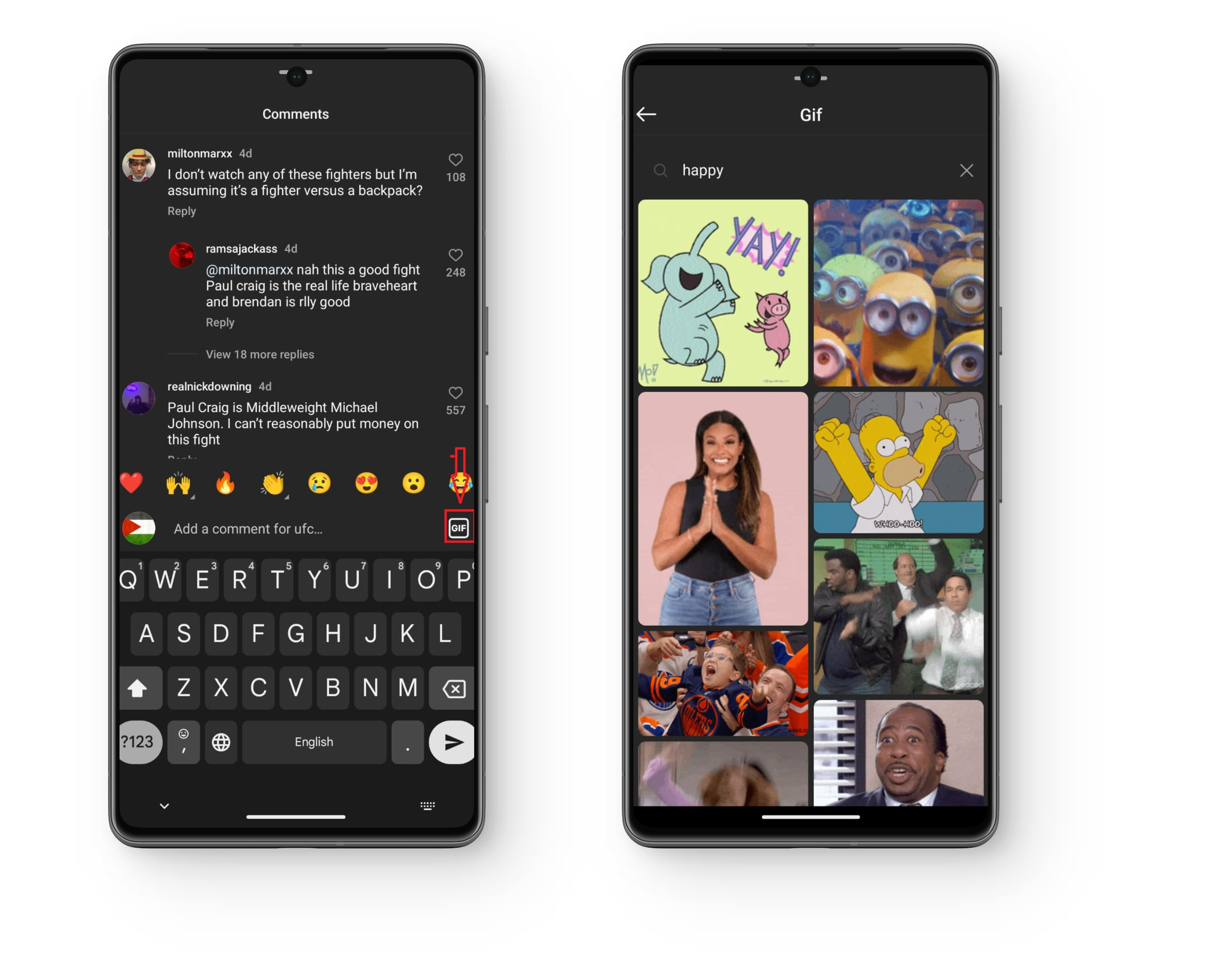
Tap on the GIF Icon and search for the GIF
Step 3: Locate the GIF
In most cases when you search for the exact keyword, the GIF will show at the top. However, it is possible that the particular GIF does not show up at the top. In this case, scroll down the search results , the GIF might be present below.

Search for the GIF
Step 4: Tap On the GIF
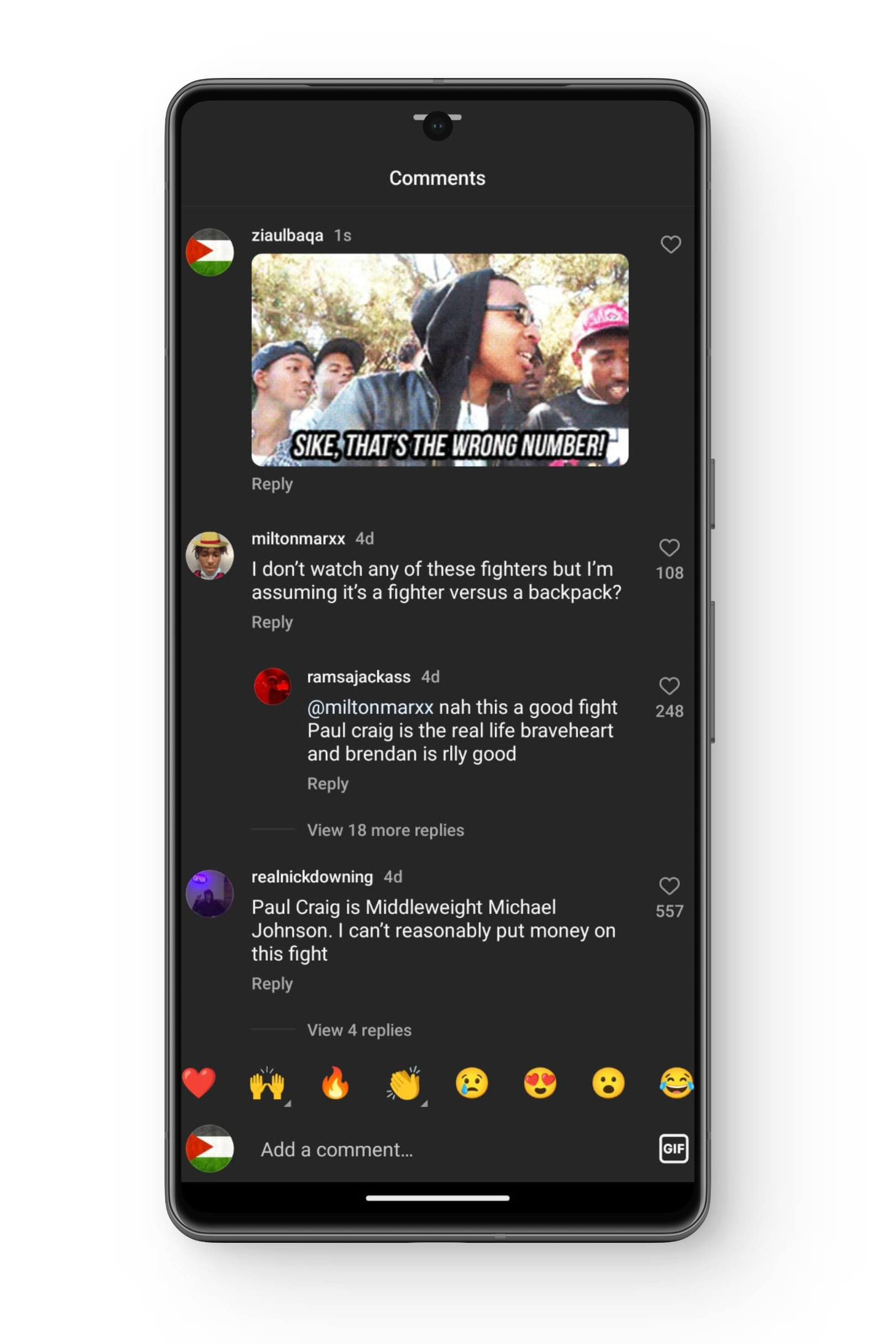
Comment the GIF
- Instagram only allows GIFs available on GIPHY and although it has a lot of GIFs, we often do not find a particular one, especially if it is specific to a region.
- There is no option to upload and comment custom GIFs on posts.
- This feature is only available on Android and iOS devices. In case you use Instagram on a PC or Laptop, you cannot comment GIFs on posts.
GIF Option Still Not Available?
Some users were complaining that this feature is still not available on their application. If you are also facing this issue, do not worry. Your application hasn’t been updated to the latest version. Simply go to the P lay Store or App Store , search for Instagram and if an update is available, update your application . Once updated, the feature will become available on your application.
If you’re using an Android phone, you can also try clearing cache for the Instagram app after you’ve updated it.
Conclusion
There you have it, the complete method for commenting GIFs on Instagram posts . On a side note, act like a responsible user and do not spam GIFs in the comment section of any post. If you have any suggestions/questions feel free to drop them below. Until next time. Ciao
Unfortunately, no. The feature is currently available only on Android and iOS devices.
No, currently there is no option to upload and comment custom GIFs on Instagram posts. The feature is limited to the GIFs available on GIPHY.
If you’re facing this issue, it’s likely that your application hasn’t been updated to the latest version. Go to the Play Store, search for Instagram, and update your application. Once updated, the feature should become available.
