Driverless cars are becoming increasingly popular these days due to the advantages they provide in terms of mobility and convenience. Companies from all different industries have started to capitalize on the utility this technology offers, using them for easy ride-sharing, transportation of cargo, and, most recently, pizza delivery.
The last feat is currently spearheaded by Domino’s Pizza , one of the oldest and most trusted pizza restaurant chains in the US. Having been in the game for over 60 years, Domino’s is aware of the huge market for pizza delivery. Statistics indicate US consumers spent over $14 billion on pizza in 2020 alone.
WCVB. But how exactly will they achieve this? Before getting into the technical details, let’s start with a background on the pizza delivery chain itself.
A Brief History of Domino’s Pizza Delivery
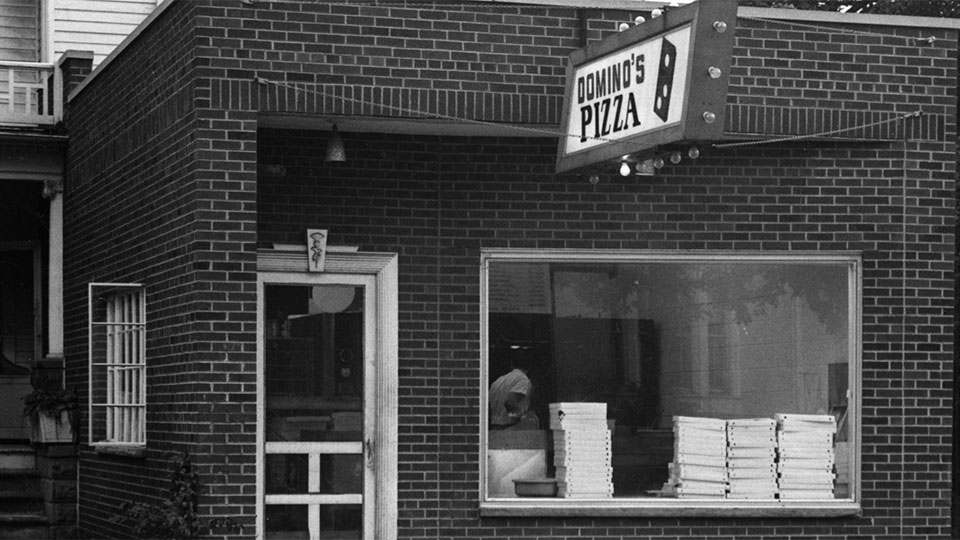
The view outside of a Domino’s Pizza store in the 1960s |Domino’s
Domino’s Pizza was established by two brothers in 1960 , with their first store opening up in a small town within Michigan, USA. More than 63 years later, the single-store pizza shop has grown to become one of the leading pizza franchises in the world. As of 2022, over 18,000 Domino’s Pizza restaurants are currently operating across 83 countries.
One of the unique selling points for Domino’s has always been their promise towards fast and reliable pizza delivery. In 1979 , the company coined a marketing scheme dubbed as the “30 Minutes or Less” guarantee. This was essentially a promise made to customers which stated that if Domino’s failed to deliver pizza to their location within 30 minutes of them placing an order, it would be free of cost.
For decades, this guarantee was upheld by Domino’s, with many arguing that this particular marketing scheme was the main driver of the pizza chain’s massive success. At the same time, however, there were multiple accidents being reported involving Domino’s delivery men scrambling to deliver an order on time. Unfortunately, Domino’s was forced to end the 30-minute guarantee after a lawsuit was filed against them claiming they were encouraging reckless driving.
Despite its downfall, the 30-minute guarantee coined by Domino’s holds major importance today. It became one of the many ways in which the franchise displayed their belief in improving the delivery experience of their customers. Perhaps it is with this same mindset that they have now shifted their attention to driverless cars- channeling their energy into setting a new precedent in pizza delivery.
Journeying towards self-driving cars with Nuro
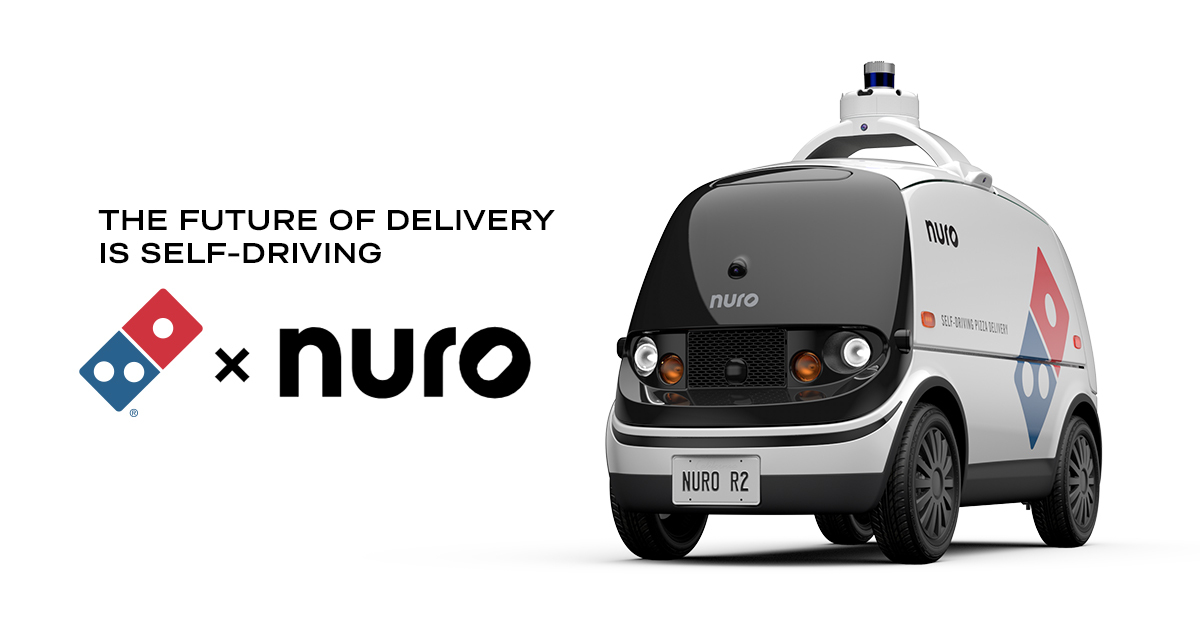
Driverless vehicles dubbed R2 will replace delivery men with cars as a result of this new partnership |Domino’s
After a brief experiment with Ford in the realm of self-driving cars, Domino’s Pizza partnered with Silicon Valley-based robotics company Nuro in 2021 . Nuro develops autonomous self- driving vehicles specifically for use in delivery.
Instead of hiring external delivery men through third-parties like DoorDash and GrubHub , companies in need of delivery services can make use of robots developed by Nuro. The robot currently being used by Domino’s is the R2 , a zero-occupant vehicle that can detect potholes, fallen trees, and other obstructions to prevent any collisions while making a delivery. For a detailed representation of the road, lidar, radar, 360° and thermal cameras are used by the robot. R2 also happens to look a lot like Google’s self-driving car .
As of now, this service is only available to customers ordering within the city of Houston , Texas . Domino’s claims they are currently in testing mode- with the objective of this endeavor being to recognize the risks and practicality of this idea. The end goal will be to ultimately figure out a way to best incorporate self-driving technology in Domino’s business in the future.
How can I order?
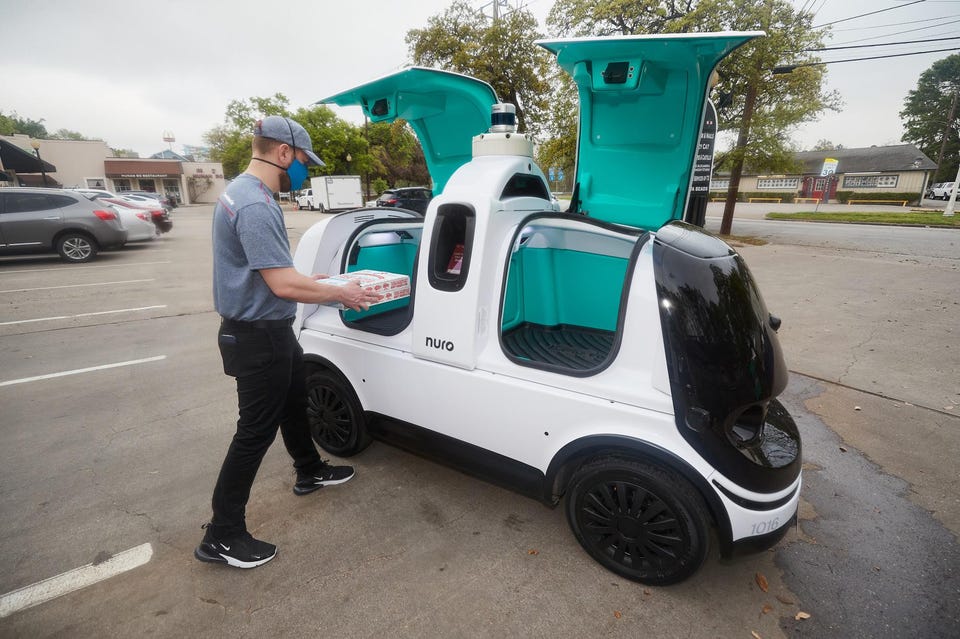
Pizza is kept hot in Nuro’s specially designed driverless cars which can only be opened by a secret pin known to the customer |Forbes
It is important to note that Domino’s driverless delivery service is only available from a single store situated in Woodlands Heights in Houston, Texas. This means that if you wish to get your pizza delivered by R2, the most basic prerequisite is that your delivery location must be within the vicinity of this store.
However, even if you live nearby, there is no guarantee that your pizza will be delivered by R2.
Since this service is currently in testing mode, the driverless car is only operational on select times and days of the week. In the end, only a lucky few customers will be able to experience pizza delivery through the help of this driverless robot.
In case you are among those lucky few, you can go through the following steps to place your order:
- Visit the Domino’s Pizza website to place an order.
- Enter details like your address, name, and phone number to ensure your pizza is accurately delivered.
- Select the pizza you want to order and head to checkout.
- Pay for your order.
- If prompted, opt-in for Nuro’s R2 Delivery .
- If you are selected for delivery by R2, you will receive a text message on your phone containing R2’s location as well as a unique access PIN number.
- Track where R2 is on the map via GPS on the order confirmation page.
- Once R2 arrives at your location, enter the pin number you were sent through text on the robot’s touch screen.
- If the pin is correct, R2 will open its doors to reveal your pizza order.
What this means for the future
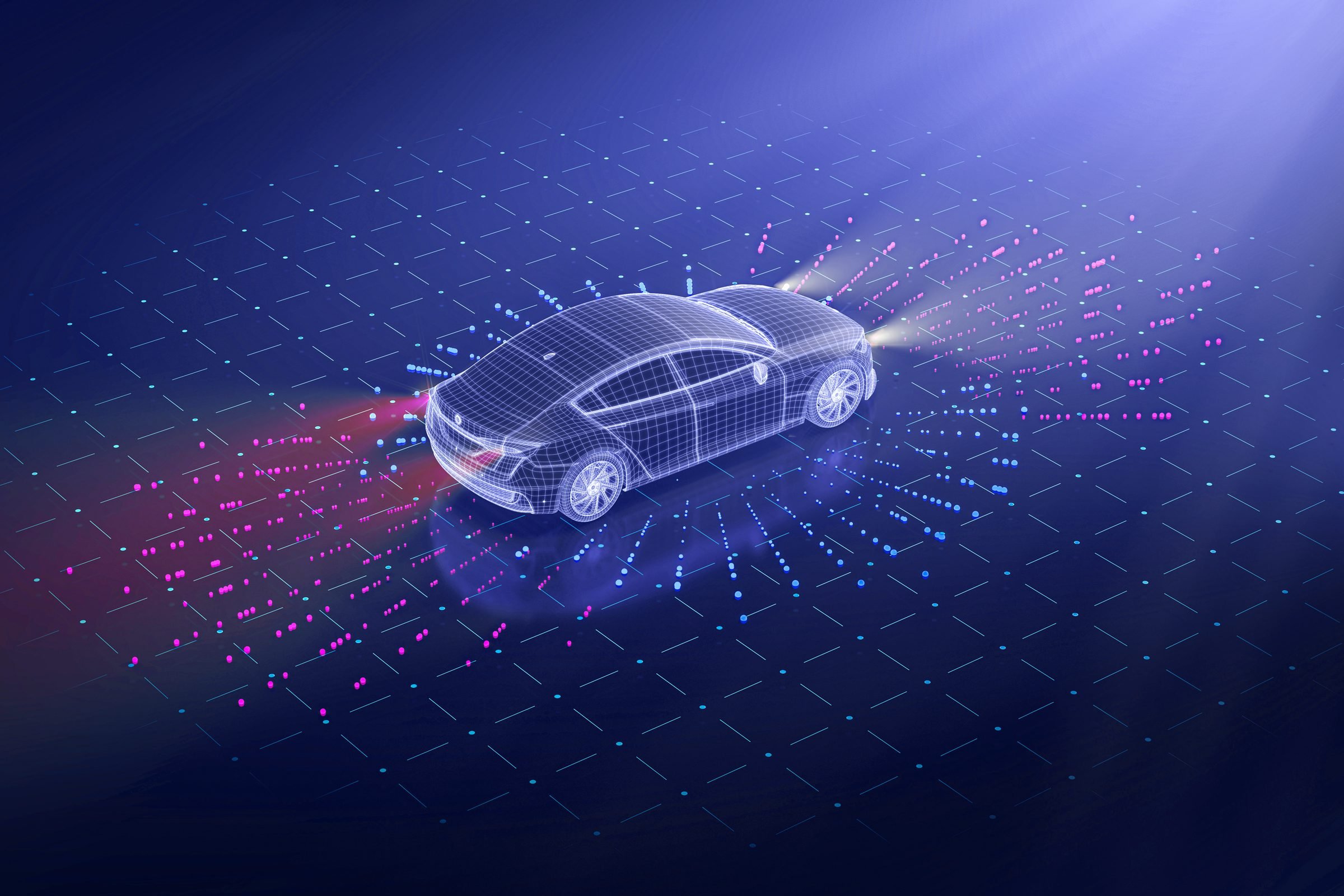
Driverless vehicles may offer several advantages over traditional delivery men in the future |Reader’s Digest
Domino’s partnership with Nuro has opened doors to an entirely different model for pizza delivery. Imagine if other pizza delivery chains like Pizza Hut , Papa John’s , and Cici’s followed suit. That’s close to 80,000 stores operating in the US alone- and that too for just pizza. If such an idea were to become mainstream within the restaurant delivery industry, the impact would be tenfold.
Following are just some of the advantages driverless vehicles hold over traditional delivery men being employed today which may contribute towards making pizza delivery future-proof.
Faster Delivery
Unlike human delivery men which may suffer from fatigue and human error while driving, robots like R2 can get the job done with minimal mistakes. They are objectively faster in terms of movement and are able to get on the road more quickly as well, providing overall faster deliveries.
Increased Safety
Self-driving bots and cars operate based on coded traffic instructions that are impossible to override. Unlike delivery men, they cannot drive recklessly in pursuit of delivering the order more quickly. Hence, safety is of utmost importance.
Better Reliability
Driverless vehicles do not need downtime in case of illness and will make as many delivery trips as their battery power allows. It is also easier to track the exact location of a driverless vehicle and it also has no incentive to steal the goods it is delivering.
Lower Running Costs
Although a self-driving car may cost a company more initially, it will be less expensive in the long-run due to the little running cost associated with using it. Bots do not take salaries or weekends off, and can cut logistics costs of restaurant chains by as much as 30% .
Environmentally-friendly
Most driverless vehicles run on electrical power, meaning they give off little to no CO 2 emission at all. This is a major advantage to traditional delivery men who travel on transport such as cars and motorbikes running on fossil fuels, releasing huge amounts of harmful emissions to the air.
Final Thoughts
The initiative taken by Domino’s Pizza towards driverless delivery may be small, but the impact it poses could be revolutionary. As testing and development continues, this concept can be seen expanding to niches like grocery, online shopping, pharmaceuticals, and much more. If the advantages posed by driverless delivery prove to be as promising as predicted, it’s possible we may be experiencing the beginning of a major economic shift- one with lasting impacts on both consumers and restaurant owners alike.
How to Fix “Printer is in an error state” Issue?
- Recognizing the importance of a printer’s duty cycle is crucial for choosing a device that matches your print volume needs. Staying within this limit ensures the printer operates efficiently and prolongs its lifespan, minimizing the risk of maintenance issues.
- Proper humidity, temperature, and cleanliness management can significantly enhance printer performance and maintain its duty cycle, preventing unnecessary wear.
- Enhancing a printer with upgrades like additional memory or better mechanical parts can improve its workload handling and extend its practical duty cycle, boosting overall durability and efficiency.
When choosing a new printer, you might come across the term “ duty cycle ” in the specifications. This guide will explain what a duty cycle is, why it matters, and how it can help you choose the right printer. We’ll keep things simple so you can easily understand how to use this information when shopping for a printer.
- Printer Duty Cycle: What It Means and Why It Matters?
- Why the Duty Cycle Is Key to Choosing the Right Printer?
- Duty Cycle vs. Recommended Monthly Print Volume: What’s the Difference?
- What Happens If You Ignore Printer Duty Cycle Recommendations? ↪ Real-World Scenarios: Why Exceeding the Duty Cycle Can Cost You
Printer Duty Cycle: What It Means and Why It Matters?

What is the meaning of Printer Duty Cycle?
The printer duty cycle represents the upper limit of a printer’s capacity—how many pages it can reliably process in a month before the risk of wear or malfunction increases. This figure is crucial for understanding printer performance limits and ensuring that your chosen printer can handle the expected work volume.
Manufacturers determine a printer’s duty cycle through stress testing, where the printer is pushed to its limit to identify how many pages it can produce each month before malfunctioning. These tests help set a reliable performance gateway for users.
A printer’s duty cycle is like a car’s speedometer—you wouldn’t drive a car at top speed all the time, and you shouldn’t push a printer to its maximum duty cycle. Doing so can lead to quicker wear and tear, more frequent maintenance, and a shorter lifespan.
If you’re unsure whether to choose an inkjet or laser printer, this detailed guide compares both options to help you make an informed decision.
Why the Duty Cycle Is Key to Choosing the Right Printer?

The Importance of Duty Cycle in printer selection
Knowing the duty cycle is essential when choosing a printer, as it determines how well the device can handle your monthly print volume without excessive wear or maintenance.
Here is why the duty cycle matters in printer selection:
- Fit for purpose: Selecting a printer with a suitable duty cycle ensures it can handle your monthly printing volume efficiently, reducing stress on its components.
- Longer lifespan and better performance: Staying within the duty cycle ensures optimal print quality and speed while prolonging the printer’s life, avoiding frequent breakdowns.
- Cost efficiency and reduced downtime: Operating within the duty cycle minimizes the need for repairs and reduces operational disruptions, managing long-term costs.
Duty Cycle vs. Recommended Monthly Print Volume: What’s the Difference?

Duty Cycle vs. recommended monthly print volume
The recommended monthly print volume is the optimal number of pages a printer should handle each month for the best performance and longevity. Unlike the maximum capacity indicated by the duty cycle, this number guides regular usage, ensuring the printer operates efficiently without excessive wear.
If your print volume regularly exceeds the recommended amount but stays within the duty cycle, the printer may operate safely in the short term, but it could still experience accelerated wear and reduced lifespan over time.
In such cases, consider upgrading to a higher-capacity printer or spreading print jobs across multiple devices to ensure long-term performance.
Here are the differences between the duty cycle and recommended monthly print volume:
- Duty cycle: Represents the maximum number of pages a printer can handle in a month without breaking down. It assesses the printer’s upper limit.
- Recommended monthly print volume: Suggests a practical, workable number of pages to print each month to keep the printer in good condition over its lifespan.
What Happens If You Ignore Printer Duty Cycle Recommendations?

Consequences of ignoring Duty Cycle recommendations |AndranikHakobyan via Canva
Ignoring the duty cycle limits poses more severe risks than exceeding the recommended monthly print volume, leading to serious long-term consequences.
While exceeding the recommended volume occasionally may result in additional wear and tear, consistently exceeding the duty cycle can lead to frequent breakdowns, reduced performance, and a shortened lifespan.
Ignoring duty cycle limits leads to frequent breakdowns, reduced performance, and increased maintenance, ultimately shortening the printer’s lifespan and causing more frequent operational downtime and higher repair costs. Long-term, pushing a printer beyond its limits leads to greater financial burdens due to premature replacements and inefficiencies.
↪ Real-World Scenarios: Why Exceeding the Duty Cycle Can Cost You
For example, in a busy law firm, overlooking duty cycle limits during a high-stakes period could cause a printer breakdown just before a critical deadline, delaying crucial legal filings and ultimately compromising client service.
For small businesses, consistently exceeding a printer’s duty cycle can lead to costly emergency repairs or premature equipment replacements, straining financial resources.
