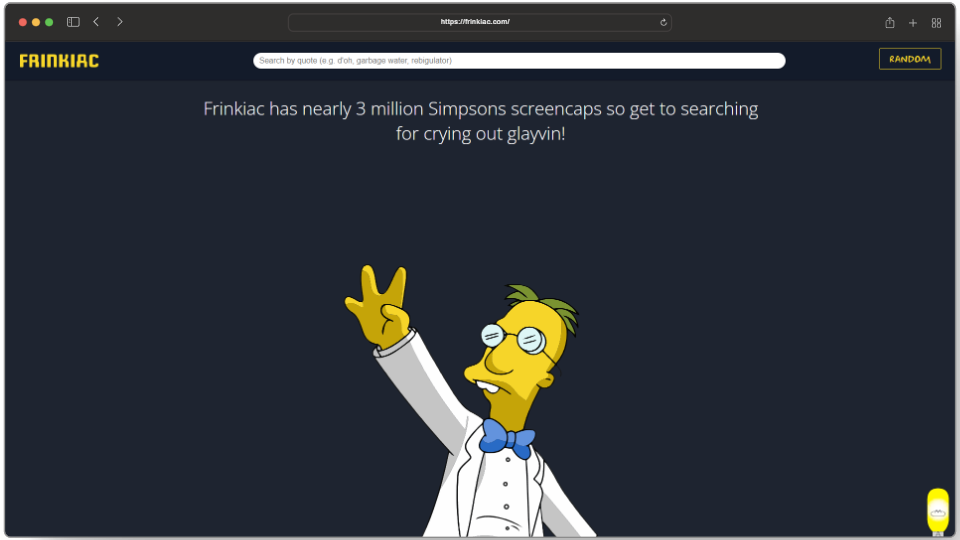
- Frinkiac is a dedicated search engine for “The Simpsons” with over 3 million screencaps. Created by Rackspace employees Paul Kehrar, Sean Schulte, and Allie Young in 2016.
- It uses episode subtitles for searches, offers meme and GIF creation, and lets users view episodes frame by frame to create the perfect Simpson image for any situation.
- Frinkiac gained significant attention after a feature in WIRED which made them go viral, becoming a staple for Simpsons fans and memers ever since.
Whether it’s digging up conspiracy theories or making memes, there’s no TV show more quotable than The Simpsons . However, the hassle of going through Google to find the perfect line for these memes is a mission on its own.
That’s where Frinkiac comes in, a brilliant work of coding that turns an ordinary search engine into a Simpson-specific one capable of going through millions of frames and cherry-picking them with just simple keyword inputs.
So, let’s jump into the world of Frinkiac and how it beautifully fulfills its purpose as a Simpson’s catalog.
- What is Frinkiac?
- The Working Behind Frinkiac
- 5 Amazing Features of Frinkiac 1. Caption and Meme Generator 2. Simpsons Frame-Grabs 3. Animated GIFs 4. View Entire Episodes 5. The Random Button
- How Frinkiac Became A Popular Internet Trend
- Conclusion
Frinkiac Homepage
What is Frinkiac?
Frinkiac is an online search engine that allows users to search for their favorite images and quotes from The Simpsons show. It currently has over 3 million screencaps from the 17 seasons of the show – all of which can be accessed by typing a phrase or keyword linked to the exact moment it was uttered.
Although, the website is named after the Simpson character Professor Frink the real geniuses behind it are the Rackspace employees Paul Kehrar , Sean Schulte , and Allie Young who built the website back in 2016.
The popularity of Frinkiac has made it a go-to choice for not only Simpsons fans but also writers and bloggers who want to quote something from the show in their work. Frinkiac isn’t just a meme generator, but a story of a how a group of people turned their love for Simpsons into something the world could enjoy.
The Working Behind Frinkiac
The science behind Frinkiac can be termed simple by many but the naiveness of it is what also makes it fairly brilliant as it only took about 6 months to make it. According to Schulte;
The majority of the code was written in about a week, to parse the video files and upload them to the server index them, and search them. From there, Young spent a few weeks developing and tweaking the UI. And so Frinkiac was born. Sean Schulte
All the screencaps available in Frinkiac are indexed using subtitles for each episode. This means that if you are searching for an image, you can’t just describe the scene or the characters. Instead, you have to type in a phrase or quote that was said during the episode to get something, and the more you type, the more accurately the result will show up.
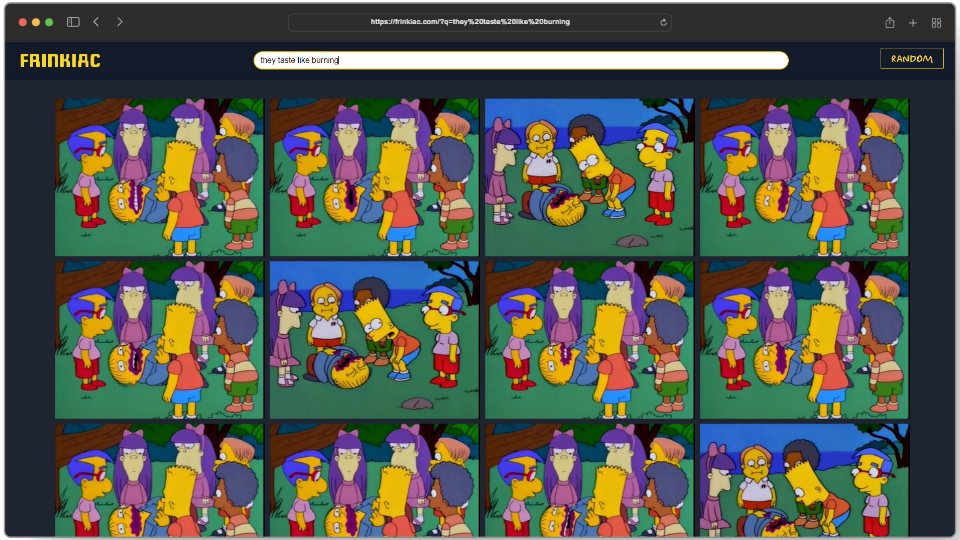
Be as descriptive as possible when writing quotes
Normally, a search engine like Google uses AI to understand user queries but Frinkiac scours through screenshots through video parsing . In simple terms, Frinkiac cuts every Simpson scene into 100 sections then figures the average color for each part and compares its coloration to the previous scene or image. If there’s a minimal difference between the two scenes Frinkiac saves it as a new screenshot.
5 Amazing Features in Frinkiac
Frinkiac is a technical marvel from the ground up and is packed with several features that make it more interesting and a perfect time waster for anybody.
1. Caption and Meme Generator
Here’s how you can turn your screencaps into memes:
- Open up your favorite screenshot.
- Once that loads up, click on the “ Make Meme ” option. Press the Make meme button
- Under the “ Meme Text ” tab change the text into anything you want. Type in your own caption
- Once you are all done, simply hit the “ Generate Meme ” button. Press the Generate Meme button
- And that’s it! If you want to download or share the meme click on the share button and send the URL to your friend or right-click and press “ save image as “. Tap on the share button and share your meme

Meme made using Frinkiac
2. Simpsons Frame-Grabs
Another interesting feature of Frinkiac is its ability to generate high-quality screenshots straight from the TV show that can be used as a desktop or even phone wallpaper.
To download an image:
- Open your image and press the share button right next to it. Press the share button
- This will open your image in a new tab. From here, right-click and press the “ save image as ” option to store it on your device. Save your image
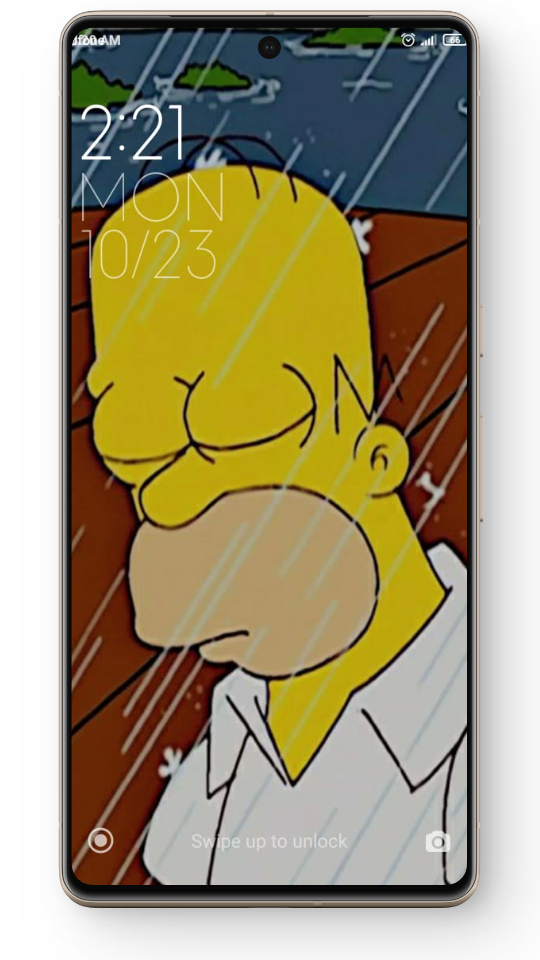
Use your image as a wallpaper
3. Animated GIFs
Frinkiac also allows users to make their own animated GIFs of up to nine seconds. You can even find your old GIF creations by simply typing in their URLs .
Here’s how you can turn your images into GIFs:
- Choose your screencap and hit the “ Make GIF ” button. Click the Make GIF button
- Individually select frames that you want to include in your GIF. Tap to select multiple frames
- If you want to add text over the GIF, press the “ Add Meme ” option and type in your text. Press Add meme and type your own caption
- Now, click on the “ Make GIF ” option. Click on the Make GIF button
- You can either share the GIF or download it just like you would for a meme. And you are good to go. Click the open GIF option and share it

GIF made using Frinkiac
4. View Entire Episodes
If you can’t find a frame that perfectly fits what you want, you can even go through entire episodes broken down into small pieces until you find what you are looking for.
Here’s how you can view entire episodes:
- Open your image and press the “ View Episode ” button. Click on the View Episode button
- This will open the entire episode frame by frame from where you can select whatever frame you want and edit or download it accordingly. Choose whatever frame you want
5. The Random Button
Another playful addition in Frinkiac is the “ Random ” option which allows users to test out their luck to see what frame they get from the show. To use this, click on the Random button located on the top-right corner, and you will have your image.
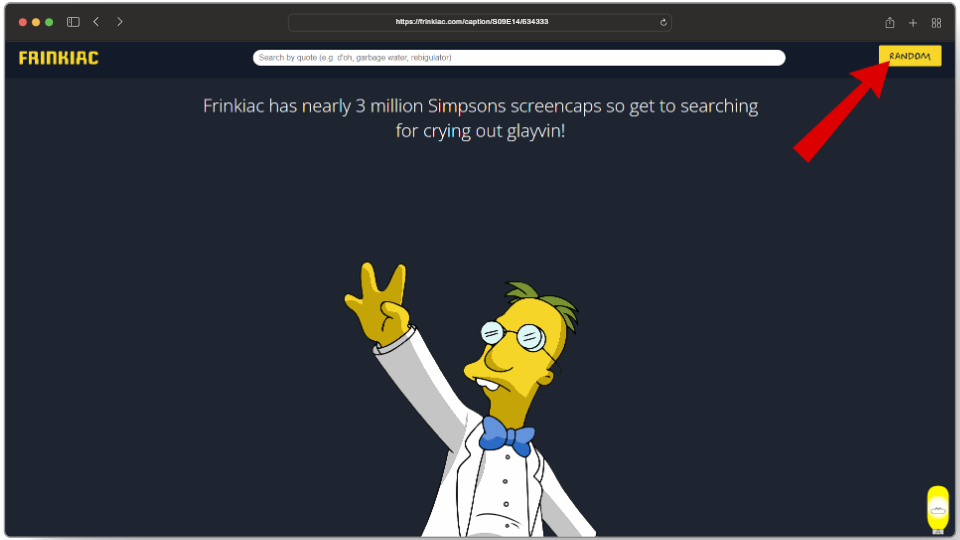
Try out your luck!
How Frinkiac Became A Popular Internet Trend
Combining their love for The Simpsons with pretty incredible technical talent, Frinkiac slowly took everyone by surprise, even the developers. As part of their report on Frinkiac —in a statement to renowned American tech publication, WIRED —Schulte talked about the reason behind making Frinkiac:
We had the idea several years ago when we were quoting The Simpsons at each other all day long, and it was surprisingly difficult to find an image of the scenes we were quoting on Google. Sean Schulte
Once the idea came into existence, it wasn’t heavily noticed just yet. The developers told their friends about it and even posted it on Reddit, but the website didn’t get enough traffic. However, all of that changed when the WIRED article gave Frinkiac its well-deserved spotlight, netting them a proper interview:
And when we suddenly had 3,000 concurrent users doing nearly 100 searches per second, things got rather compute intensive. Paul Kehrer
Beyond that, all of this was an overwhelming experience for the entire team which even got emotional at times. Now even after 7 years , Frinkiac is still used by people to showcase their emotions through simple memes and GIFs which ultimately makes it all worthwhile for the Rackspace employees.
pic.twitter.com/5hckxAqnK3 — Joey Joe Joe (@JoeFrinkiac) October 21, 2023
Conclusion
Overall, Frinkiac is a perfect tool for anyone who wants to fulfill their Simpsons cravings by accessing millions of screenshots and quotes from the show. Whether you are looking for a specific moment or want to create something of your own, Frinkiac has everything you need.
As of yet, there is no app specifically designed for Frinkiac on mobile devices. However, you can use the Frinkiac website on mobile as well to find quotes from the show.
After receiving countless requests to make “a site like Frinkiac but for Futurama” the Frinkiac developers took things into their own hands and made Morbotron which offers screencaps from the TV show Futurama.
Frinkiac is written in GO, an open-source programming language developed by Google that makes it simple to build secure, scalable systems.
How to Fix “Printer is in an error state” Issue?
- Recognizing the importance of a printer’s duty cycle is crucial for choosing a device that matches your print volume needs. Staying within this limit ensures the printer operates efficiently and prolongs its lifespan, minimizing the risk of maintenance issues.
- Proper humidity, temperature, and cleanliness management can significantly enhance printer performance and maintain its duty cycle, preventing unnecessary wear.
- Enhancing a printer with upgrades like additional memory or better mechanical parts can improve its workload handling and extend its practical duty cycle, boosting overall durability and efficiency.
When choosing a new printer, you might come across the term “ duty cycle ” in the specifications. This guide will explain what a duty cycle is, why it matters, and how it can help you choose the right printer. We’ll keep things simple so you can easily understand how to use this information when shopping for a printer.
- Printer Duty Cycle: What It Means and Why It Matters?
- Why the Duty Cycle Is Key to Choosing the Right Printer?
- Duty Cycle vs. Recommended Monthly Print Volume: What’s the Difference?
- What Happens If You Ignore Printer Duty Cycle Recommendations? ↪ Real-World Scenarios: Why Exceeding the Duty Cycle Can Cost You
Printer Duty Cycle: What It Means and Why It Matters?

What is the meaning of Printer Duty Cycle?
The printer duty cycle represents the upper limit of a printer’s capacity—how many pages it can reliably process in a month before the risk of wear or malfunction increases. This figure is crucial for understanding printer performance limits and ensuring that your chosen printer can handle the expected work volume.
Manufacturers determine a printer’s duty cycle through stress testing, where the printer is pushed to its limit to identify how many pages it can produce each month before malfunctioning. These tests help set a reliable performance gateway for users.
A printer’s duty cycle is like a car’s speedometer—you wouldn’t drive a car at top speed all the time, and you shouldn’t push a printer to its maximum duty cycle. Doing so can lead to quicker wear and tear, more frequent maintenance, and a shorter lifespan.
If you’re unsure whether to choose an inkjet or laser printer, this detailed guide compares both options to help you make an informed decision.
Why the Duty Cycle Is Key to Choosing the Right Printer?

The Importance of Duty Cycle in printer selection
Knowing the duty cycle is essential when choosing a printer, as it determines how well the device can handle your monthly print volume without excessive wear or maintenance.
Here is why the duty cycle matters in printer selection:
- Fit for purpose: Selecting a printer with a suitable duty cycle ensures it can handle your monthly printing volume efficiently, reducing stress on its components.
- Longer lifespan and better performance: Staying within the duty cycle ensures optimal print quality and speed while prolonging the printer’s life, avoiding frequent breakdowns.
- Cost efficiency and reduced downtime: Operating within the duty cycle minimizes the need for repairs and reduces operational disruptions, managing long-term costs.
Duty Cycle vs. Recommended Monthly Print Volume: What’s the Difference?

Duty Cycle vs. recommended monthly print volume
The recommended monthly print volume is the optimal number of pages a printer should handle each month for the best performance and longevity. Unlike the maximum capacity indicated by the duty cycle, this number guides regular usage, ensuring the printer operates efficiently without excessive wear.
If your print volume regularly exceeds the recommended amount but stays within the duty cycle, the printer may operate safely in the short term, but it could still experience accelerated wear and reduced lifespan over time.
In such cases, consider upgrading to a higher-capacity printer or spreading print jobs across multiple devices to ensure long-term performance.
Here are the differences between the duty cycle and recommended monthly print volume:
- Duty cycle: Represents the maximum number of pages a printer can handle in a month without breaking down. It assesses the printer’s upper limit.
- Recommended monthly print volume: Suggests a practical, workable number of pages to print each month to keep the printer in good condition over its lifespan.
What Happens If You Ignore Printer Duty Cycle Recommendations?

Consequences of ignoring Duty Cycle recommendations |AndranikHakobyan via Canva
Ignoring the duty cycle limits poses more severe risks than exceeding the recommended monthly print volume, leading to serious long-term consequences.
While exceeding the recommended volume occasionally may result in additional wear and tear, consistently exceeding the duty cycle can lead to frequent breakdowns, reduced performance, and a shortened lifespan.
Ignoring duty cycle limits leads to frequent breakdowns, reduced performance, and increased maintenance, ultimately shortening the printer’s lifespan and causing more frequent operational downtime and higher repair costs. Long-term, pushing a printer beyond its limits leads to greater financial burdens due to premature replacements and inefficiencies.
↪ Real-World Scenarios: Why Exceeding the Duty Cycle Can Cost You
For example, in a busy law firm, overlooking duty cycle limits during a high-stakes period could cause a printer breakdown just before a critical deadline, delaying crucial legal filings and ultimately compromising client service.
For small businesses, consistently exceeding a printer’s duty cycle can lead to costly emergency repairs or premature equipment replacements, straining financial resources.
