Online gaming is most enjoyed when played with friends and in order to communicate with them, you must have any means of voice chat enabled. Players without any means of online voice chat will face difficulty communicating.
Throughout the year’s, many applications of VOIP ( Voice over Internet Protocol) have been created. However, the most popular ones are Discord and Teamspeak . The best part about them is they both are absolutely free to use.

Teamspeak And Discord
Which One Is Better?
Now the question that arises is which software is most convenient and efficient in terms of performance.
Teamspeak

Teamspeak
Teamspeak is the VOIP that was released way back on August 26, 2002. It has been the most admired and the most used VOIP as it was intended for gamers. Teamspeak has a smaller size than Discord and it uses very fewer resources than it as well; making it faster for people with low-spec systems than Discord.
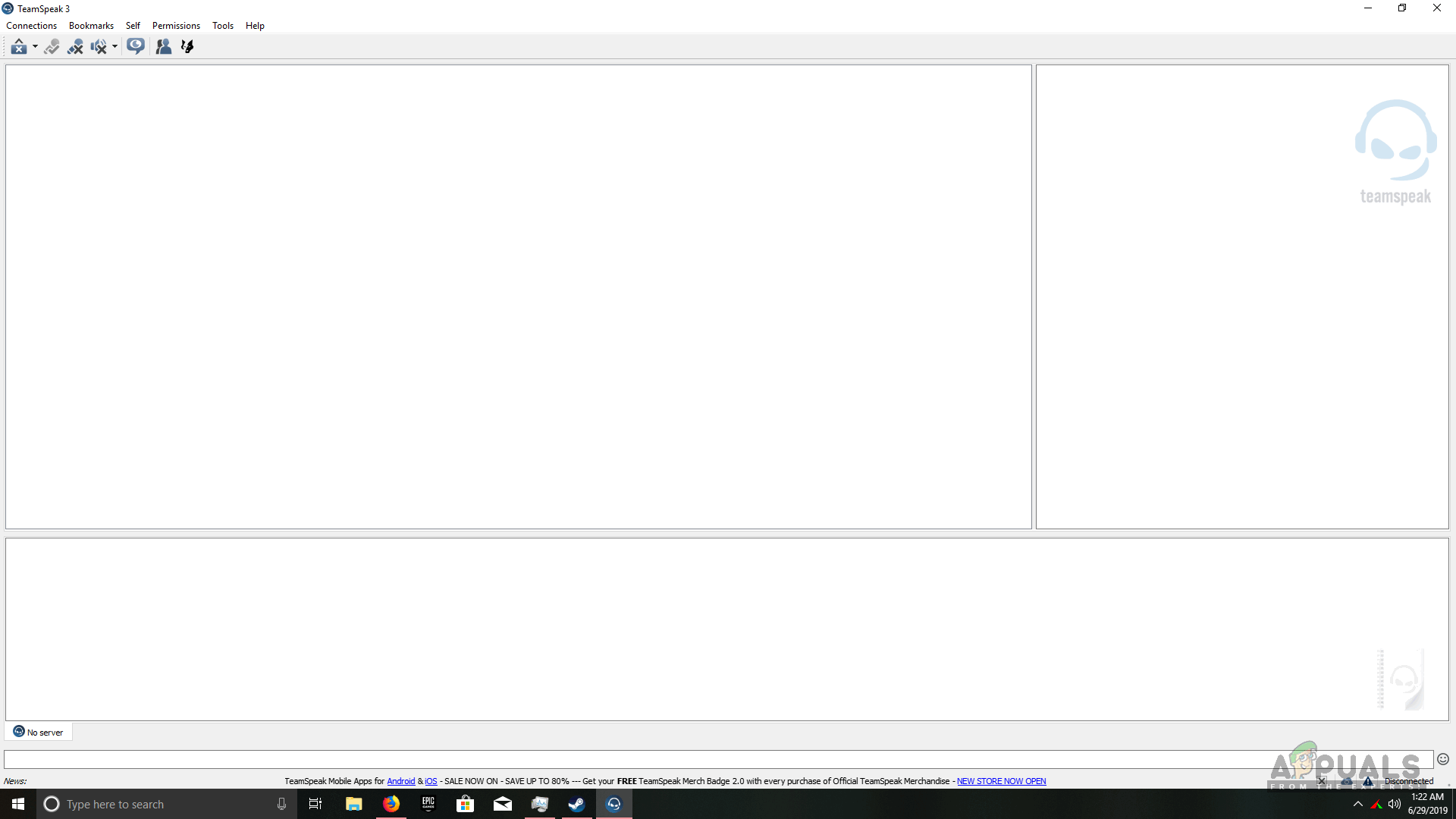
Teamspeak Home Page
Teamspeak also has a very versatile layout which can be a little bit difficult to use for new users. However, after a short while, anyone can get the hang of it. This is unlike Discord where you have to simply join a server by either receiving an invite on Discord or opening an invite link. On Teamspeak you must copy the IP address of the desired server and then connect to it. Discord automatically bookmarks a server whereas, on Teamspeak, this has to be manually done.
On Teamspeak, in order to host a server , you must buy it from a host as it is not free to use. Depending on how many client slots you are opting for, it will cost you accordingly. Overwolf is an in-game overlay software that is partnered with Teamspeak and allows you to capture gameplay and monitor the current channel to see who is sitting on the channel and who isn’t. Unfortunately, enabling Overwolf also enables input lag which can be a pain for gamers as even 0.5s of delay can be costly during online gaming.
Discord

Discord
Discord is the VOIP that was released back on May 23, 2015, and has now become one of the most used VOIPs of all time. Discord comes in at a larger size as compared to Teamspeak using up about a 100 megabytes of storage.
One of the bad things about Discord is that systems with poor performance will allow Discord to take most of the memory and disk usage which can hinder your other processes. This is because Discord has a much-advanced API and integration that makes it much sleeker and convenient than Teamspeak. Unfortunately, this also makes it more power-hungry than Teamspeak as well.

Discord Homepage
Discord allows you to add games in the quick launch so whenever you need to launch a game but do not have the shortcut for it, you can always launch it from Discord. You can buy certain games on Discord that come at a very discounted price and it allows other Discord users and friends to know which game you own and play on a daily basis.
Servers on Discord are free to host, unlike Teamspeak where you have to pay monthly/yearly/onetime. The servers on Discord are also easily managed as most things are basic and easy to manipulate like making channels or sending invites.
Discord has its own overlay for gaming that allows users to monitor the activity in their current channel of other users leaving and joining. Users can also enable or disable certain notifications like messages, tags and etc.
Discord also allows you to show other people what game you are playing currently. If you are playing a known game like Fortnite that is integrated for Discord, then it will also show how many people you are playing with, how many people are left in the current match and even the time of how long it has been since the match began.
On Discord, if you have friends added with you, you can see their mutual servers to know if they are on the same server as you.
Conclusion
The winner is Discord by a mile as it has many features that Teamspeak lacks. The only thing stopping Discord from being flawless is the disk and memory usage it consumes. Other than that Discord allows for a free server to be hosted that cannot be done on Teamspeak. Discord has a user-friendly overlay that does not allow input lag. Most importantly Discord is much more easy to use than Teamspeak due to its guided user interface.
How to Fix “Printer is in an error state” Issue?
- Recognizing the importance of a printer’s duty cycle is crucial for choosing a device that matches your print volume needs. Staying within this limit ensures the printer operates efficiently and prolongs its lifespan, minimizing the risk of maintenance issues.
- Proper humidity, temperature, and cleanliness management can significantly enhance printer performance and maintain its duty cycle, preventing unnecessary wear.
- Enhancing a printer with upgrades like additional memory or better mechanical parts can improve its workload handling and extend its practical duty cycle, boosting overall durability and efficiency.
When choosing a new printer, you might come across the term “ duty cycle ” in the specifications. This guide will explain what a duty cycle is, why it matters, and how it can help you choose the right printer. We’ll keep things simple so you can easily understand how to use this information when shopping for a printer.
- Printer Duty Cycle: What It Means and Why It Matters?
- Why the Duty Cycle Is Key to Choosing the Right Printer?
- Duty Cycle vs. Recommended Monthly Print Volume: What’s the Difference?
- What Happens If You Ignore Printer Duty Cycle Recommendations? ↪ Real-World Scenarios: Why Exceeding the Duty Cycle Can Cost You
Printer Duty Cycle: What It Means and Why It Matters?

What is the meaning of Printer Duty Cycle?
The printer duty cycle represents the upper limit of a printer’s capacity—how many pages it can reliably process in a month before the risk of wear or malfunction increases. This figure is crucial for understanding printer performance limits and ensuring that your chosen printer can handle the expected work volume.
Manufacturers determine a printer’s duty cycle through stress testing, where the printer is pushed to its limit to identify how many pages it can produce each month before malfunctioning. These tests help set a reliable performance gateway for users.
A printer’s duty cycle is like a car’s speedometer—you wouldn’t drive a car at top speed all the time, and you shouldn’t push a printer to its maximum duty cycle. Doing so can lead to quicker wear and tear, more frequent maintenance, and a shorter lifespan.
If you’re unsure whether to choose an inkjet or laser printer, this detailed guide compares both options to help you make an informed decision.
Why the Duty Cycle Is Key to Choosing the Right Printer?

The Importance of Duty Cycle in printer selection
Knowing the duty cycle is essential when choosing a printer, as it determines how well the device can handle your monthly print volume without excessive wear or maintenance.
Here is why the duty cycle matters in printer selection:
- Fit for purpose: Selecting a printer with a suitable duty cycle ensures it can handle your monthly printing volume efficiently, reducing stress on its components.
- Longer lifespan and better performance: Staying within the duty cycle ensures optimal print quality and speed while prolonging the printer’s life, avoiding frequent breakdowns.
- Cost efficiency and reduced downtime: Operating within the duty cycle minimizes the need for repairs and reduces operational disruptions, managing long-term costs.
Duty Cycle vs. Recommended Monthly Print Volume: What’s the Difference?

Duty Cycle vs. recommended monthly print volume
The recommended monthly print volume is the optimal number of pages a printer should handle each month for the best performance and longevity. Unlike the maximum capacity indicated by the duty cycle, this number guides regular usage, ensuring the printer operates efficiently without excessive wear.
If your print volume regularly exceeds the recommended amount but stays within the duty cycle, the printer may operate safely in the short term, but it could still experience accelerated wear and reduced lifespan over time.
In such cases, consider upgrading to a higher-capacity printer or spreading print jobs across multiple devices to ensure long-term performance.
Here are the differences between the duty cycle and recommended monthly print volume:
- Duty cycle: Represents the maximum number of pages a printer can handle in a month without breaking down. It assesses the printer’s upper limit.
- Recommended monthly print volume: Suggests a practical, workable number of pages to print each month to keep the printer in good condition over its lifespan.
What Happens If You Ignore Printer Duty Cycle Recommendations?

Consequences of ignoring Duty Cycle recommendations |AndranikHakobyan via Canva
Ignoring the duty cycle limits poses more severe risks than exceeding the recommended monthly print volume, leading to serious long-term consequences.
While exceeding the recommended volume occasionally may result in additional wear and tear, consistently exceeding the duty cycle can lead to frequent breakdowns, reduced performance, and a shortened lifespan.
Ignoring duty cycle limits leads to frequent breakdowns, reduced performance, and increased maintenance, ultimately shortening the printer’s lifespan and causing more frequent operational downtime and higher repair costs. Long-term, pushing a printer beyond its limits leads to greater financial burdens due to premature replacements and inefficiencies.
↪ Real-World Scenarios: Why Exceeding the Duty Cycle Can Cost You
For example, in a busy law firm, overlooking duty cycle limits during a high-stakes period could cause a printer breakdown just before a critical deadline, delaying crucial legal filings and ultimately compromising client service.
For small businesses, consistently exceeding a printer’s duty cycle can lead to costly emergency repairs or premature equipment replacements, straining financial resources.
