There’s no denying that Bluestacks is one of the most popular Android emulators out there. But unlike any other Android emulators, Bluestacks always has an aura of uncertainty around it. Some people think it’s safe to use, while others have had some experiences that made them raise some security concerns about the cross-platform Android Emulator.

Is BlueStacks Safe?
What is Bluestacks?
If we were to lose the technical jargon, BlueStacks is a free Android emulator for PC and Mac that currently holds the biggest market share. Android emulators enable desktop OS users to run Android apps and games that were normally designed to run on an Android smartphone or tablet. They also allow users to be able to run .apk files on a computer .
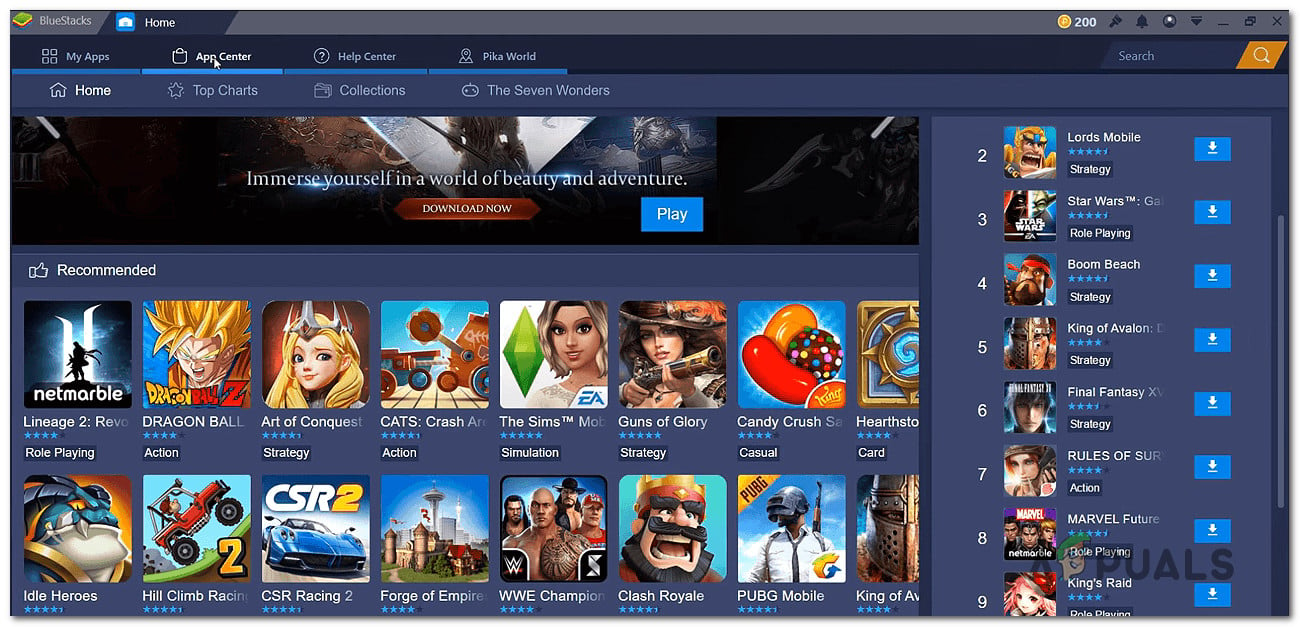
Using BlueStacks on PC
Since the Bluestacks platform is mainly focused on gaming, most users are using this Android emulator to play popular games like PubG Mobile, Candy Crush, Temple Run, etc. There’s also a user segment that makes use of Bluestacks to run mobile-only applications like Viber, Snapchat, etc.
Bluestacks is a project developed after a shared investment made by Intel, Samsung, Qualcomm, and AMD.
BlueStacks security concerns
Perhaps the main reason why users are suspecting that this Android emulation software isn’t safe is the fact that some 3rd party security applications like McAfee and Avast might detect the main BlueStacks executable as a threat.
But as it turns out, the vast majority of these reports turned out to be false-positives. And even in those cases where the executable was actually infected, no evidence was found that the file was already infected when Bluestacks was installed.
It’s true that the BlueStacks installer asks you to disable your AV protection while installing the application on your system, but this only ensures that you don’t have an over-protective security suite that will prevent the BlueStacks installation from completing successfully.
We scanned this Android emulator with several of the most efficient security scanners and we found no evidence of a malware infection. With this mind, you can rest assured that this Android emulators software doesn’t come pre-bundled with any malware or adware software.
Of course, we can only vouch for this if you download the platform from the official download page ( here ), not from a third-party source.
BlueStacks performance concerns
Another popular reason why people are wondering whether BlueStacks is safe is performance issues. The uncertainty comes from the fact that even with medium-spec computers, some users are still reporting that Bluestacks is crashing quite regularly and eating away quite a lot of system resources.
Because BlueStacks has such a high CPU & RAM usage, some people are suspecting that the software might be used for crypto-mining or other similar practices without the user’s concern. Fortunately, we found no evidence of this activity.
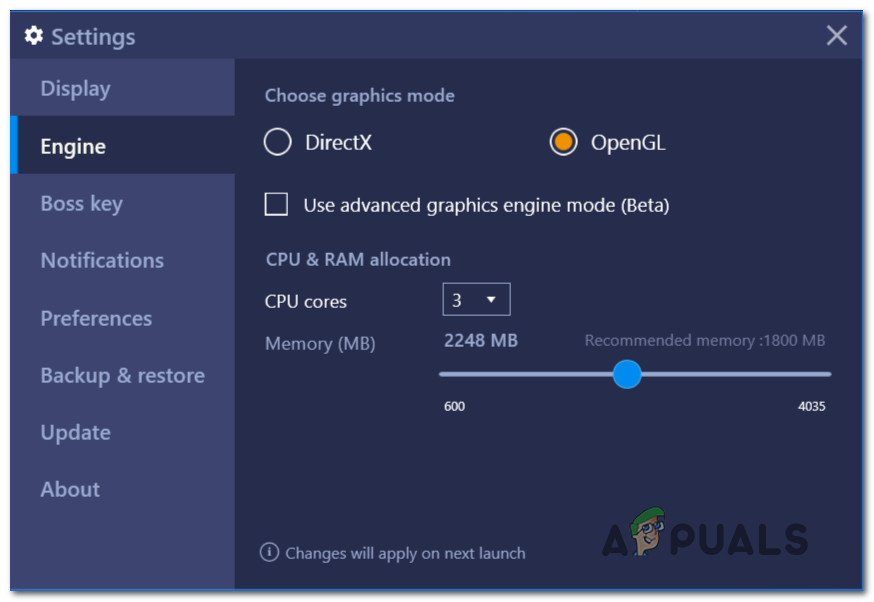
BlueStacks performance issues
Furthermore, we looked into various expert opinions on this matter, and it turns out that high CPU & RAM usage is normal when emulating an Android environment is very normal, even on high-end PC configurations. This happens because Android and desktop operating systems such as PC and MAC have a very different architecture, so resource efficiency is not really on the table in this matter. So you want to consider uninstalling BlueStacks if you have performance concerns because they won’t go away soon.
Why the latest BlueStacks versions are the safest
If we were to take a trip back to when BlueStacks was just beginning to gain popularity, there was a lot of uncertainty on the revenue model that was being used. Just a few years back, Reddit was filled with threads encouraging people to stop using BlueStacks. Here’s one example . Why?
The problem was that in order to keep using it, you either had to pay the creators or download apps & rate them (as per the program requested). This surely wouldn’t have caused this much controversy if the apps that weren’t surrounded by uncertainty. But back then, there were increasing concerns that some of the apps that were included in the download & install program actually contained adware.
And to make matters even worse, the original Bluestacks version didn’t even include an uninstaller. Even more, the main program folder was made read-only so users were not even able to delete the folder containing the BlueStacks files.
Fortunately, this phase only lasted for a couple of months. Realizing that this approach was going to stop them from growing, the creators let go of the download & rate program and made the software free. All the latest versions include an uninstaller and the main program folder is no longer read-only.
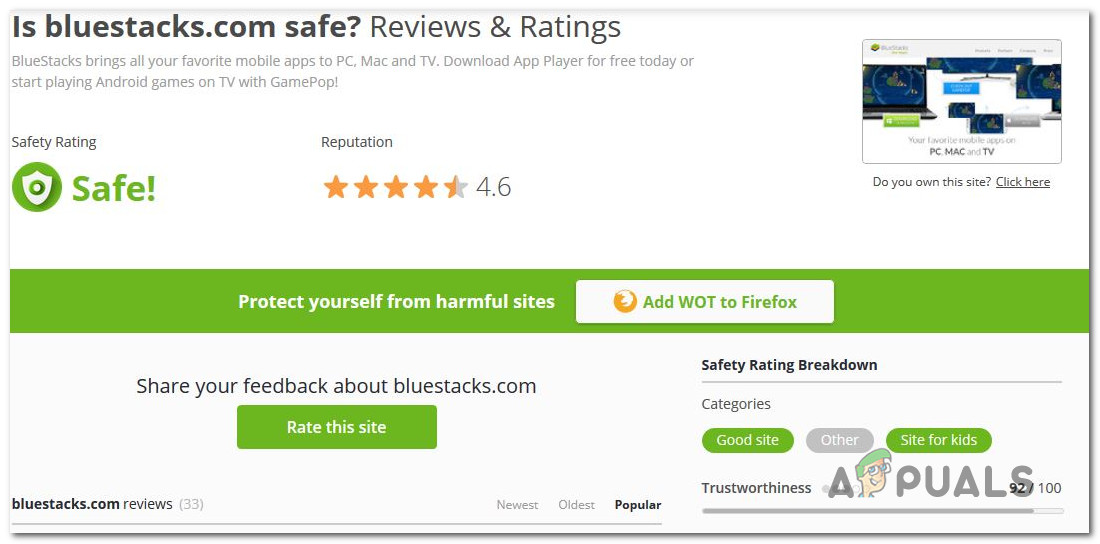
BlueStacks safety concerns
The bottom line is, most of the discussions that you see online regarding the security problems of Bluestacks are no longer applicable. The latest versions (that came out int he last two years) have raised no security questions.
Why choose Bluestacks?
Choosing Bluestacks is the equivalent of choosing Samsung when you’re in the market for a new Android phone. Just as Samsung holds the biggest market share in the smartphone market, Bluestacks is the mainstream option of all Android emulators.
Aside from the fact that it’s compatible with both Windows and MAC, it’s regularly maintained with updates and bug fixes, so you can expect a seamless experience.
Almost every feature of Bluestacks is designed to accommodate gamers. One of the most popular features that make mobile gaming migrate to this platform is the ability to launch multiple instances of the Bluestack applications – this makes it possible to launch multiple games at once (or the same game multiple times). If you use farming practices to level up quickly in your games, multiple instances will help you do this quite easily.

Multiple instances in BlueStacks
But keep in mind that the number of instances that you’re able to run at once is dependable on your PC specifications.
Is BlueStacks Legal?
Another question that a lot of users that are considering Bluestacks have is if the software is illegal or not. It’s a legitimate question, especially if you were to look into most Nintendo or Gameboy emulators.
Although you might be tempted to put BlueStacks in the same pot as Nintendo/Gameboy/Gamecube emulators, you shouldn’t do this. Nintendo emulators are illegal because they include software copies of physical games inside the system hardware ROM in order to work. This is a classic example of piracy.
However, Bluestacks has a different environment to work with. As you might know, Android is completely open-source. Even though Google apps are Google’s own property, BlueStacks doesn’t violate any policies. The platform comes pre-bundled with Google Play Store (this is part of an agreement between the two parties) and you the Play Store will treat your BlueStack platform as any other Android device. No discrimination whatsoever.
So to conclude this chapter, BlueStacks is completely legal as it runs an open-source OS and has the necessary permissions to include & support the Google Play store.
Does BlueStacks collect your data?
The answer isn’t just a simple yes or no, BlueStacks itself doesn’t collect your personal data according to them. However, they do collect the telemetry data of your Emulator and it collects your Computer Specifications for diagnostic and improvement of the BlueStacks they also collect some other information (such as your hardware model, operating system version, unique device identifiers, and mobile network information including phone number) but they don’t collect data from any third-party application you have installed on your BlueStacks.
Is BlueStacks Safe?
So if you’re after for the definitive conclusion, then Yes. Bluestacks is Safe. We found no evidence of malware, spyware or crypto-mining. As of now, Bluestacks is 100% safe. All security certificates are signed and no secondary applications are ever bundled.
But keep in mind that BluStacks only acts as a virtual machine. It’s your responsibility that you install only trusted applications from the Google Play Store.
How to Fix “Printer is in an error state” Issue?
The error “ WinRAR Error: Next Volume Is Required ” usually appears when you’re extracting a multi-part RAR archive and WinRAR can’t find (or can’t correctly identify) the next file in the sequence . This often happens when a volume is missing , stored in a different folder , or renamed in a way that breaks the archive’s expected order .

In this guide, we’ll go over the most reliable fixes confirmed by affected users, along with what each method is doing behind the scenes so you can choose the right one for your situation.
Important: To extract multi-volume archives, you should always start extraction from the first file in the set. This is usually file.part1.rar , or (in older sets) the main .rar file that comes before .r01 , .r02 , and so on.
1. Download and Place the Missing RAR File
WinRAR needs all parts of a multi-volume archive to complete extraction. This error usually appears when one of the volumes in a set like .part2.rar , .r01 , .r02 , .001 , and similar naming formats is missing . Downloading the missing volume and placing it in the same folder as the other parts allows WinRAR to continue extracting normally .
- Look at the error message or review the list of archive parts in the folder.
- Identify which volume is missing (for example, part2.rar , .r02 , .001 , etc.).
- Go back to the website or source where you downloaded the archive.
- Locate and download the exact missing file using the same naming format as the others.
- Make sure the new file name matches the pattern of the rest. Example: If you have file.part1.rar and file.part3.rar , the missing one must be file.part2.rar .
- Move the downloaded missing volume into the same folder as the other archive parts.
- Confirm that all parts are in a single folder before extracting.
- Right-click the first file in the series (usually part1 or the main .rar file) and select Extract Here or Extract to Folder .
- WinRAR should now detect all volumes and continue extraction normally .
2. Manually Browse & Select the Next Volume
Use this method only if the next volume already exists , but WinRAR is failing to detect it automatically. This can happen due to incorrect naming , the file being in a different location , or a temporary file access issue. Manually browsing helps WinRAR locate the correct volume and resume extraction without interruption .
- Right-click the first file in the series (usually .rar or part1.rar ) and select Extract Here or Extract to Folder .
- When WinRAR cannot find the next volume, it will show the “ Next Volume Is Required ” message.
- A small window will appear, allowing you to manually select the next volume .
- Use the file explorer window to locate the folder where the other archive parts are saved.
- Select the next part based on the naming order (example: select file.part2.rar after file.part1.rar ).
- Make sure the selected file matches the naming format of the archive (no extra characters like (1) and no mismatched numbering).
- WinRAR will resume extraction using the selected volume .
- If additional volumes are missing or stored separately, WinRAR may prompt you again. Repeat the same process until extraction completes.
3. Rename the RAR files in Order
WinRAR relies on a proper naming sequence (such as file.part1.rar , file.part2.rar , file.part3.rar ) to extract multi-volume archives. If a file is named incorrectly, contains extra characters, or is out of order, WinRAR may fail to locate the next volume and show this error. Renaming the files correctly helps WinRAR follow the sequence and extract the archive without interruptions .
Note: Renaming only changes the file name , not the file contents. The goal is to restore the correct sequence so WinRAR can detect the next volume.
- Go to the folder where all the RAR files are saved.
- Make sure all parts of the archive are present and stored in the same folder .
- Check how the parts are currently named . Common patterns include:
file.part1.rar, file.part2.rar, file.part3.rar
file.rar, file.r01, file.r02, file.r03
- Look for files that don’t match the expected numbering pattern (for example, file.part01.rar , file.part1(1).rar , or unrelated names).
- Rename each file so it follows the same order without extra characters or mismatched numbering. Example:
Incorrect: file.part1.rar, file.part3.rar, file.part2(1).rar
Correct: file.part1.rar, file.part2.rar, file.part3.rar
- Make sure the text before the number is exactly the same for all files.
- Only the last part number should change.
- Right-click the first file in the series (usually part1.rar or the main .rar file) and select Extract Here .
- WinRAR should now recognize the sequence and continue extraction normally .
If you still get the same prompt: the archive set is likely incomplete (a part was never downloaded or was removed), or one of the volumes is corrupt and must be re-downloaded from the original source.
