- Misskey is a decentralized social media platform, offering a unique community-driven experience with multiple “instances” or communities, providing users control over their social media environment.
- The “An Error Has Occurred Misskey” message may be due to internet connection issues, browser compatibility, regional/IP blocks, server overload, or instance-specific problems.
- To resolve the error, check your internet connection, use a different browser, try a VPN service, explore another Misskey instance, or contact support for personalized assistance.
Signing up for the world of Misskey , an unconventional microblogging platform, can be a frustrating journey, particularly for users residing outside Japan (you’ll understand why as you read the article).
The “ An Error Has Occurred Misskey ” message might momentarily dampen your experience. In this guide, let’s navigate through the complexities behind this error and explore potential solutions that can guide you past the obstacle and into the microblogging platform.
- What is Misskey?
- Why Does ‘An Error Has Occurred Misskey’ Occur?
- Location-Specific Restrictions on Misskey: Here’s What We Know So Far
- How to Fix ‘An Error Has Occurred Misskey’ 1. Check Internet Connection 2. Use a Different Browser 3. Try a VPN Service 4. Try Another Instance of Misskey 5. Contact Support
- Conclusion

Fix – An Error Has Occured Misskey
What is Misskey?
Misskey is a unique social media platform that’s all about giving you control. Unlike regular ones, it’s not run by a single boss—it’s more like a bunch of neighborhoods in one big city.
Think of it as a special kind of social media where you and your friends get to decide how things work. It’s not like the usual ones you might be used to; it’s a cool, free space where everyone’s in charge.
And here’s the cool part: instead of one big boss controlling everything, Misskey has different neighborhoods called “ instances .” Each instance is like a separate community, and you get to pick which one feels right for you. It’s all about putting you in the driver’s seat and making social media a community-driven, inclusive space.
Why Does ‘An Error Has Occurred Misskey’ Occur?
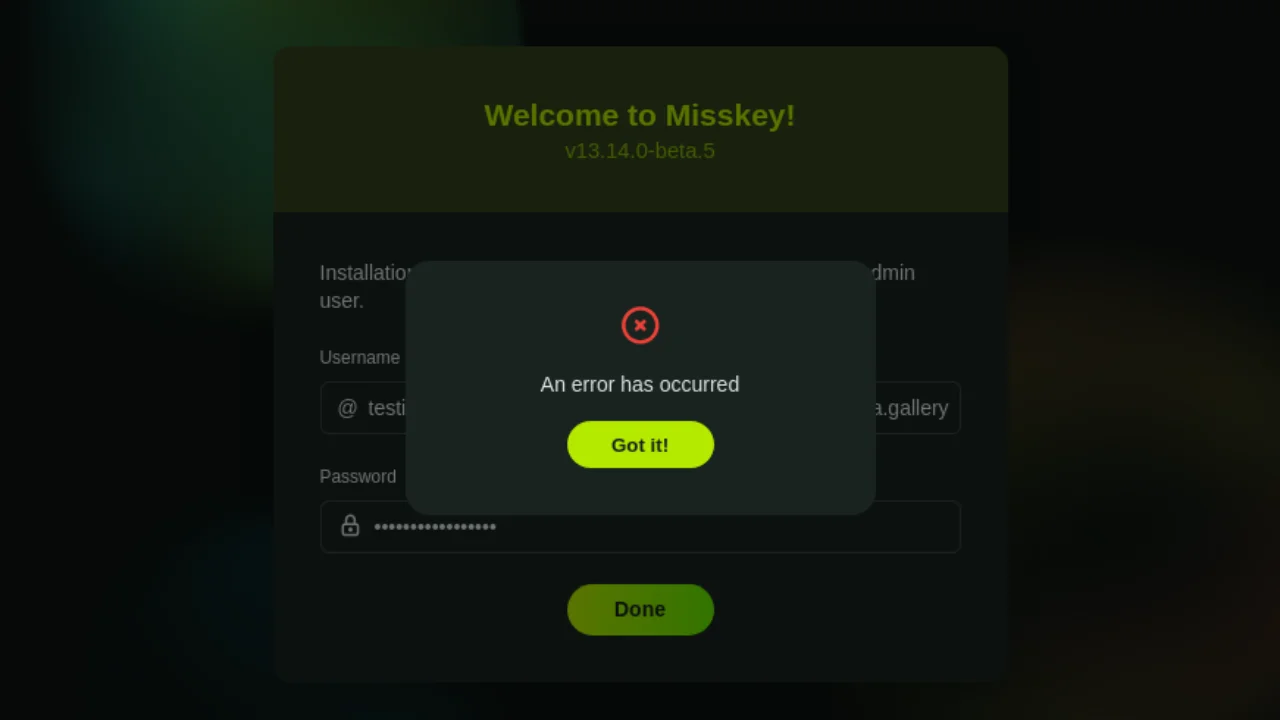
An Error Has Occurred Misskey
The “An Error Has Occurred Misskey” message can occur due to various reasons, and understanding these factors is crucial for effective troubleshooting.
- Internet Connection Issues: The An Error Has Occurred Misskey message may arise when there’s an unstable or slow internet connection
- Browser Compatibility Issues: The error could stem from using an outdated or incompatible browser with Misskey’s requirements.
- Regional or IP Blocks: Misskey developers may have implemented restrictions based on geographic regions or specific IP addresses, leading to the prevention of access to the platform and the display of the error message .
- Server Overload: High traffic or server overload may result in the error message. Increased user numbers can cause server congestion, hindering seamless access to the platform.
- Instance-Specific Issues: Instance-specific problems within the Misskey server or community network may contribute to the error message.
Location-Specific Restrictions on Misskey: Here’s What We Know So Far
Recently, the developers of Misskey.io implemented access restrictions for Western users . This decision arises from concerns about the behavior of a significant portion of Western users, reminiscent of actions on mainstream platforms like Twitter. These actions include searches for reasons to complain, attacks on artists, and calls for content bans—reflecting a gap in understanding and education.
As a result, the majority of Western users currently face limitations in creating new accounts on Misskey.io. The future status of this block remains uncertain. To check if you are affected, attempting to access https://misskey.io/api/signup should lead to a blocked page by Cloudflare, signaling a regional/IP block configured by the developers.

Blocked on Misskey
Behind the scenes, Misskey.io contends with challenges involving activists from a specific political faction engaging in harassment directed at the admin, particularly targeting English-speaking admins.
Simultaneously, the platform grapples with issues of foreigners uploading content violating Japanese law , specifically obscenity laws. Internal conflicts within political factions further complicate matters, particularly concerning material considered obscene under the laws of various countries.
How to Fix ‘An Error Has Occurred Misskey’
There are various potential solutions you can attempt based on the specific issue causing the error.
1. Check Internet Connection
A stable internet connection is essential for accessing online platforms. Confirming connectivity ensures that potential issues related to network interruptions are ruled out.

Check Internet Connection
Open a new tab in your browser and try accessing a different website to confirm your internet connection is stable. If the connection is unstable, troubleshoot your internet or contact your service provider .
2. Use a Different Browser
Browser-related issues can affect the proper functioning of websites. To troubleshoot and address any potential issues, consider downloading and installing an alternative browser such as Firefox, Chrome, or Safari on your device. Once installed, open the newly downloaded browser and try accessing Misskey to determine if the error persists.
3. Try a VPN Service
VPNs can help bypass regional restrictions, providing an alternative route to access the platform. This is particularly useful if the error is related to geographical limitations.

Connect to a VPN
Begin by selecting a reliable VPN provider and installing their application on your device . Once installed, connect to a server location of your preference . With the VPN active, open your browser and attempt to access Misskey, providing a potential workaround for any geographical limitations that may be causing the error.
4. Try Another Instance of Misskey
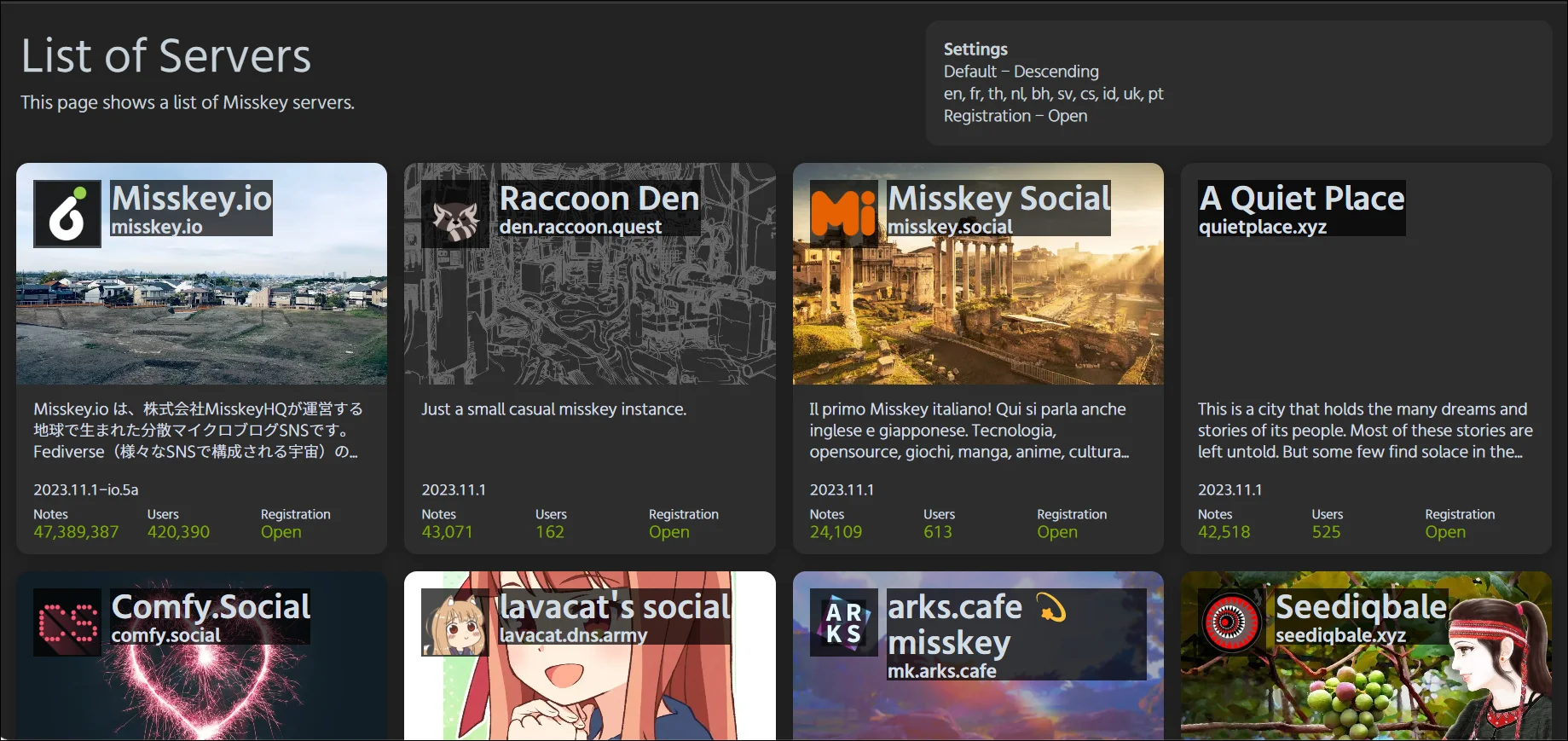
If you encounter difficulties on a particular Misskey instance, exploring alternative instances can help troubleshoot the issue. Instances in the Misskey network are like different communities or servers.
By searching for and creating an account on a different instance, you can determine if the error is specific to the instance you were using or if it’s a platform-wide concern. Log in to the new instance and check if the error persists, allowing you to identify whether the issue is localized or extends to the broader Misskey environment.
5. Contact Support
For personalized assistance in resolving Misskey-related issues, it’s recommended to visit the official Misskey support page or directly contact the administrator of the instance you’re using.
While reaching out to the support team can be beneficial, it’s essential to note that communication might be more effective if you understand Japanese, as language barriers could pose challenges in the resolution process.
Conclusion
By adhering to the steps provided in this guide, you’ll be well-prepared to address the “An Error Has Occurred Misskey” message. Potential solutions include verifying your internet connectivity , experimenting with a VPN service, exploring a different instance, or reaching out to customer service for assistance.
The developers implemented a block on Western users due to inappropriate behavior and toxicity. Visit https://misskey.io/api/signup to check if you are affected.
Server overload is usually temporary and resolves within a few hours. Be patient, and try accessing Misskey again later.
As of now, there is no information on whether the block will be lifted in the future. Stay tuned for updates from Misskey developers.
