Bright spots on a phone screen might not seem like a big deal at first, but they can gradually expand over time. This might appear harmless, especially if it’s at the corner or an edge of the display. However, as they spread, they obscure text and images, practically making your device less functional.
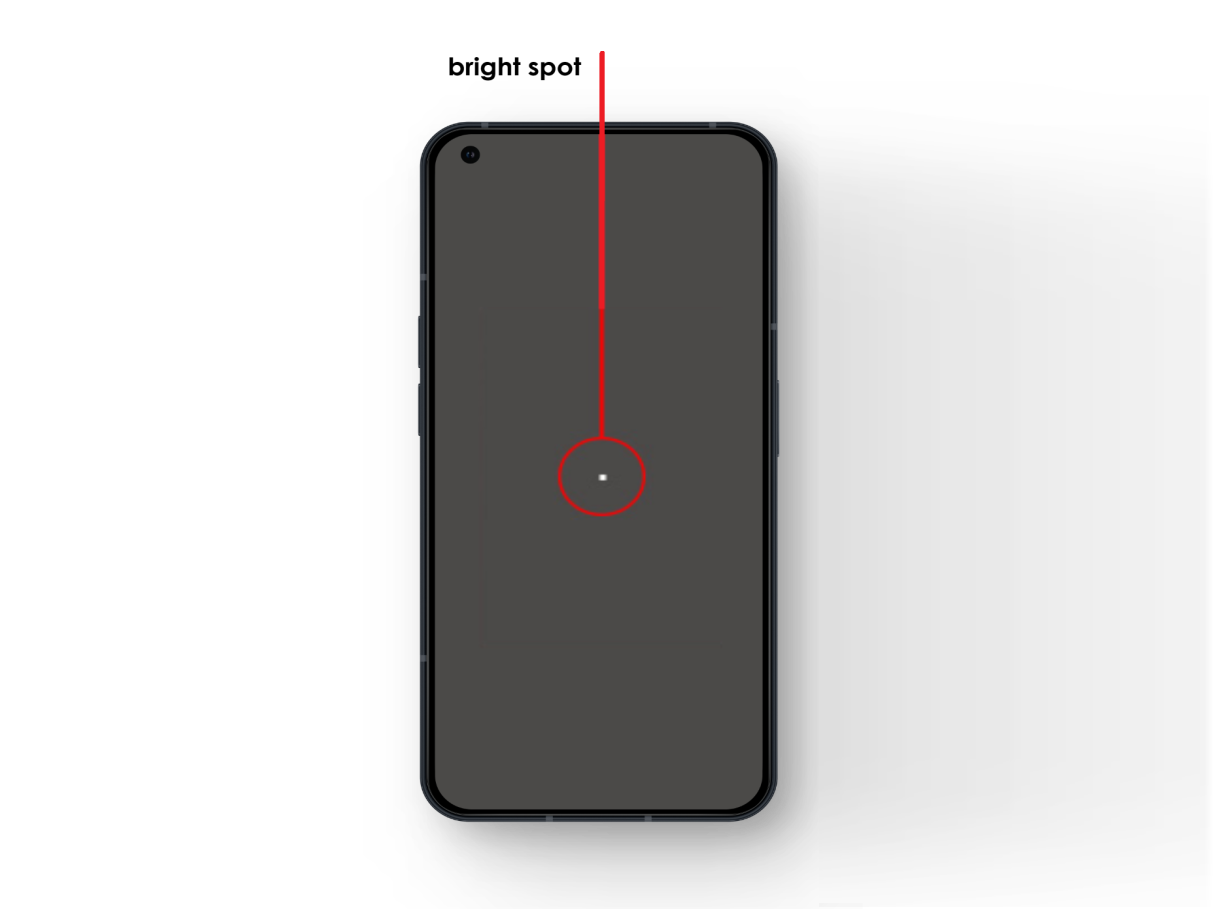
To fix bright spots, first determine their cause. You can try troubleshooting, but if your device is under warranty, let the manufacturer handle it. Common causes include:
- A manufacturing defect that has taken time to become apparent.
- A deep scratch or other physical damage , affecting the underlying screen layers.
- Software issues and glitches affecting certain areas of the display.
- A particle stuck under the screen or the screen protector .
- Pressure damage from mishandling or other damaged internal components.
Let’s discuss the fixes.
1. Reboot Your Device
- To reboot, hold down the Power / Side button until a slider or power options appear.
- Drag the slider across to shut down your device. Some devices might just have a simple button; in such cases, press that.

- Wait for a few moments.
- Hold down the Power / Side button again until the screen turns back on.
Most temporary software glitches never go away until and unless you reboot your device. If the white spot persists even when the device is switched off, it’s likely just the flaw of the screen protector — a minor expense. However, if the bright spot reappears when you switch on your phone, prepare to analyze and address the underlying issue at hand.
2. Update Your Apps and OS
If you’re only experiencing the issue while using certain apps, it’s less likely a hardware problem and more likely a bug within those applications or your device’s software. Verify this by installing all the pending updates, be it for apps or the entire operating software.
2.1 To Update Apps:
- Launch the Apple Store or Google Play Store (based on your device ).
- Tap on your profile picture .
- (On iPhone ) Update All apps under the Upcoming Automatic Updates section.

- (On Android ) Go to Manage apps and device > Updates available > tap Update all .

2.2 To Update the Operating Software:
- Go to the Settings app.
- Tap on General ( iPhone ) or About Phone ( Android ).
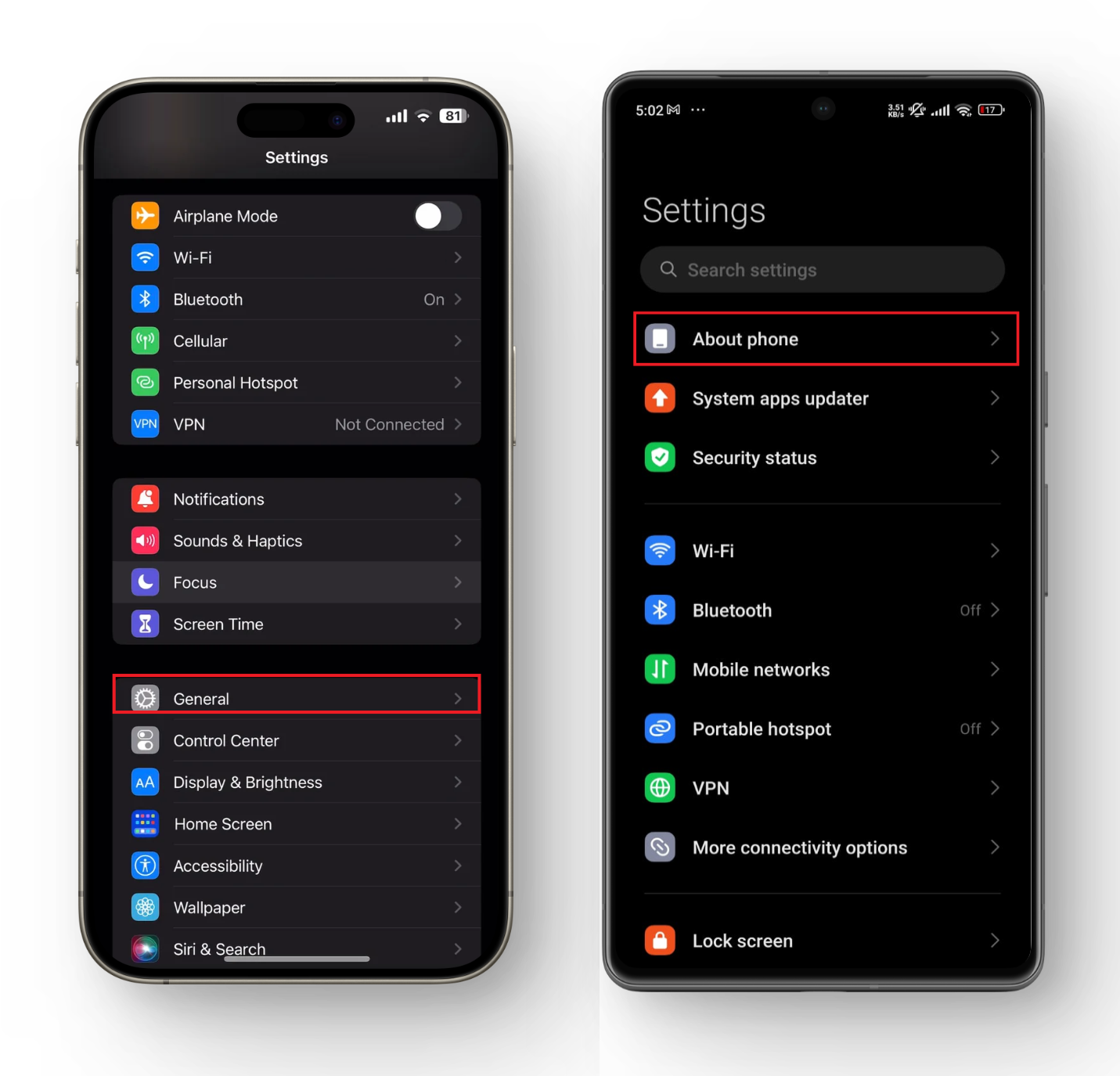
- Choose Software Update ( iPhone ) or System Updates ( Android ).
- Tap to install the update if available.
3. Clean Your Screen Gently
The bright spot may also result from trapped moisture or water damage . Start by removing the case and using a clean, dry cloth to wipe your phone. If you notice a problem with the screen protector , replace it with a new one.

However, if the issue is internal, grab a microfiber cloth and gently massage the affected spot in a circular motion. This can help restore display flexibility and/or redistribute the trapped liquid inside the display, potentially dissolving the bright spot. Remember, this may not always resolve the issue, but it’s worth trying before resorting to more drastic solutions.
4. Use a Screen-Fixing Software
If you notice a tiny white speck on the display that vanishes as soon as you turn your phone off, then it’s likely a stuck pixel . This occurs when one or more pixels fail to light up correctly, displaying only one color, in this case, white. Fortunately, this one is an easy fix.
There are numerous tools available online that flash colors and vibrate the screen to bring the stuck pixel back into its usual cycle. These programs play a random combination of the primary hues at 60 fps to loosen up the stuck pixel. While it’s not a guaranteed fix, it’s worth a shot.

5. Seek Professional Assistance
We’ve all been a bit careless with our phones at times, leaving them in tight pockets or knocking them against hard surfaces. And when there’s no visible scratch or breakage, we go about our days as if nothing happened. But sometimes, pressure spots do appear. They are essentially bright spots, which can be either white or yellow, due to constant pressure applied to some part of the display.
Other times, the frame of your device may get bent or damaged when you drop your phone. Since the screen no longer lies flat within the frame, unusual bright and distorted spots appear on the display.
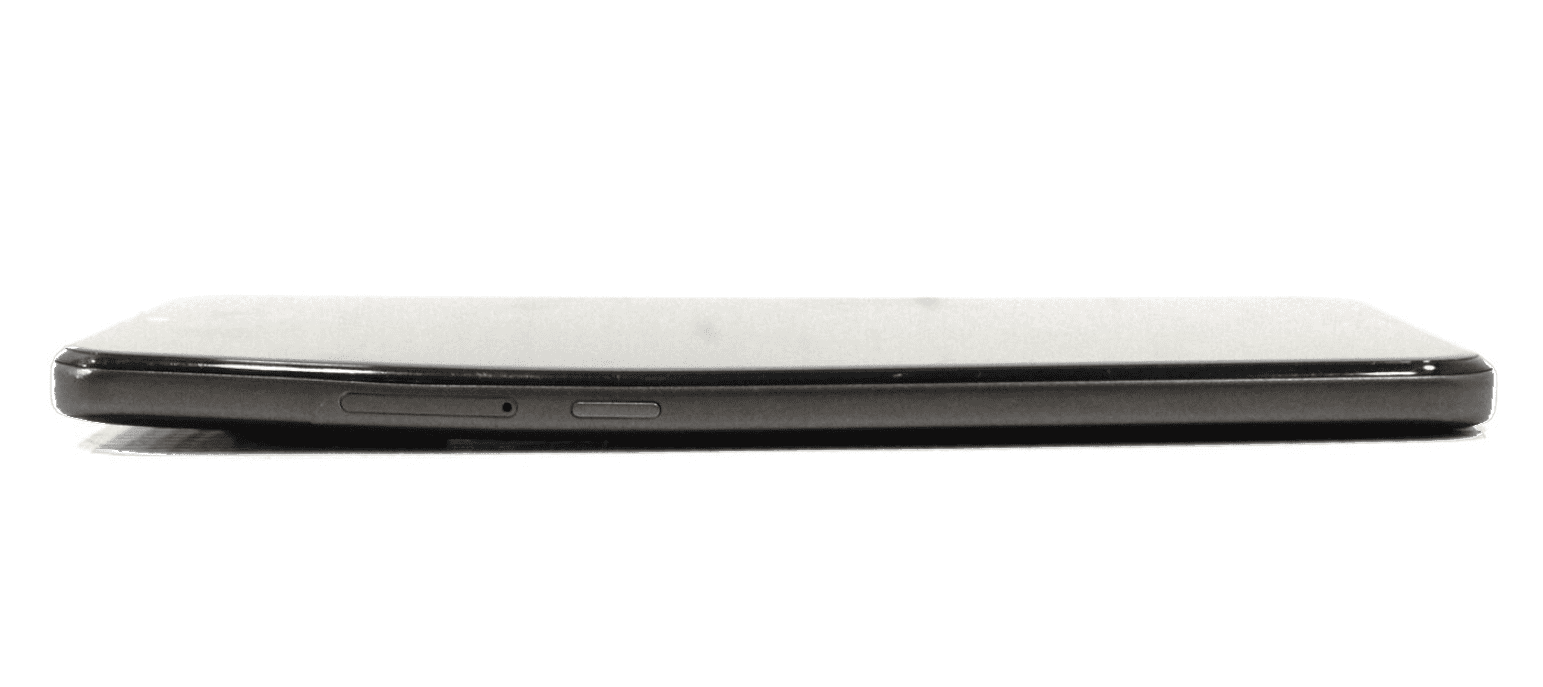
Bent Frame
While they don’t cause complete display failure, they can sometimes be a symptom of an underlying issue , even for those who take care of their devices meticulously. This can happen when internal parts come loose , dirt particles find their way behind the screen, or components like the battery start expanding .
In such cases, it is recommended to bring your phone to your manufacturer or a professional phone repair specialist. They can open it up, clean it, or replace a swollen battery or the entire display if needed.
How to Fix “Printer is in an error state” Issue?
- Recognizing the importance of a printer’s duty cycle is crucial for choosing a device that matches your print volume needs. Staying within this limit ensures the printer operates efficiently and prolongs its lifespan, minimizing the risk of maintenance issues.
- Proper humidity, temperature, and cleanliness management can significantly enhance printer performance and maintain its duty cycle, preventing unnecessary wear.
- Enhancing a printer with upgrades like additional memory or better mechanical parts can improve its workload handling and extend its practical duty cycle, boosting overall durability and efficiency.
When choosing a new printer, you might come across the term “ duty cycle ” in the specifications. This guide will explain what a duty cycle is, why it matters, and how it can help you choose the right printer. We’ll keep things simple so you can easily understand how to use this information when shopping for a printer.
- Printer Duty Cycle: What It Means and Why It Matters?
- Why the Duty Cycle Is Key to Choosing the Right Printer?
- Duty Cycle vs. Recommended Monthly Print Volume: What’s the Difference?
- What Happens If You Ignore Printer Duty Cycle Recommendations? ↪ Real-World Scenarios: Why Exceeding the Duty Cycle Can Cost You
Printer Duty Cycle: What It Means and Why It Matters?

What is the meaning of Printer Duty Cycle?
The printer duty cycle represents the upper limit of a printer’s capacity—how many pages it can reliably process in a month before the risk of wear or malfunction increases. This figure is crucial for understanding printer performance limits and ensuring that your chosen printer can handle the expected work volume.
Manufacturers determine a printer’s duty cycle through stress testing, where the printer is pushed to its limit to identify how many pages it can produce each month before malfunctioning. These tests help set a reliable performance gateway for users.
A printer’s duty cycle is like a car’s speedometer—you wouldn’t drive a car at top speed all the time, and you shouldn’t push a printer to its maximum duty cycle. Doing so can lead to quicker wear and tear, more frequent maintenance, and a shorter lifespan.
If you’re unsure whether to choose an inkjet or laser printer, this detailed guide compares both options to help you make an informed decision.
Why the Duty Cycle Is Key to Choosing the Right Printer?

The Importance of Duty Cycle in printer selection
Knowing the duty cycle is essential when choosing a printer, as it determines how well the device can handle your monthly print volume without excessive wear or maintenance.
Here is why the duty cycle matters in printer selection:
- Fit for purpose: Selecting a printer with a suitable duty cycle ensures it can handle your monthly printing volume efficiently, reducing stress on its components.
- Longer lifespan and better performance: Staying within the duty cycle ensures optimal print quality and speed while prolonging the printer’s life, avoiding frequent breakdowns.
- Cost efficiency and reduced downtime: Operating within the duty cycle minimizes the need for repairs and reduces operational disruptions, managing long-term costs.
Duty Cycle vs. Recommended Monthly Print Volume: What’s the Difference?

Duty Cycle vs. recommended monthly print volume
The recommended monthly print volume is the optimal number of pages a printer should handle each month for the best performance and longevity. Unlike the maximum capacity indicated by the duty cycle, this number guides regular usage, ensuring the printer operates efficiently without excessive wear.
If your print volume regularly exceeds the recommended amount but stays within the duty cycle, the printer may operate safely in the short term, but it could still experience accelerated wear and reduced lifespan over time.
In such cases, consider upgrading to a higher-capacity printer or spreading print jobs across multiple devices to ensure long-term performance.
Here are the differences between the duty cycle and recommended monthly print volume:
- Duty cycle: Represents the maximum number of pages a printer can handle in a month without breaking down. It assesses the printer’s upper limit.
- Recommended monthly print volume: Suggests a practical, workable number of pages to print each month to keep the printer in good condition over its lifespan.
What Happens If You Ignore Printer Duty Cycle Recommendations?

Consequences of ignoring Duty Cycle recommendations |AndranikHakobyan via Canva
Ignoring the duty cycle limits poses more severe risks than exceeding the recommended monthly print volume, leading to serious long-term consequences.
While exceeding the recommended volume occasionally may result in additional wear and tear, consistently exceeding the duty cycle can lead to frequent breakdowns, reduced performance, and a shortened lifespan.
Ignoring duty cycle limits leads to frequent breakdowns, reduced performance, and increased maintenance, ultimately shortening the printer’s lifespan and causing more frequent operational downtime and higher repair costs. Long-term, pushing a printer beyond its limits leads to greater financial burdens due to premature replacements and inefficiencies.
↪ Real-World Scenarios: Why Exceeding the Duty Cycle Can Cost You
For example, in a busy law firm, overlooking duty cycle limits during a high-stakes period could cause a printer breakdown just before a critical deadline, delaying crucial legal filings and ultimately compromising client service.
For small businesses, consistently exceeding a printer’s duty cycle can lead to costly emergency repairs or premature equipment replacements, straining financial resources.
